Detect Trojans: Log Analysis, Behavioral Triggers, and Hidden Blind Spots
Trojan detection fails when teams rely on signature matches; real visibility requires correlating network anomalies with unexpected process creation and file integrity changes.

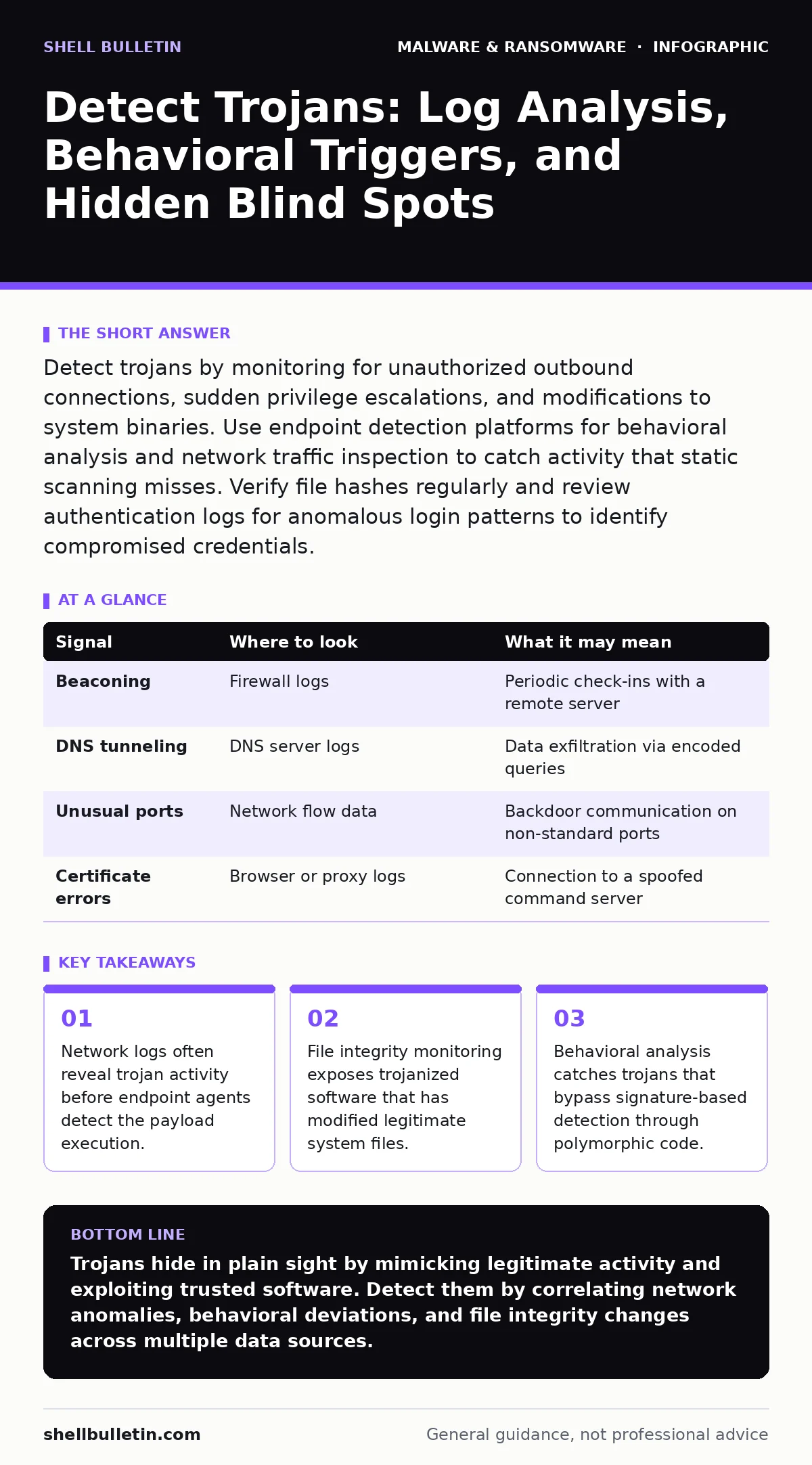
Detect trojans by monitoring for unauthorized outbound connections, sudden privilege escalations, and modifications to system binaries. Use endpoint detection platforms for behavioral analysis and network traffic inspection to catch activity that static scanning misses. Verify file hashes regularly and review authentication logs for anomalous login patterns to identify compromised credentials.
Understanding Trojan Detection Mechanisms
Trojans disguise themselves as legitimate software to gain unauthorized access to systems. Unlike computer viruses, they do not replicate themselves. Unlike screen locker ransomware, they rarely encrypt files immediately. Their primary goal is stealthy persistence and data exfiltration. Detection requires looking beyond file signatures. You must analyze behavior, network traffic, and system state changes. Static malware analysis identifies known threats but misses new variants. Dynamic malware analysis observes runtime behavior to catch unknown activity.
Network Traffic Anomalies
Trojans communicate with command-and-control servers. This traffic often looks like normal web or DNS queries. Look for long-lived connections to unfamiliar domains. Check for data transfers at odd hours. Monitor for large outbound payloads from internal hosts. Network intrusion detection systems flag protocol violations. Deep packet inspection reveals encrypted channel anomalies. You should baseline normal traffic patterns for your environment. Deviations from this baseline indicate potential compromise.
| Signal | Where to look | What it may mean |
|---|---|---|
| Beaconing | Firewall logs | Periodic check-ins with a remote server |
| DNS tunneling | DNS server logs | Data exfiltration via encoded queries |
| Unusual ports | Network flow data | Backdoor communication on non-standard ports |
| Certificate errors | Browser or proxy logs | Connection to a spoofed command server |
Endpoint Behavioral Indicators
Endpoint Detection and Response platforms record process creation. Look for commands launched by unexpected parent processes. Word processors rarely spawn command shells. Web browsers should not execute system utilities. Check for processes running from temporary directories. Verify file paths against known application directories. Look for memory injection techniques. Legitimate applications do not inject code into other processes. These actions often bypass traditional antivirus software.
System File Integrity
Trojans modify system files to maintain access. File integrity monitoring alerts on changes to critical binaries. Check for new services added to the operating system. Verify startup items and scheduled tasks. Compare current file hashes against known good baselines. Changes to system configuration files often precede persistence mechanisms. Trojans often hide in legitimate folders to avoid detection. Regular audits of system directories reveal unauthorized additions.
Authentication and Access Logs
Trojans often steal credentials to move laterally. Review authentication logs for failed login attempts. Look for successful logins from unusual locations or times. Check for privilege escalation events. Standard users should not gain administrative rights. Monitor for new user account creation. Verify that remote access sessions match approved protocols. Anomalous access patterns indicate compromised credentials. These logs provide context for other alerts.
See also: Fileless Malware: Why Traditional Antivirus Fails and How to Defend · Living Off The Land Attacks: Myths vs Reality for Detection
Common Blind Spots in Detection
Many teams miss trojans because they ignore legitimate software risks. Trojized software enters through trusted supply chains. Static analysis of these files shows no malicious code. The malicious behavior only triggers under specific conditions. Another blind spot is encrypted traffic. Deep packet inspection cannot see inside encrypted tunnels. Look for metadata anomalies instead. Finally, ignore internal lateral movement. Trojans often hide while moving between internal hosts.
Integrating Detection Tools
No single tool catches all trojan activity. Combine endpoint detection with network monitoring. Use security information and event management platforms to correlate logs. Set alerts for multi-stage attack patterns. Tune rules to reduce false positives. Regularly update detection signatures and behavioral models. Test your detection capabilities with simulated attacks. Review alert response procedures quarterly. Ensure your team can act on alerts quickly.
Maintaining Detection Effectiveness
Detection capabilities degrade over time. Threat actors change their tactics. Update your detection rules regularly. Review false positive reports to refine models. Train analysts on new trojan techniques. Participate in industry information sharing groups. Share indicators of compromise with peers. Continuous improvement ensures your defenses remain effective. Stay aware of emerging threats in the broader malware ecosystem.
Key takeaways
- Network logs often reveal trojan activity before endpoint agents detect the payload execution.
- File integrity monitoring exposes trojanized software that has modified legitimate system files.
- Behavioral analysis catches trojans that bypass signature-based detection through polymorphic code.
Trojans hide in plain sight by mimicking legitimate activity and exploiting trusted software. Detect them by correlating network anomalies, behavioral deviations, and file integrity changes across multiple data sources.
Frequently asked questions
How do trojans differ from viruses?
Trojans disguise themselves as legitimate software and do not self-replicate, while viruses copy themselves to other files or systems to spread.
Can antivirus software detect all trojans?
Traditional antivirus relies on known signatures and may miss new or polymorphic trojans; behavioral analysis and endpoint detection platforms provide better coverage for unknown threats.
What is the role of dynamic analysis in detection?
Dynamic analysis observes malware behavior in a controlled environment, revealing runtime actions like network connections or file modifications that static analysis cannot see.
How often should I review detection rules?
Review and update detection rules regularly, ideally after major system changes or when new threat intelligence indicates evolving tactics used by attackers.
How this guide was produced: written by the Shell Bulletin editorial team with AI assistance, checked against the public references listed below, and reviewed when the facts change. See our editorial policy or report an error.