Living Off The Land Attacks: Myths vs Reality for Detection
Attackers use built-in system tools to hide, making traditional signature-based security blind to their presence and movements.

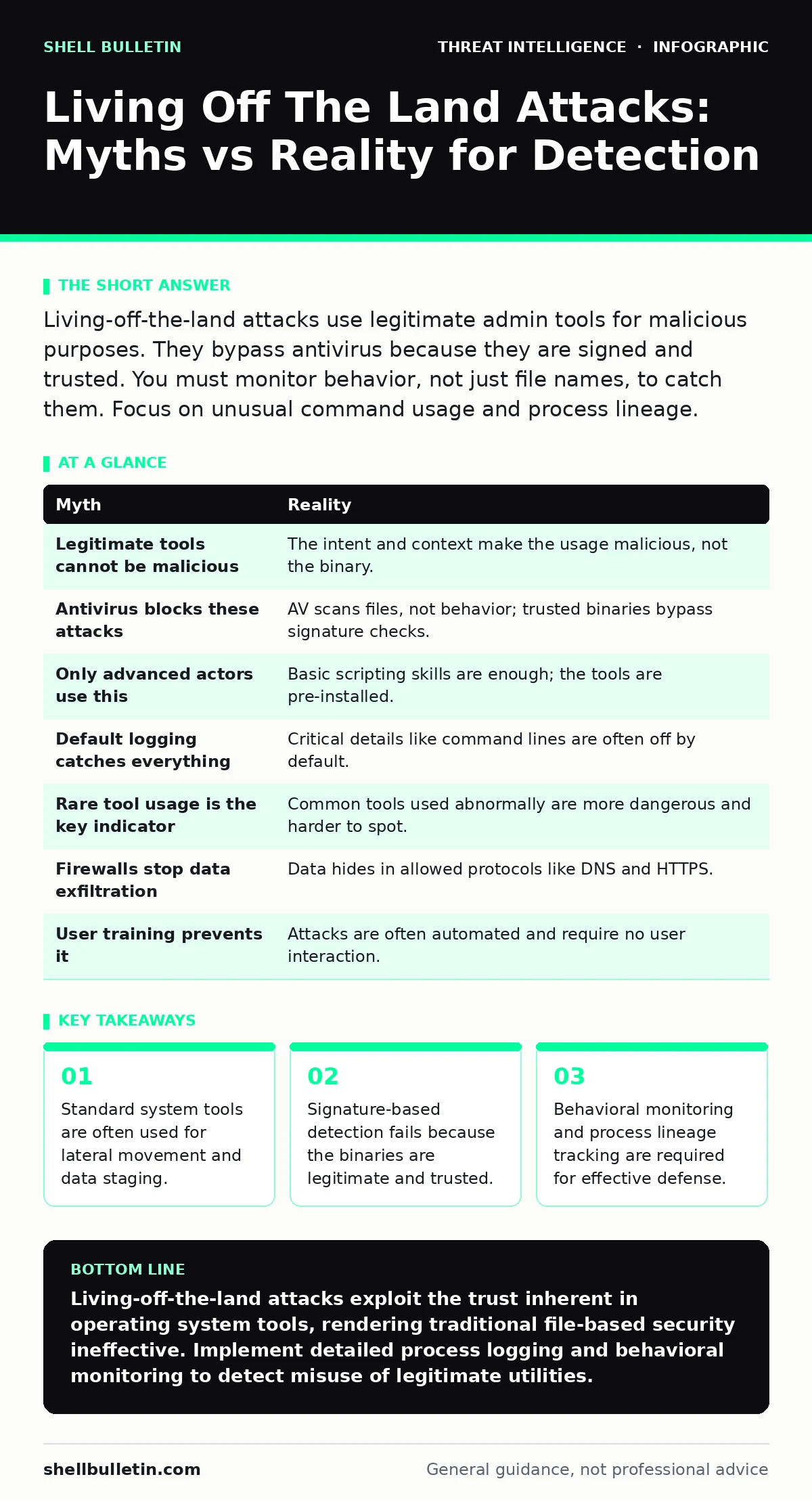
Living-off-the-land attacks use legitimate admin tools for malicious purposes. They bypass antivirus because they are signed and trusted. You must monitor behavior, not just file names, to catch them. Focus on unusual command usage and process lineage.
Myth: Legitimate Tools Cannot Be Malicious
Reality: The binary itself is not malicious; the intent behind its execution is. Operating systems include powerful utilities for administration, scripting, and automation. Attackers exploit these trusted programs because they are digitally signed by the vendor, allowing them to bypass basic integrity checks. When a system administrator uses a scripting engine to deploy software, it looks identical to an attacker using that same engine to download malware.
This distinction breaks traditional security models that rely on file reputation. If the file is known and trusted, the security software assumes the action is safe. You cannot treat the tool as the threat. You must treat the context of its usage as the threat. This shift in perspective is foundational to understanding how adversaries operate within trusted environments.
Myth: Antivirus Software Blocks These Attacks
Reality: Antivirus solutions primarily scan for known bad file signatures or suspicious code patterns. Living-off-the-land binaries contain no malicious code. They are clean operating system components. Your antivirus will not flag them because they are not malware files; they are legitimate utilities being misused. Relying on endpoint protection alone leaves a massive blind spot.
To detect this activity, you need visibility into process creation and command-line arguments. You must observe what the tool is doing, not just what the tool is. This requires a different layer of security that focuses on behavior rather than static file analysis. Without this behavioral context, the attacker moves freely through your environment.
Myth: Only Advanced Nation-States Use This Technique
Reality: Any actor with basic scripting knowledge can execute these attacks. The barrier to entry is low because the tools are already installed on every machine. You do not need to develop custom malware or bypass complex firewalls. You simply need to know how to chain common commands together to achieve a goal. This technique scales from opportunistic hackers to sophisticated groups.
The misconception that this is only for high-level threats causes many organizations to ignore the risk. They assume their security posture is sufficient against basic threats. This assumption is dangerous. The ease of use makes this technique prevalent across all threat levels. You must defend against it regardless of the assumed sophistication of the attacker.
Myth: Default Logging Catches Everything
Reality: Default operating system logging is often sparse and inconsistent. Many critical events, such as specific command-line arguments or script block logging, are disabled by default. Attackers count on this lack of visibility. If you do not explicitly enable detailed logging, you will not have the data needed to reconstruct the attack.
You must configure your systems to capture process creation events with full command-line details. You also need to track parent-child process relationships. This allows you to see if a harmless process like a web browser spawned a command interpreter. Without this level of detail, you are flying blind. Proper logging configuration is a prerequisite for detection.
Myth: Detection Relies on Rare Tool Usage
Reality: Attackers often use common tools in common ways to blend in. They do not always use obscure utilities. They may use standard file copy commands or remote management protocols. The anomaly lies in the timing, the volume, or the source of the command, not the rarity of the tool itself. Detecting rare usage is easy but ineffective.
You need to establish a baseline of normal behavior for your environment. What does typical administrative activity look like? Deviations from this baseline are more indicative of compromise than the mere presence of a tool. This requires continuous monitoring and analysis of logs. It shifts the focus from looking for specific bad tools to looking for strange patterns.
See also: What Is Endpoint Telemetry and How It Secures Your Devices · Fileless Malware: Why Traditional Antivirus Fails and How to Defend
Myth: Network Firewalls Stop The Data Exfiltration
Reality: These attacks often use standard protocols that firewalls allow by default. Attackers can encode data into DNS queries or use HTTPS traffic to exfiltrate information. Since these are legitimate communication methods, the firewall permits the traffic. The data leaves your network hidden inside normal-looking packets.
You cannot block all outbound DNS or HTTPS traffic without breaking business operations. Instead, you must inspect the content and patterns of these connections. Look for unusually large DNS queries or HTTPS connections to unknown domains. This requires deep packet inspection or specialized monitoring tools. Network perimeter defenses alone are insufficient.
Myth: User Training Prevents This Type of Attack
Reality: These attacks often do not require user interaction. Once an attacker has initial access, they can automate the execution of scripts and commands. The user may never see a malicious prompt or click a link. The attack happens in the background using system privileges. Training users to recognize phishing emails is valuable, but it does not stop automated lateral movement.
The defense must be technical, not just human. You need systems that detect and respond to unauthorized command execution. User awareness is a layer of defense, but it is not the layer that stops living-off-the-land techniques. Technical controls must be in place to monitor and restrict process execution.
Myth: These Attacks Are Easy to Detect with Standard Rules
Reality: Standard detection rules often generate too many false positives. Administrators use these tools daily for legitimate work. A rule that flags every use of a scripting engine will alert on normal IT operations. This leads to alert fatigue, where security teams ignore warnings. You need precise, context-aware detection logic.
Developing effective detection requires understanding your specific environment. You must tune rules to ignore known administrative actions. This involves mapping out legitimate use cases and creating exceptions. It is a continuous process of refinement. Without this tuning, your detection system becomes noise rather than a signal.
| Myth | Reality |
|---|---|
| Legitimate tools cannot be malicious | The intent and context make the usage malicious, not the binary. |
| Antivirus blocks these attacks | AV scans files, not behavior; trusted binaries bypass signature checks. |
| Only advanced actors use this | Basic scripting skills are enough; the tools are pre-installed. |
| Default logging catches everything | Critical details like command lines are often off by default. |
| Rare tool usage is the key indicator | Common tools used abnormally are more dangerous and harder to spot. |
| Firewalls stop data exfiltration | Data hides in allowed protocols like DNS and HTTPS. |
| User training prevents it | Attacks are often automated and require no user interaction. |
| Standard rules work well | High false positives lead to alert fatigue and missed threats. |
Key takeaways
- Standard system tools are often used for lateral movement and data staging.
- Signature-based detection fails because the binaries are legitimate and trusted.
- Behavioral monitoring and process lineage tracking are required for effective defense.
- Default logging is rarely sufficient to reconstruct these complex attack chains.
Living-off-the-land attacks exploit the trust inherent in operating system tools, rendering traditional file-based security ineffective. Implement detailed process logging and behavioral monitoring to detect misuse of legitimate utilities.
Frequently asked questions
How do I know if I am being targeted by a living-off-the-land attack?
Look for unusual process chains, such as a web browser spawning a command shell, or unexpected use of scripting engines during non-business hours.
Do I need a separate security product to detect these attacks?
You need a solution that provides deep endpoint visibility and behavioral analysis, often integrated into a broader security operations framework.
Can I just disable these tools to prevent attacks?
Disabling these tools often breaks system functionality and administrative tasks. It is better to monitor and restrict their usage than to remove them entirely.
How does this relate to threat intelligence?
Understanding the tactics, techniques and procedures (TTPs) of attackers helps you identify the specific tool combinations they use, allowing you to tailor your detection rules.
How this guide was produced: written by the Shell Bulletin editorial team with AI assistance, checked against the public references listed below, and reviewed when the facts change. See our editorial policy or report an error.