Malware Defense: Practical Steps for Small Business Security
Malware often bypasses perimeter defenses by exploiting human trust and weak internal configurations rather than breaking through firewalls.

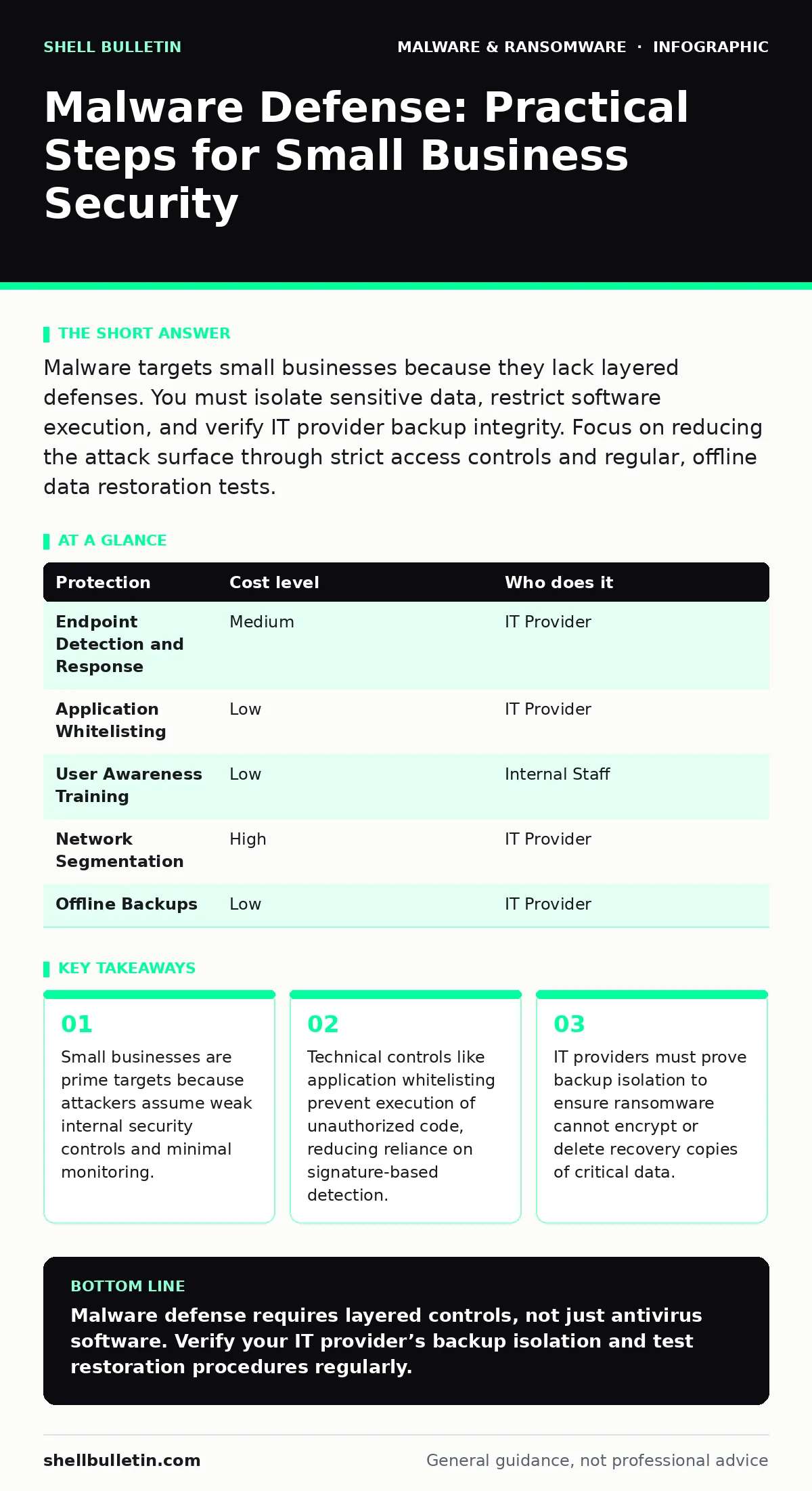
Malware targets small businesses because they lack layered defenses. You must isolate sensitive data, restrict software execution, and verify IT provider backup integrity. Focus on reducing the attack surface through strict access controls and regular, offline data restoration tests.
Why Malware Targets Small Operations
Malware authors prioritize small businesses because these organizations often lack dedicated security teams and sophisticated monitoring tools. Attackers operate on a volume basis, casting wide nets to find systems with weak configurations. A small office may have fewer employees, but it often holds concentrated data, such as customer payment information or proprietary designs. This concentration makes the data valuable for extortion or sale on underground markets.
The assumption that size equals safety is incorrect. Small businesses frequently share infrastructure with larger partners, making them entry points for supply chain attacks. Once inside a small network, malware can move laterally to connected systems. The lack of network segmentation means a single infected workstation can expose the entire environment. You must treat your network perimeter as permeable and focus on internal controls.
The Mechanics of Infection
Malware enters systems through various vectors, but the most common involve user interaction. Phishing emails deliver malicious attachments or links that exploit vulnerabilities in office software. Imagine receiving a PDF that appears legitimate but contains hidden code. When you open the file, the code executes in the background. This is why macro security settings matter. Macros are small scripts embedded in documents that can automate tasks. If enabled by default, they allow malware to run immediately upon opening a file.
Another vector is drive-by downloads, where visiting a compromised website triggers an automatic download. These attacks exploit unpatched vulnerabilities in web browsers or plugins. Even if you do not click anything, the mere act of browsing can infect your system. Understanding these mechanics helps you appreciate why disabling auto-execution features is a primary defense. It reduces the attack surface by removing the automatic trigger that malware relies on.
Protection Strategies and Costs
Implementing defense requires balancing security with operational efficiency. You cannot simply block all external files, as business operations depend on external communication. Instead, you layer controls to make infection difficult and detection likely. The table below outlines common protection measures, their relative cost, and who typically manages them.
| Protection | Cost level | Who does it |
|---|---|---|
| Endpoint Detection and Response | Medium | IT Provider |
| Application Whitelisting | Low | IT Provider |
| User Awareness Training | Low | Internal Staff |
| Network Segmentation | High | IT Provider |
| Offline Backups | Low | IT Provider |
Endpoint Detection and Response monitors system behavior for anomalies. It looks for actions typical of malware, such as rapid file encryption or unauthorized registry changes. This is more effective than traditional antivirus, which relies on known signatures. Application whitelisting allows only approved software to run. This prevents unknown executables from launching, even if they bypass other defenses. The trade-off is maintenance; you must update the whitelist as new software is installed.
The Hidden Cost of False Positives
Security tools are not perfect. They often flag legitimate software as malicious, a problem known as a false positive. Imagine a payroll system that modifies system files to function correctly. A security tool might see this modification and block the software, halting payroll processing. Resolving these incidents takes time and technical expertise. If your IT provider lacks experience, downtime increases.
You must ask your provider how they handle false positives. A good provider has a process for verifying alerts before taking action. They should maintain a communication channel with you to explain why a tool blocked a specific file. This transparency prevents unnecessary panic and ensures business continuity. Ignoring false positives can lead to alert fatigue, where staff dismiss warnings, potentially missing a real threat.
What to Ask Your IT Provider
Your IT provider is your first line of defense. You need to verify their capabilities and processes. Do not assume they are proactive; ask for evidence of their security posture. Use the following questions to evaluate their readiness.
- How do you isolate backup data from the primary network to prevent ransomware encryption?
- What is your process for testing backup restoration, and how often do you perform these tests?
- Do you use application whitelisting or endpoint detection, and how do you handle false positives?
- How quickly do you respond to a suspected malware incident, and what is your containment strategy?
- Can you demonstrate your monitoring capabilities with a recent example of detected suspicious activity?
These questions reveal whether your provider focuses on reactive fixes or proactive prevention. Backup isolation is critical. If backups are connected to the same network, ransomware can encrypt them too. You need offline or immutable backups that cannot be altered once written. Testing restoration ensures the backups are usable. A backup that cannot be restored is useless during an incident.
Understanding Advanced Threats
Malware evolves to evade detection. Some variants use polymorphic code, which changes its appearance every time it infects a system. This defeats signature-based antivirus tools. You need behavioral analysis to catch these threats. This involves monitoring how software acts rather than what it looks like. For instance, a word processor should not attempt to access network ports or modify system registries.
Trojans often masquerade as legitimate software. They may appear as a useful utility but contain hidden malicious code. Banking trojans specifically target financial data, capturing credentials and intercepting transactions. These threats require specialized detection methods. You should ensure your security tools can identify known trojan behaviors. Understanding the difference between a computer virus and a trojan helps you prioritize defenses. Viruses replicate themselves, while trojans rely on user deception.
Practical Steps for Immediate Action
Start by auditing your current software execution policies. Disable macros in office applications unless absolutely necessary. Configure your email gateway to block executable attachments and suspicious file types. These steps reduce the likelihood of initial infection. Next, review your backup strategy. Ensure backups are stored offline or in a separate, isolated network segment. Test the restoration process quarterly to verify data integrity.
Implement application whitelisting on critical servers. This prevents unauthorized code from running on systems that handle sensitive data. While it requires initial configuration, it provides strong protection against unknown threats. Finally, conduct a tabletop exercise with your team. Simulate a malware incident to test your response plan. Identify gaps in communication and decision-making. This preparation reduces panic and speeds up recovery when a real incident occurs.
Key takeaways
- Small businesses are prime targets because attackers assume weak internal security controls and minimal monitoring.
- Technical controls like application whitelisting prevent execution of unauthorized code, reducing reliance on signature-based detection.
- IT providers must prove backup isolation to ensure ransomware cannot encrypt or delete recovery copies of critical data.
Malware defense requires layered controls, not just antivirus software. Verify your IT provider’s backup isolation and test restoration procedures regularly.
Frequently asked questions
How do I distinguish between malware and a system error?
Malware often causes unexpected network traffic, rapid file changes, or disabled security tools. System errors usually produce specific error codes and do not affect network behavior.
How do malware payloads differ from the carrier?
The carrier is the file or link that delivers the threat. The payload is the malicious code that executes once the carrier is opened. Disabling auto-execution prevents the payload from running.
How this guide was produced: written by the Shell Bulletin editorial team with AI assistance, checked against the public references listed below, and reviewed when the facts change. See our editorial policy or report an error.