What Are Computer Viruses: Definition, Spread, and Defense
Computer viruses require human action to spread, unlike worms that move automatically, making user behavior the primary control point.

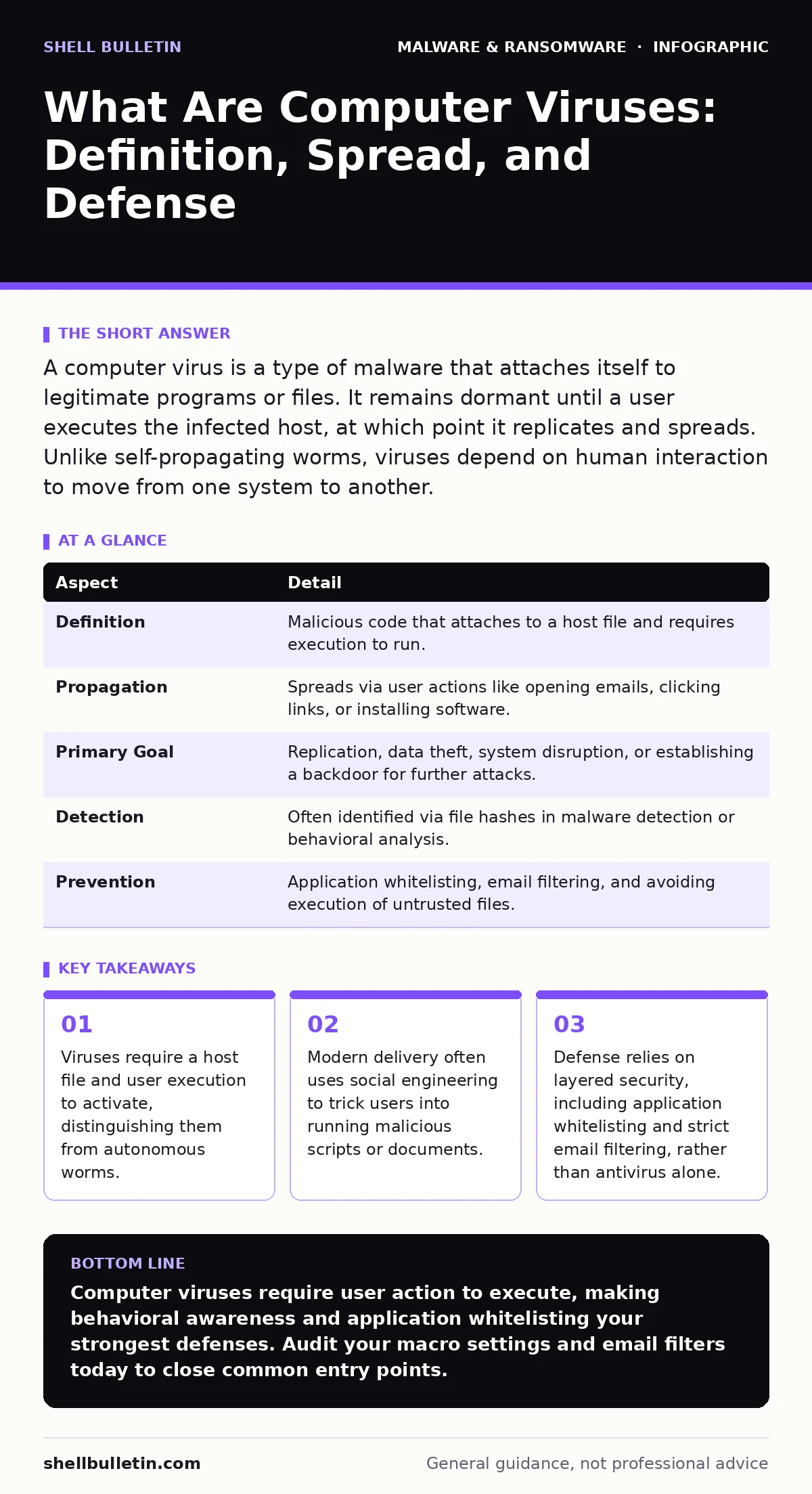
A computer virus is a type of malware that attaches itself to legitimate programs or files. It remains dormant until a user executes the infected host, at which point it replicates and spreads. Unlike self-propagating worms, viruses depend on human interaction to move from one system to another.
The Living Code Analogy
Imagine a biological virus. It cannot move on its own. It needs a host organism to survive and replicate. Similarly, a computer virus is a snippet of code that cannot execute independently. It must attach itself to a legitimate program, document, or script. When you run that host file, the virus activates. It copies itself into other files or system areas. This dependency on a host is the defining characteristic of the technology.
At a Glance
| Aspect | Detail |
|---|---|
| Definition | Malicious code that attaches to a host file and requires execution to run. |
| Propagation | Spreads via user actions like opening emails, clicking links, or installing software. |
| Primary Goal | Replication, data theft, system disruption, or establishing a backdoor for further attacks. |
| Detection | Often identified via file hashes in malware detection or behavioral analysis. |
| Prevention | Application whitelisting, email filtering, and avoiding execution of untrusted files. |
How Infection Occurs
The infection chain begins with delivery. Attackers package the virus inside something useful or interesting. This might be a resume in an email attachment or a cracked software installer. The mechanism relies on trust. You expect the file to be safe because it comes from a known contact or a popular download site. Once you double-click the file, the operating system loads it into memory. The virus code executes first. It may hide its presence by modifying system registries or injecting itself into running processes.
Common Forms and Vectors
Viruses adapt to how people use computers. Document macros are a frequent vector. These are small programs embedded in Word or Excel files. If you enable them, the virus runs. Another form is the boot sector virus, which infects the master boot record of a drive. This allows it to load before the operating system starts. Less common today but still relevant is the file infector. It modifies executable files, appending its code to the end of the program. When the program runs, the virus runs too.
Who Gets Hit
Viruses target any system that allows user execution of code. Small businesses are often preferred targets because they may lack dedicated security teams. However, the impact is not limited by size. A single infected machine can spread the virus to others on the local network if file sharing is enabled. The damage varies. Some viruses simply delete files. Others steal credentials. Some install additional tools, such as banking trojans, which monitor keystrokes to capture financial data. The financial and operational cost of downtime often exceeds the value of the stolen data.
See also: Stop Email Authentication Failures: 7 Common Mistakes That Let Phishers In · Detect Clone Phishing: Log Signals, Tool Gaps and Blind Spots
What People Usually Get Wrong
Many users believe antivirus software provides complete protection. This is a dangerous misconception. Traditional antivirus relies on signatures, which are known patterns of malicious code. If the virus is new or modified, the signature may not exist. This is where understanding file hashes in malware detection becomes relevant. Hashes are unique digital fingerprints of files. If a file’s hash matches a known bad hash, it is blocked. However, attackers can change the code slightly to create a new hash, bypassing this check.
Another common error is assuming that only external threats matter. Internal spread is often faster. If one employee clicks a malicious link, the virus can move to shared drives. This is why network segmentation is critical. It limits the blast radius. Also, users often confuse viruses with potentially unwanted programs. These are not always malicious but can degrade performance and privacy. Removing them requires careful review, as they may be bundled with legitimate software.
Reducing Risk
Defense requires layers. Start with email filtering. Block attachments and links that show signs of spoofing. Next, disable macro execution by default. Only allow macros from trusted publishers. This stops the most common document-based viruses. Use application whitelisting. This allows only approved programs to run. If a virus tries to execute, the system blocks it because it is not on the list. This is more effective than blacklisting, which tries to block known bad programs.
Regular updates are also necessary. Operating systems and applications patch vulnerabilities that viruses exploit. If you do not patch, attackers can use old holes to bypass defenses. Finally, educate users. They need to recognize phishing attempts. Social engineering is the delivery mechanism for most viruses. If users do not click, the virus cannot start.
Beyond the Basics
Understanding viruses helps you see other threats. For instance, fileless malware does not write files to the disk. It lives in memory. This makes it harder to detect with traditional antivirus. Similarly, DLL sideloading exploits the way Windows loads libraries. Attackers place a malicious library in a folder that a legitimate program checks. When the program runs, it loads the malicious library instead. Knowing these mechanisms helps you appreciate why simple antivirus is not enough. You need behavioral monitoring and strict application controls.
The Human Element
Technology alone cannot stop viruses. The human element is the weakest link and the strongest defense. Users must be skeptical. They should verify unexpected attachments via a separate channel. If you receive a file, call the sender. Do not reply to the email. This breaks the automation of the attack. Also, limit user privileges. Standard users cannot modify system files or install software. This prevents viruses from gaining deep access. Administrators should only use privileged accounts for specific tasks. This reduces the attack surface.
Final Thoughts on Defense
A computer virus is a persistent threat because it exploits human trust. The definition is simple, but the implementation of defense is complex. You must combine technical controls with user awareness. Application whitelisting and email filtering provide a strong base. Regular patching closes known holes. Education ensures users do not accidentally execute code. There is no silver bullet. You must maintain a layered approach. This reduces the likelihood of infection and limits the damage if one occurs.
Key takeaways
- Viruses require a host file and user execution to activate, distinguishing them from autonomous worms.
- Modern delivery often uses social engineering to trick users into running malicious scripts or documents.
- Defense relies on layered security, including application whitelisting and strict email filtering, rather than antivirus alone.
Computer viruses require user action to execute, making behavioral awareness and application whitelisting your strongest defenses. Audit your macro settings and email filters today to close common entry points.
Frequently asked questions
Can a computer virus infect my phone?
Yes, mobile devices can be infected by viruses, particularly through malicious apps or links in messages, though the mechanisms differ from desktop computers.
Is antivirus software enough to stop viruses?
No, antivirus software relies on known signatures and may miss new or modified viruses. You need additional layers like email filtering and application whitelisting.
What is the difference between a virus and a worm?
A virus requires a host file and user execution to spread, while a worm is self-contained and can propagate automatically across networks without user interaction.
How do I know if my computer has a virus?
Signs include slow performance, unexpected pop-ups, missing files, or programs running in the background. However, many viruses are silent, so rely on monitoring tools.
How this guide was produced: written by the Shell Bulletin editorial team with AI assistance, checked against the public references listed below, and reviewed when the facts change. See our editorial policy or report an error.