Stop Email Authentication Failures: 7 Common Mistakes That Let Phishers In
Most email security breaches occur not because authentication is missing, but because organizations misconfigure the strictness of their SPF and DKIM records, leaving backdoors open.

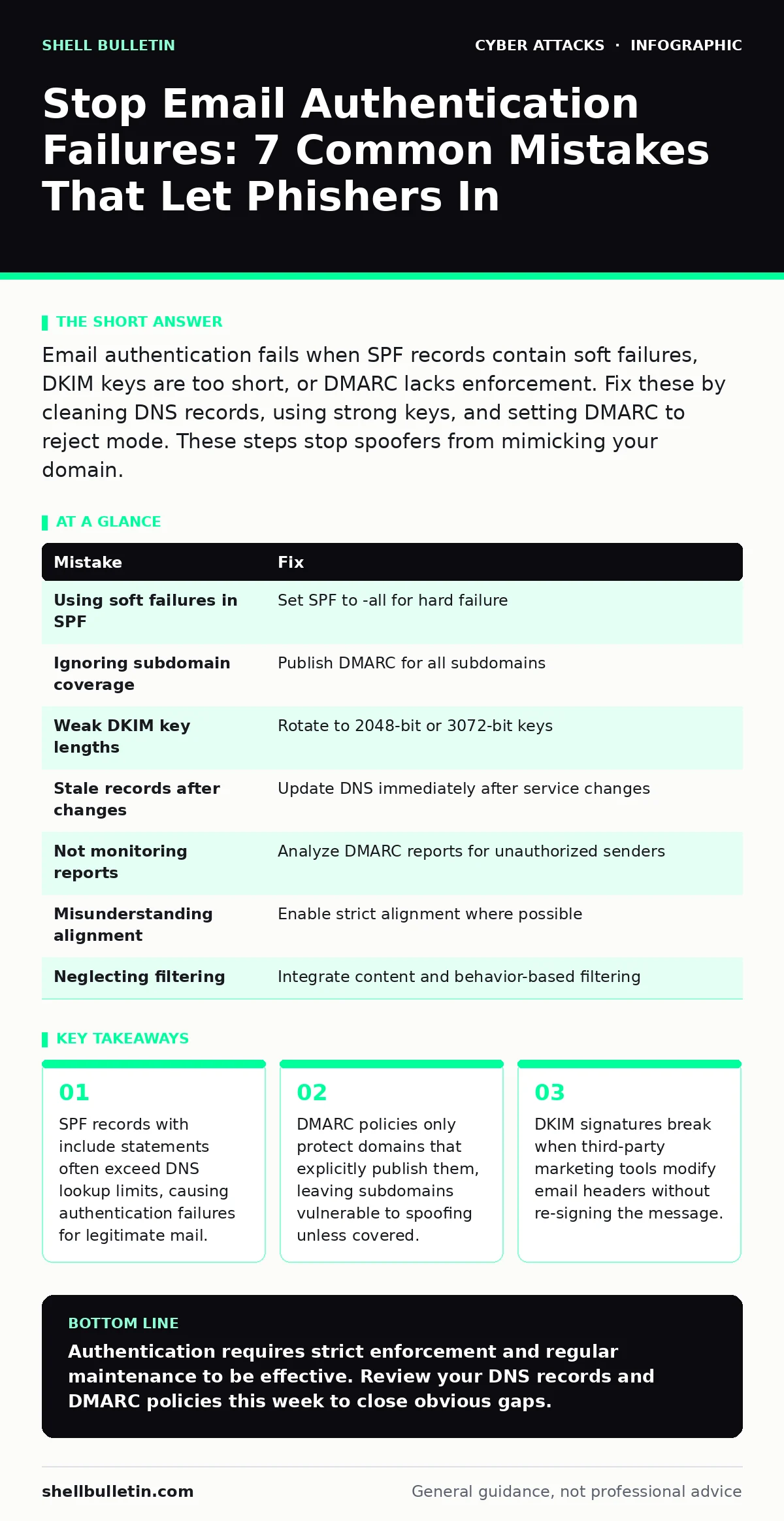
Email authentication fails when SPF records contain soft failures, DKIM keys are too short, or DMARC lacks enforcement. Fix these by cleaning DNS records, using strong keys, and setting DMARC to reject mode. These steps stop spoofers from mimicking your domain.
Mistake 1: Using Soft Failures in SPF Records
SPF (Sender Policy Framework) tells receivers which servers are allowed to send email for your domain. Many administrators set their SPF record to return a soft failure (~all) instead of a hard failure (-all). A soft failure signals that the message is likely spam but still allows it to be delivered to the inbox. This leniency gives attackers a significant advantage.
Why it hurts:
Spammers exploit soft failures by sending messages that technically violate your policy but are still accepted by receiving servers. Since the receiver sees a soft failure, they may apply a lower spam score, allowing the message to land in the primary inbox rather than the junk folder. This undermines the entire purpose of SPF, which is to provide a definitive answer about sender legitimacy.
The fix:
Change the SPF mechanism to -all, which signifies a hard failure. This instructs receiving servers to reject any email that does not originate from an authorized IP address. Before making this change, audit your DNS to ensure all legitimate sending sources are listed. If you are unsure about a specific sender, test the change in a controlled environment first.
Mistake 2: Ignoring Subdomain Coverage in DMARC
DMARC (Domain-based Message Authentication, Reporting, and Conformance) builds on SPF and DKIM to tell receivers what to do when authentication fails. A common error is publishing a DMARC record only for the base domain (yourdomain.com) while neglecting subdomains like mail.yourdomain.com or hr.yourdomain.com. Attackers frequently target these subdomains because they appear specific and trustworthy.
Why it hurts:
If a subdomain lacks a DMARC record, receivers cannot enforce strict policies against spoofed emails from that subdomain. Attackers can register look-alike subdomains or exploit misconfigured ones to bypass base-domain protections. This creates a fragmentation in your security posture, where the main domain is secure, but the edges remain porous.
The fix:
Publish DMARC records for all active subdomains that send email. If a subdomain does not send email, publish a DMARC record with a p=reject policy to immediately block any spoofing attempts. This ensures that every variation of your domain name is protected. Coordinate with IT teams to identify all subdomains used for mailing lists, notifications, or third-party services.
Mistake 3: Relying on Weak DKIM Key Lengths
DKIM (DomainKeys Identified Mail) adds a cryptographic signature to your emails, proving they have not been altered in transit. Many organizations use 1024-bit keys, which were once considered secure but are now vulnerable to collision attacks. Modern processors can break these shorter keys with relative ease, allowing attackers to forge valid signatures.
Why it hurts:
Weak keys reduce the trust receivers place in your email. As cryptographic standards evolve, receivers may begin to downgrade the reputation of emails signed with short keys. More critically, attackers can generate their own keys that collide with yours, creating forged emails that pass DKIM checks. This breaks the integrity guarantee that DKIM is supposed to provide.
The fix:
Rotate to 2048-bit or 3072-bit DKIM keys. Most modern email security platforms support these lengths. Update your DNS TXT record with the new public key and configure your sending servers to use the corresponding private key. Monitor authentication logs to ensure the new keys are being applied correctly to all outgoing messages.
Mistake 4: Forgetting to Update Records After Service Changes
Businesses frequently change email vendors, marketing platforms, or cloud providers. Each of these services often requires its own IP address or domain to be added to your SPF and DKIM records. When organizations switch services, they often remove the old provider but forget to add the new one, or vice versa. This dynamic environment leads to stale configuration data.
Why it hurts:
If a legitimate sender is missing from your SPF record, their emails will fail authentication and may be rejected by recipients. Conversely, if you forget to remove an old provider, you expand the attack surface. Attackers can use the abandoned provider’s infrastructure to send spoofed emails that pass your SPF checks. This inconsistency confuses receiving servers and damages your sender reputation.
The fix:
Establish a change management process for DNS records. Whenever you onboard or offboard a service, update SPF and DKIM records immediately. Use include statements for third-party services where possible, as this allows the vendor to manage their own IP ranges. Regularly audit your DNS records to ensure they match your current operational reality.
Mistake 5: Not Monitoring DMARC Reports
DMARC provides aggregate and forensic reports that detail which emails passed or failed authentication. Many organizations publish a DMARC record but never read the reports. This is akin to installing a security camera and never watching the footage. Without visibility, you cannot identify unauthorized senders or diagnose legitimate delivery issues.
Why it hurts:
Without monitoring, you remain blind to ongoing spoofing attempts. You may not realize that attackers are successfully sending emails that fail DKIM but pass SPF, or vice versa. This lack of insight prevents you from refining your policies. You also miss opportunities to identify internal misconfigurations that are causing legitimate emails to fail, which can harm deliverability.
The fix:
Set up a dedicated email address to receive DMARC reports. Use a parsing tool to analyze the data and identify patterns. Look for IPs that are sending email on your behalf without authorization. Investigate any failures from known legitimate senders to correct configuration errors. This data-driven approach allows you to tighten your security policies with confidence.
See also: 7 Email Filtering Mistakes That Let Threats Through Your Inbox · What Are Computer Viruses: Definition, Spread, and Defense
Mistake 6: Misunderstanding Alignment Modes
DMARC relies on the concept of alignment, where the domain in the "From" header matches the domain used for SPF or DKIM validation. There are two modes: relaxed and strict. Many organizations default to relaxed alignment, which allows subdomains to match the base domain. While convenient, this can introduce security gaps if not managed carefully.
Why it hurts:
Relaxed alignment can allow attackers to use a different subdomain for the envelope sender (SPF) while using your base domain in the "From" header (DKIM). If one of these mechanisms is weak or misconfigured, the other may not catch the spoofing. Strict alignment requires an exact match, providing a higher level of security but potentially breaking legitimate third-party integrations that do not support strict alignment.
The fix:
Evaluate your ability to support strict alignment (adkim=s and aspf=s in your DMARC record). If your third-party services support strict alignment, enable it to maximize security. If not, ensure that your SPF and DKIM records are rigorously maintained to compensate for the relaxed alignment. Regularly test alignment with different senders to ensure consistency.
Mistake 7: Neglecting Email Filtering Integration
Authentication is only one layer of defense. Many organizations treat SPF, DKIM, and DMARC as a complete solution, ignoring the need for robust email filtering. Attackers often use compromised accounts to send emails that pass authentication, bypassing these checks entirely. Without additional filtering, these malicious messages reach the inbox.
Why it hurts:
Even with perfect authentication, you are vulnerable to account takeover attacks where the attacker controls a legitimate user account. These emails will pass all authentication checks because they originate from an authorized server. If you rely solely on authentication, you miss the opportunity to detect anomalous behavior, such as unusual sending volumes or suspicious attachments.
The fix:
Integrate email filtering solutions that analyze content, sender reputation, and behavior. Use tools that can detect clone phishing and other sophisticated attacks. Ensure your filtering rules are tuned to work alongside your authentication policies. This layered approach ensures that even if an attacker bypasses authentication, other controls may still stop the threat.
| Mistake | Fix |
|---|---|
| Using soft failures in SPF | Set SPF to -all for hard failure |
| Ignoring subdomain coverage | Publish DMARC for all subdomains |
| Weak DKIM key lengths | Rotate to 2048-bit or 3072-bit keys |
| Stale records after changes | Update DNS immediately after service changes |
| Not monitoring reports | Analyze DMARC reports for unauthorized senders |
| Misunderstanding alignment | Enable strict alignment where possible |
| Neglecting filtering | Integrate content and behavior-based filtering |
Key takeaways
- SPF records with include statements often exceed DNS lookup limits, causing authentication failures for legitimate mail.
- DMARC policies only protect domains that explicitly publish them, leaving subdomains vulnerable to spoofing unless covered.
- DKIM signatures break when third-party marketing tools modify email headers without re-signing the message.
Authentication requires strict enforcement and regular maintenance to be effective. Review your DNS records and DMARC policies this week to close obvious gaps.
Frequently asked questions
Does DMARC protect my personal email address?
Only if you own the domain used in the "From" address. DMARC protects the domain, not the individual user. If someone spoofs your Gmail address, Gmail’s own protections apply, not your corporate DMARC record.
How long does it take to implement strict DMARC?
It varies based on your complexity. Simple environments can switch to reject mode in days. Complex environments with many third-party senders may take weeks to audit and fix alignment issues before enforcing strict policies.
Can I use DMARC if I don’t send email?
Yes. Publishing a DMARC record with a reject policy for a domain that does not send email is a strong deterrent. It tells receivers to reject any email claiming to be from that domain, which is useful for protecting brand names or preventing typo-squatting.
What is the difference between SPF and DKIM?
SPF verifies the IP address of the sending server against a list of authorized IPs. DKIM verifies the integrity of the email content using a cryptographic signature. SPF checks who sent it; DKIM checks if it was changed in transit.
How this guide was produced: written by the Shell Bulletin editorial team with AI assistance, checked against the public references listed below, and reviewed when the facts change. See our editorial policy or report an error.