Potentially Unwanted Programs: What They Are and How to Stop Them
Potentially unwanted programs hide in plain sight, using legitimate software behaviors to install tracking tools that degrade system performance and privacy.

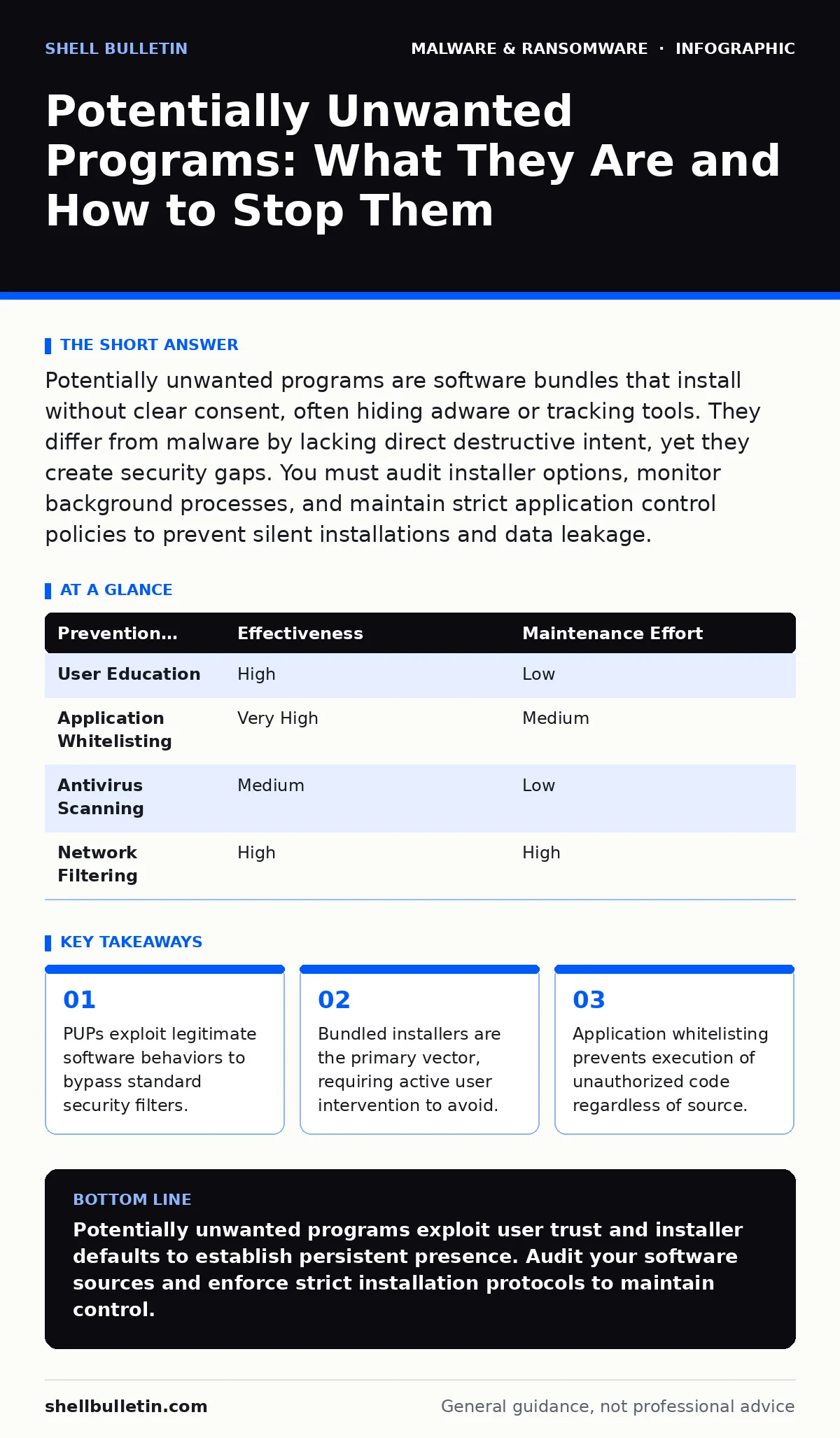
Potentially unwanted programs are software bundles that install without clear consent, often hiding adware or tracking tools. They differ from malware by lacking direct destructive intent, yet they create security gaps. You must audit installer options, monitor background processes, and maintain strict application control policies to prevent silent installations and data leakage.
What exactly is a potentially unwanted program?
A potentially unwanted program is software that may not be malware but performs actions that users find undesirable or harmful. These programs often include adware, toolbars, or system optimizers that generate revenue for their creators rather than providing value to you. They operate within the boundaries of legal software distribution but violate the principle of informed consent. Unlike computer viruses, which replicate and damage systems, PUPs typically remain static but persistent.
How do PUPs differ from malware and ransomware?
The distinction lies in intent and behavior rather than technical structure. Malware is designed to harm, steal, or disrupt, whereas PUPs are designed to monetize your attention or data. Screen locker ransomware demands payment to restore access, a direct attack on availability. PUPs, however, may merely flood your browser with ads or collect browsing habits. This subtle difference means security tools often classify them differently, sometimes allowing PUPs to run while blocking obvious threats.
Why do security tools often miss these programs?
Security solutions rely on signatures and behavioral heuristics to detect threats. PUPs often use legitimate code libraries and standard installation routines, making them look like normal applications. They exploit the "whitelist" mentality, where software from a known publisher is trusted by default. This creates a blind spot where the software is technically safe but functionally intrusive. Understanding this gap is vital for malware analysis, as you must look beyond code signatures to user impact.
How do PUPs get onto my system in the first place?
The most common entry point is software bundling, where free applications include additional programs in their installers. Users often click "Next" too quickly, accepting default options that include the unwanted software. Another vector is drive-by downloads, where visiting a compromised site triggers an automatic installation. These methods bypass your awareness, relying on haste or confusion. You must treat every installer as a potential carrier of extra baggage.
What are the signs that a PUP is active?
Look for new toolbars in your browser, unexpected pop-up ads, or a sudden slowdown in system performance. Your default search engine may change without your permission, directing traffic to affiliate sites. Background processes consuming high CPU or memory resources are another indicator. These symptoms are often subtle, evolving slowly to avoid detection. Regular monitoring of running processes helps identify these anomalies before they cause significant disruption.
See also: Dependency Updates: Why Small Patches Stop Big Breaches · How Does Email Encryption Work: The Mechanism Behind Secure Messaging
Can PUPs lead to more serious security breaches?
Yes, by creating vulnerabilities and collecting data. PUPs often disable security features or install additional software that weakens system defenses. They can harvest sensitive information, such as browsing history or login credentials, which can be sold or used for targeted attacks. This makes them a precursor to more sophisticated threats like banking trojans, which require specific data to function. The risk is not just annoyance but the erosion of your security perimeter.
How do I remove a stubborn PUP?
Standard uninstallation often leaves remnants behind. You should use dedicated removal tools that scan for hidden files and registry entries. Booting into safe mode can prevent the PUP from running, allowing for easier deletion. If the program resists removal, it may have installed drivers or services that require specialized attention. In complex cases, fileless malware techniques may be employed, meaning the threat resides in memory rather than on disk, complicating eradication.
What is the most effective way to prevent future infections?
Adopt a policy of least privilege and strict application control. Only install software from trusted sources and read every screen during installation. Disable automatic updates for non-critical applications to maintain control over what runs on your system. Use application whitelisting to ensure only authorized programs can execute. This approach shifts the burden from detection to prevention, significantly reducing the attack surface.
| Prevention Method | Effectiveness | Maintenance Effort |
|---|---|---|
| User Education | High | Low |
| Application Whitelisting | Very High | Medium |
| Antivirus Scanning | Medium | Low |
| Network Filtering | High | High |
How do PUPs exploit legitimate software behaviors?
They mimic normal application activities to avoid triggering alarms. For example, they may use standard web requests to send data, which looks like normal browser traffic. They might also use DLL sideloading techniques, placing malicious libraries in the same directory as legitimate programs. This allows the PUP to execute when the trusted program runs. This method is particularly dangerous because it leverages the trust already placed in the legitimate software.
What role do file hashes play in identifying PUPs?
File hashes create a unique fingerprint for every file, allowing security tools to identify known threats. However, PUPs often change their code slightly, altering the hash and bypassing detection. This is why file hashes in malware detection are useful but insufficient alone. You must combine hash checking with behavioral analysis to catch variants of known PUPs. This layered approach ensures that even modified threats are identified and blocked.
How can I protect my business from PUP-related data loss?
Implement strict data handling policies and regular backups. PUPs can exfiltrate data over time, leading to significant privacy breaches. Encrypting sensitive data ensures that even if it is collected, it remains unreadable. Regular audits of installed software help identify and remove PUPs before they cause harm. This proactive stance minimizes the risk of data leakage and maintains customer trust.
Key takeaways
- PUPs exploit legitimate software behaviors to bypass standard security filters.
- Bundled installers are the primary vector, requiring active user intervention to avoid.
- Application whitelisting prevents execution of unauthorized code regardless of source.
Potentially unwanted programs exploit user trust and installer defaults to establish persistent presence. Audit your software sources and enforce strict installation protocols to maintain control.
Frequently asked questions
Are PUPs illegal?
No, they are generally legal but operate in a gray area regarding consent and user privacy. Their legality depends on local consumer protection laws.
Can I use a PUP for system optimization?
Most system optimizers are ineffective and may cause instability. Built-in operating system tools are safer and more reliable for maintenance tasks.
Do mobile devices get PUPs?
Yes, mobile PUPs are common, often disguised as cleaning or security apps. They can drain battery and collect personal data.
How often should I scan for PUPs?
Run scans regularly, especially after installing new software. Automated real-time protection helps catch threats as they attempt to install.
How this guide was produced: written by the Shell Bulletin editorial team with AI assistance, checked against the public references listed below, and reviewed when the facts change. See our editorial policy or report an error.