Banking Trojan Response: Stop the Bleed and Recover Securely
Banking trojans often survive system wipes by rewriting firmware or stealing credentials before you notice the infection, making credential rotation mandatory.

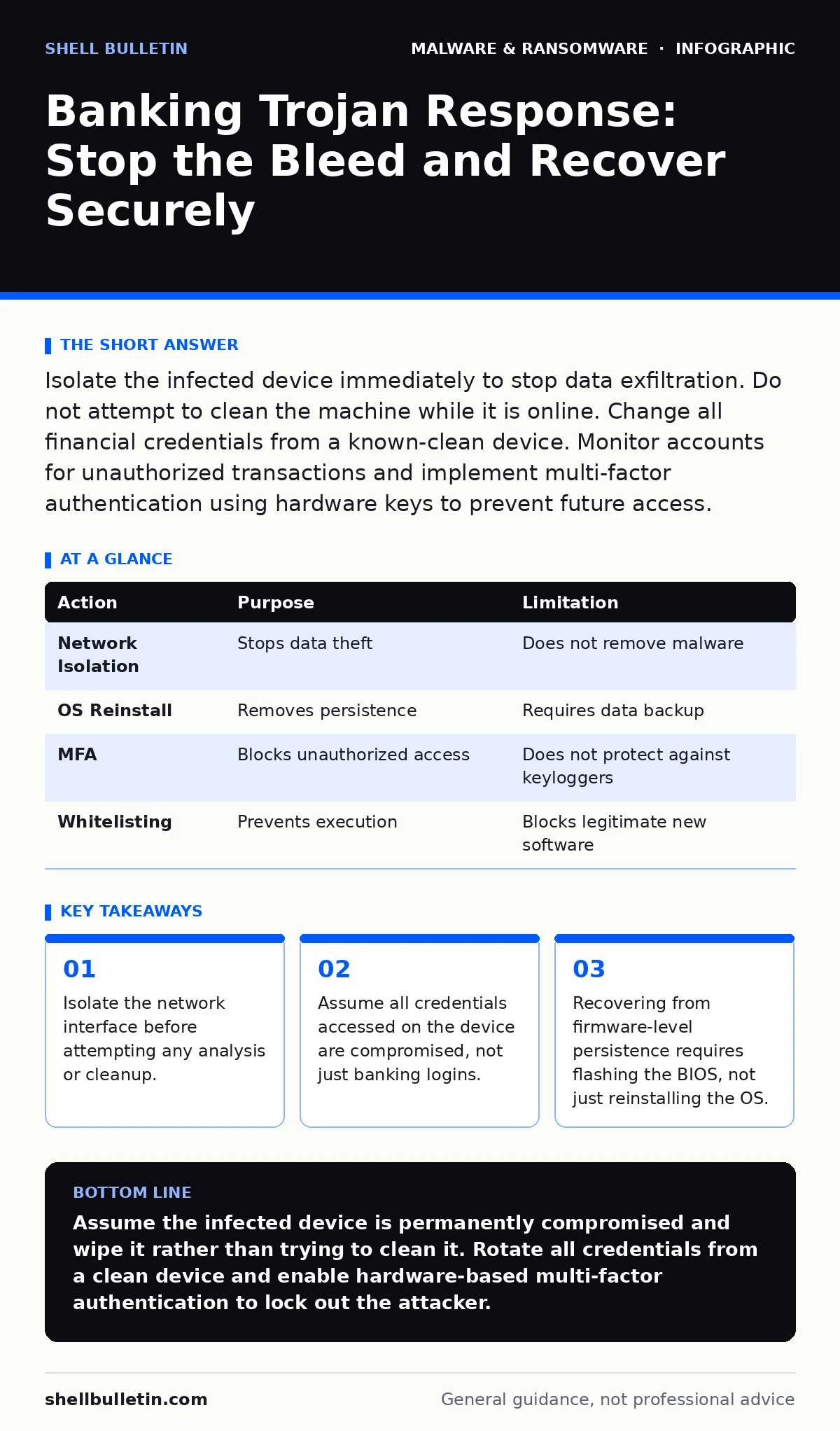
Isolate the infected device immediately to stop data exfiltration. Do not attempt to clean the machine while it is online. Change all financial credentials from a known-clean device. Monitor accounts for unauthorized transactions and implement multi-factor authentication using hardware keys to prevent future access.
First hour
Immediate containment checklist
When you suspect a banking trojan, speed matters more than curiosity. These stealthy programs are designed to intercept keystrokes and screen content, meaning they may already have your passwords. Your primary goal is to cut off communication with the attacker’s command and control servers.
- Disconnect the infected device from the internet immediately. Unplug Ethernet cables or disable Wi-Fi radios. Do not use the device to search for help.
- Identify other devices on the same local network. If the trojan has spread via shared folders or network drives, disconnect them too.
- Do not turn off the power. Shutting down clears the random access memory, which contains evidence of the active process. Leaving it on allows you to capture volatile data if you have forensic tools, but for most users, isolation is the priority.
- Document what you saw. Note any unusual pop-ups, browser redirects, or new icons. This helps later when you analyze the malware payloads to understand their specific behavior.
First day
Assessing the scope of compromise
Once the device is isolated, you must determine how far the infection reached. Banking trojans are modular. They often drop additional components to evade detection or to steal specific types of data. Understanding the mechanism helps you decide whether to keep the machine or wipe it.
You need to check for persistence mechanisms. Persistence allows the malware to survive a reboot. Common methods include modifying startup scripts, creating scheduled tasks, or altering registry keys. If you are unsure how to check these safely, assume the system is compromised. The risk of missing a hidden process outweighs the cost of a fresh installation.
Check your other devices. If you sync passwords or cloud files, the trojan may have accessed those services. Look for new devices logged into your accounts. This is where understanding computer viruses differs from trojans. A virus replicates itself to spread, while a trojan disguises itself as legitimate software to steal data. The recovery path for a trojan focuses on credential hygiene, not just file deletion.
First week
Recovery and credential rotation
Recovery begins with a clean environment. For most small businesses, the safest path is a full reinstallation of the operating system. Restoring from a backup taken before the infection is risky if the backup includes infected system files. A fresh install ensures no hidden DLL sideloading vectors remain. DLL sideloading occurs when a legitimate program loads a malicious library because it shares a name with a required system file.
Change every password that was stored or typed on the infected machine. This includes email, banking, and administrative accounts. Use a password manager on a clean device to generate unique, complex passwords. Do not reuse passwords across services. If one account is breached, unique passwords prevent the attacker from pivoting to other services.
Enable multi-factor authentication everywhere possible. Prefer hardware security keys over SMS or app-based codes. SMS codes can be intercepted via SIM swapping, and app codes can be cloned if the phone was compromised. Hardware keys provide physical proof of possession, which a remote attacker cannot replicate.
Monitor your financial accounts for the next several months. Look for small, test transactions. Attackers often verify stolen credentials with low-value purchases before draining accounts. Set up alerts for any transaction, no matter how small.
Who to tell
Reporting and legal obligations
You must notify your financial institutions immediately. Tell them you suspect a compromise and ask them to freeze pending transactions. They can issue new cards and monitor for suspicious activity. Do not wait for a confirmed loss. Early reporting increases the chance of reversing fraudulent charges.
If your business handles customer data, check your local regulations. Many jurisdictions require notification within a specific timeframe after a breach. Even if you are not legally required to report, notifying affected customers builds trust. They can then monitor their own accounts for unusual activity.
Consider reporting to your national cybersecurity agency. They collect threat intelligence that helps protect others. Sharing file hashes in malware detection helps researchers identify new variants. You do not need to be an expert to contribute. Basic system logs and error messages can be valuable.
How to stop a repeat
Hardening your environment
Preventing recurrence requires changing your security posture. The banking trojan likely entered via a phishing email or a malicious download. You need to reduce the attack surface. Disable macro execution in office documents by default. Macros can execute code without user interaction if enabled.
Implement application whitelisting. This allows only approved software to run. Unknown executables are blocked automatically. This stops many trojans from launching, even if they bypass other defenses. It requires initial setup but reduces ongoing maintenance.
Regularly update your software. Patches fix vulnerabilities that attackers exploit. Enable automatic updates where possible. Delaying updates leaves known holes open for exploitation. This is particularly important for browsers and plugins, which are common entry points.
Use dynamic malware analysis tools if you have technical staff. These tools run suspicious files in a sandboxed environment to observe their behavior. This helps identify threats that static analysis misses. Static analysis looks at the code structure, while dynamic analysis watches what the code does when executed.
| Action | Purpose | Limitation |
|---|---|---|
| Network Isolation | Stops data theft | Does not remove malware |
| OS Reinstall | Removes persistence | Requires data backup |
| MFA | Blocks unauthorized access | Does not protect against keyloggers |
| Whitelisting | Prevents execution | Blocks legitimate new software |
See also: What Is Incident Response: The Plan That Stops Digital Chaos · DNS Hijacking Response: Recovery Steps and Containment Plan
Long-term vigilance
Beyond the immediate fix
Security is not a one-time event. Banking trojans evolve to bypass defenses. You must stay informed about new tactics. Read technical reports on malware analysis to understand how attackers operate. Knowledge of their methods helps you recognize anomalies in your own systems.
Be wary of potentially unwanted programs. These applications may not be malicious but often install adware or tracking tools that weaken security. They can create confusion and mask genuine threats. Remove any software you did not intentionally install.
Regularly audit user permissions. Limit administrative rights to only those who need them. Standard user accounts cannot install system-wide malware, reducing the impact of an infection. This principle of least privilege is a fundamental security control.
Review your backup strategy. Ensure backups are offline or immutable. Ransomware and trojans often target backups to prevent recovery. If your backups are disconnected from the network, the attacker cannot encrypt them. This provides a safety net when other defenses fail.
Key takeaways
- Isolate the network interface before attempting any analysis or cleanup.
- Assume all credentials accessed on the device are compromised, not just banking logins.
- Recovering from firmware-level persistence requires flashing the BIOS, not just reinstalling the OS.
Assume the infected device is permanently compromised and wipe it rather than trying to clean it. Rotate all credentials from a clean device and enable hardware-based multi-factor authentication to lock out the attacker.
Frequently asked questions
Can I just delete the suspicious file to remove the banking trojan?
No. Banking trojans create multiple copies and modify system settings to restart automatically. Deleting one file rarely removes the entire threat. A full system reinstall is the only reliable method.
Is antivirus software enough to stop banking trojans?
Antivirus helps, but advanced trojans use techniques to evade detection. They may hide their code or mimic legitimate processes. You need layered defenses, including network monitoring and user education, for effective protection.
How do I know if my phone is infected with a banking trojan?
Look for unexpected battery drain, high data usage, or unknown apps. If you suspect infection, reset the phone to factory settings. This removes all data and apps, ensuring no malicious software remains.
Should I format my external hard drives?
If the external drive was connected to the infected PC, yes. Malware can spread to external storage to wait for connection to a clean system. Formatting ensures any hidden copies are destroyed.
How this guide was produced: written by the Shell Bulletin editorial team with AI assistance, checked against the public references listed below, and reviewed when the facts change. See our editorial policy or report an error.