How Malware Payloads Operate: A Step-by-Step Breakdown
Malware payloads rarely execute immediately upon download, instead relying on delayed triggers and system hooks to maintain persistence and evade initial detection mechanisms.

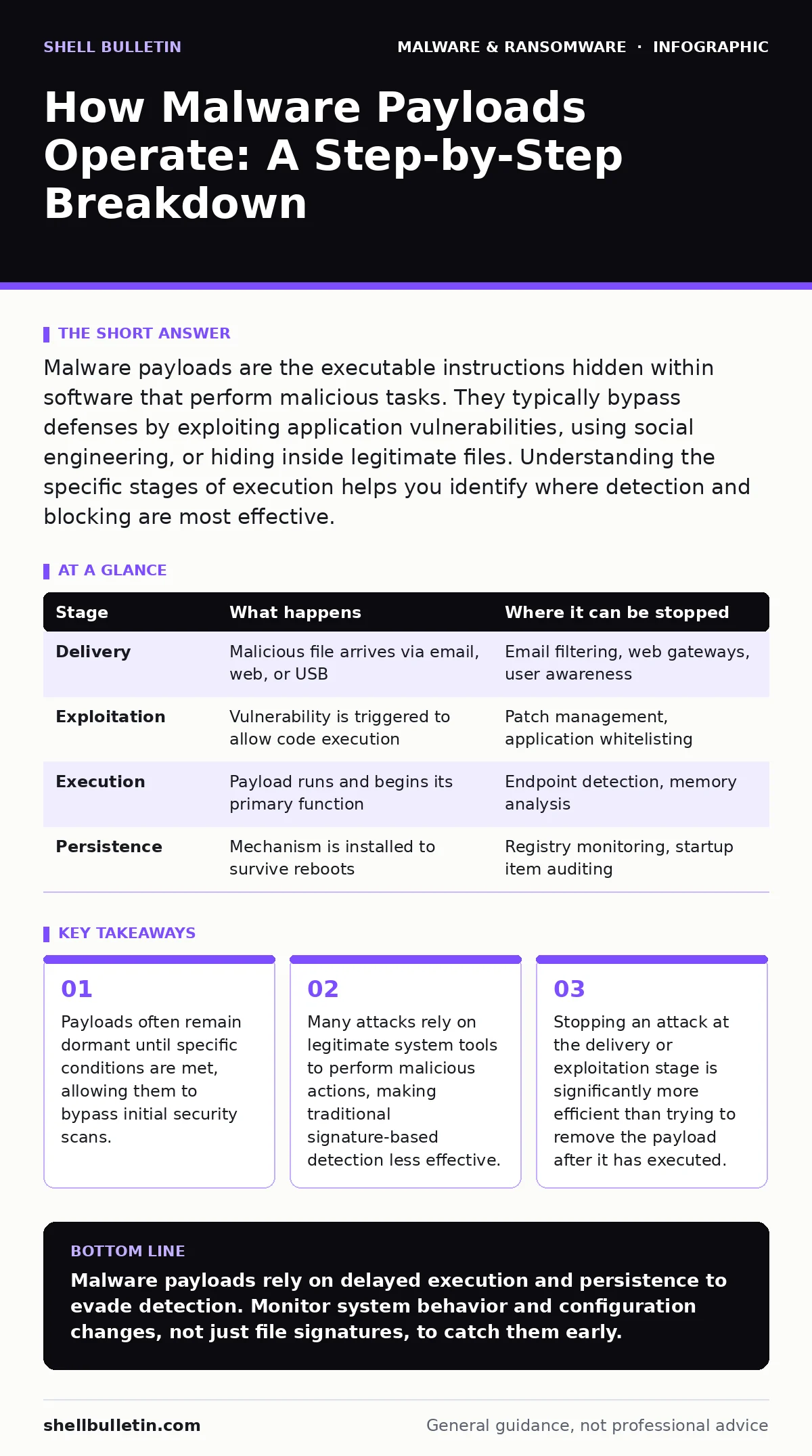
Malware payloads are the executable instructions hidden within software that perform malicious tasks. They typically bypass defenses by exploiting application vulnerabilities, using social engineering, or hiding inside legitimate files. Understanding the specific stages of execution helps you identify where detection and blocking are most effective.
The Anatomy of Execution
A malware payload is not merely a file sitting on your hard drive. It is a set of instructions designed to perform unauthorized actions once executed. Understanding how these instructions move from a dormant state to active operation requires looking at the chain of events. This chain involves delivery, exploitation, execution, and persistence. Each stage represents a vulnerability that attackers exploit. By mapping these stages, you can identify where your defenses are strongest and where they might fail.
Most readers assume that a malicious file runs immediately after clicking it. This is often incorrect. Modern threats use timing mechanisms to avoid scrutiny. They may wait for a specific time of day or a particular system state before activating. This delay allows them to slip past automated scans that trigger on file creation.
Stage 1: Delivery and Initial Access
The first stage involves getting the payload onto the target system. Attackers rarely send a raw executable file directly. Instead, they wrap the payload in something that appears legitimate. Common vectors include email attachments, compromised websites, or malicious links. The goal here is not execution, but placement. The file must land in a location where it can eventually be run.
Consider how potentially unwanted programs often use this same delivery mechanism. They bundle adware or toolbars with legitimate software updates. The user consents to the installation, unaware of the hidden components. This distinction highlights the importance of verifying the source of any download, regardless of how trustworthy the initial sender appears.
| Stage | What happens | Where it can be stopped |
|---|---|---|
| Delivery | Malicious file arrives via email, web, or USB | Email filtering, web gateways, user awareness |
| Exploitation | Vulnerability is triggered to allow code execution | Patch management, application whitelisting |
| Execution | Payload runs and begins its primary function | Endpoint detection, memory analysis |
| Persistence | Mechanism is installed to survive reboots | Registry monitoring, startup item auditing |
Stage 2: Exploitation and Triggering
Once the file is on the system, it needs a reason to run. This is the exploitation phase. The payload might exploit a software bug to force the operating system to execute its code. Alternatively, it might rely on user action, such as enabling content in a document. This is why macro security settings are a critical control. Disabling macros by default prevents the automatic execution of code embedded in documents.
Some payloads use a technique known as DLL sideloading. This method tricks a legitimate program into loading a malicious library file instead of the correct one. The operating system sees a trusted application running, so it grants the code the necessary permissions. This bypasses many security checks that rely on verifying the identity of the running process. The malicious code gains access to the privileges of the legitimate program, allowing it to operate with elevated rights.
Stage 3: Execution and Action
When the payload finally executes, it performs its intended function. This could be data theft, system encryption, or installing additional tools. At this point, the code is active in memory. Traditional antivirus software often struggles here because the file on disk might look benign. The malicious behavior is happening in the system's temporary memory space. This is where dynamic malware analysis becomes relevant. By observing how the file behaves in a controlled environment, security tools can detect malicious actions even if the file itself is disguised.
Stage 4: Persistence and Survival
A payload that stops working after a reboot is of limited use to an attacker. Therefore, most sophisticated payloads include a persistence mechanism. This ensures the malware starts again whenever the system powers up. Common methods include modifying system registries, creating scheduled tasks, or placing files in startup folders. These changes are often subtle and designed to blend in with normal system configurations.
Imagine a payload that creates a new system service. To an untrained eye, it looks like a standard driver or utility. However, it is configured to launch automatically. Removing the original file does not stop the infection because the trigger mechanism remains. This is why file hashes in malware detection are not enough. You must monitor for changes in system configurations, not just the presence of known bad files.
See also: Malware Analysis for Small Business: Practical Steps and Limits · Security Culture: How Small Teams Build Lasting Defenses
The Hidden Cost of Delayed Detection
One non-obvious consequence of modern malware design is the increased value of speed. Because payloads can remain dormant, a system might be infected for weeks before any symptoms appear. During this time, the attacker can map the network, steal credentials, and escalate privileges. By the time an alert is triggered, the damage is often extensive.
This creates a hidden cost for organizations that rely solely on endpoint detection. They are reacting to events that have already occurred. Proactive measures, such as restricting user permissions and monitoring for unusual system changes, are more effective. You cannot scan for intent, but you can limit the damage a single compromised account can do.
Reading the Signals
To apply this knowledge, you must shift your focus from files to behavior. Look for processes that spawn unexpectedly. A web browser launching a command prompt is rare and usually suspicious. Monitor for changes in startup items and scheduled tasks. These are the hallmarks of persistence mechanisms.
Also, consider the role of computer viruses in this context. While traditional viruses spread by attaching themselves to other files, modern payloads often stand alone. They do not need to infect other files to propagate. They rely on network shares and remote execution capabilities. This makes them harder to detect with traditional signature-based tools.
Integrating Defense Layers
No single tool stops all payloads. You need a layered approach. Email filters catch the delivery. Patch management closes the exploitation paths. Endpoint detection monitors for suspicious execution. User training reduces the likelihood of initial access. Each layer addresses a specific stage of the payload lifecycle.
This integrated approach acknowledges that some threats will slip through. The goal is to stop them at the earliest possible stage. Stopping a payload during delivery is cheap and easy. Stopping it during execution is harder. Stopping it after it has established persistence is often impossible without rebuilding the system.
Key takeaways
- Payloads often remain dormant until specific conditions are met, allowing them to bypass initial security scans.
- Many attacks rely on legitimate system tools to perform malicious actions, making traditional signature-based detection less effective.
- Stopping an attack at the delivery or exploitation stage is significantly more efficient than trying to remove the payload after it has executed.
Malware payloads rely on delayed execution and persistence to evade detection. Monitor system behavior and configuration changes, not just file signatures, to catch them early.
Frequently asked questions
Can a malware payload hide in a system file?
Yes, advanced payloads may replace or modify legitimate system files to blend in, making detection difficult without behavior monitoring.
Does restarting the computer remove the payload?
Not if it has established persistence. Many payloads install startup triggers that reload the malicious code every time the system boots.
Why do some scans miss active malware?
Scans often look for known file signatures. If the payload is in memory or uses obfuscation, it may not match any known patterns until it acts.
How can I tell if a program is using DLL sideloading?
Look for legitimate applications launching with unusual dependencies or from unexpected directories, which may indicate a hijacked library file.
How this guide was produced: written by the Shell Bulletin editorial team with AI assistance, checked against the public references listed below, and reviewed when the facts change. See our editorial policy or report an error.