Difference Between Static and Dynamic Malware Analysis
Static analysis misses hidden payloads, while dynamic analysis fails to detect code that never executes. You need both methods to see the full threat picture.

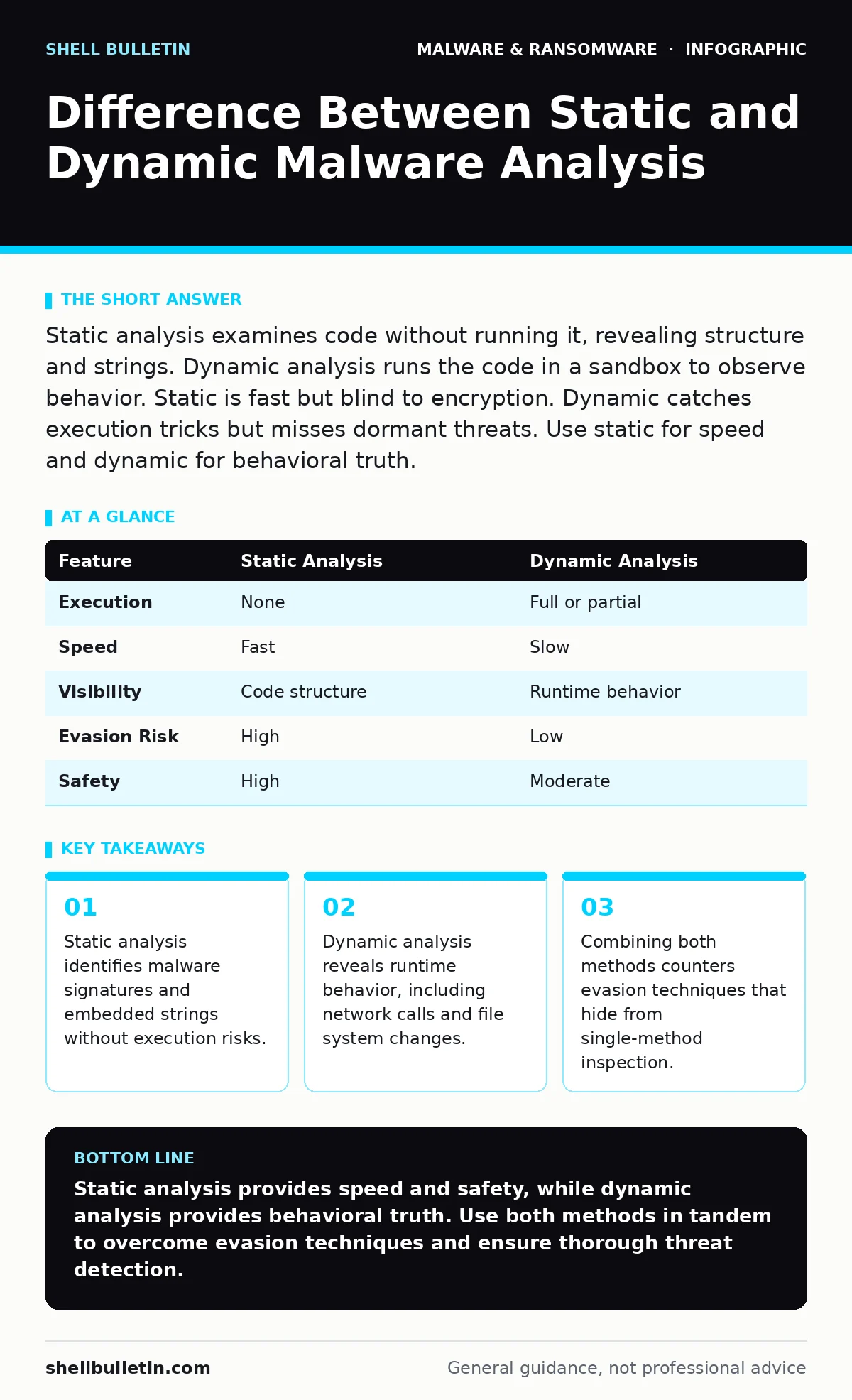
Static analysis examines code without running it, revealing structure and strings. Dynamic analysis runs the code in a sandbox to observe behavior. Static is fast but blind to encryption. Dynamic catches execution tricks but misses dormant threats. Use static for speed and dynamic for behavioral truth.
What is the difference between static and dynamic malware analysis?
The difference between static and dynamic malware analysis lies in whether the code executes. Static analysis inspects the file’s structure, headers, and embedded text without running it. This method is fast and safe but cannot see encrypted payloads. Dynamic analysis runs the malware in a controlled environment to observe its actions. This reveals behavioral patterns but risks the malware detecting the test environment and hiding its true intent.
Why does static analysis miss hidden threats?
Static analysis fails when malware uses packing, encryption, or obfuscation to hide its core logic. Many modern threats encrypt their malicious payload until runtime. A static scanner sees only scrambled data and benign-looking headers. It cannot determine what the code does because the instructions are not yet visible. This limitation makes static analysis insufficient for detecting advanced, fileless, or heavily obfuscated threats.
How does dynamic analysis expose runtime behavior?
Dynamic analysis exposes runtime behavior by executing the file in an isolated sandbox. The sandbox monitors system calls, registry edits, and network connections. You see exactly what the malware attempts to do. For example, a banking trojan might only activate when it detects a specific browser window. Static analysis would never see this trigger. Dynamic analysis catches the activation sequence and the data exfiltration attempt.
What are the risks of running malware for analysis?
Running malware carries the risk of escape, where the threat breaks out of the sandbox. Some malware detects virtualization artifacts and shuts down to avoid detection. Others may trigger destructive payloads immediately, damaging the analysis host. If the sandbox is not perfectly isolated, the malware can spread to the network. You must assume any dynamic test environment is compromised after use.
When should you prioritize static analysis first?
Prioritize static analysis first when processing large volumes of files or when speed is critical. Static checks are computationally cheap and can filter out known benign files quickly. Use static analysis to identify file hashes in malware detection databases. If the hash matches a known threat, you can block it without further investigation. This triage step saves resources for deeper dynamic testing of unknown samples.
See also: How Malware Payloads Operate: A Step-by-Step Breakdown · Detect GitHub Actions Workflow Injection: Logs, Tools, and Blind Spots
Why is dynamic analysis necessary for trojanized software?
Dynamic analysis is necessary for trojanized software because the malicious code often blends with legitimate functions. The trojanized software appears normal in static inspection. It only activates under specific conditions, such as a user login or a network connection. Dynamic analysis forces these conditions to trigger the malicious behavior. This reveals the hidden payload that static tools overlook.
| Feature | Static Analysis | Dynamic Analysis |
|---|---|---|
| Execution | None | Full or partial |
| Speed | Fast | Slow |
| Visibility | Code structure | Runtime behavior |
| Evasion Risk | High | Low |
| Safety | High | Moderate |
How do attackers evade both analysis methods?
Attackers evade both methods by using polymorphism and anti-sandbox techniques. Polymorphic malware changes its code signature every time it replicates, defeating static hash matching. Anti-sandbox techniques check for virtual machine indicators. If detected, the malware sleeps or behaves benignly. This dual evasion strategy makes single-method analysis unreliable. You must combine static and dynamic approaches to catch these sophisticated threats.
What is the role of behavioral monitoring in detection?
Behavioral monitoring acts as a bridge between static and dynamic analysis. It watches for suspicious sequences of actions rather than specific code signatures. For instance, screen locker ransomware encrypts files rapidly. Behavioral monitors detect this rapid file modification pattern. This approach catches unknown malware that lacks a known signature. It complements static checks by focusing on intent rather than identity.
How do you combine both methods effectively?
Combine both methods by using static analysis for initial triage and dynamic analysis for suspicious results. Start with static checks to filter known threats and benign files. Flag files with high entropy or unusual headers for dynamic testing. Use dynamic analysis to confirm malicious behavior in flagged files. This layered approach balances speed with thoroughness. It reduces false positives while catching advanced threats.
What tools support hybrid analysis workflows?
Hybrid analysis workflows use automated pipelines that run static and dynamic checks sequentially. These systems ingest files, run static scanners, and then trigger sandboxes for suspicious items. The results are correlated to provide a complete threat profile. This automation scales analysis for high-volume environments. It ensures that no suspicious file escapes detection without behavioral verification.
Key takeaways
- Static analysis identifies malware signatures and embedded strings without execution risks.
- Dynamic analysis reveals runtime behavior, including network calls and file system changes.
- Combining both methods counters evasion techniques that hide from single-method inspection.
Static analysis provides speed and safety, while dynamic analysis provides behavioral truth. Use both methods in tandem to overcome evasion techniques and ensure thorough threat detection.
Frequently asked questions
Can static analysis detect fileless malware?
Static analysis struggles with fileless malware because there is no persistent file to inspect. Fileless malware resides in memory. Dynamic analysis or memory forensics is required to detect these threats.
Is dynamic analysis safe for all malware types?
Dynamic analysis is not safe for all malware types. Some malware is designed to destroy the host or escape sandboxes. Always use isolated, disposable environments for dynamic testing.
How does DLL sideloading affect static analysis?
DLL sideloading tricks legitimate programs into loading malicious libraries. Static analysis may see the legitimate program as safe. Dynamic analysis reveals the malicious DLL execution.
What is the best way to store malware samples?
Store malware samples in an air-gapped, encrypted repository. Label them clearly with hashes and metadata. Never store them on networked drives or cloud storage accessible to production systems.
How this guide was produced: written by the Shell Bulletin editorial team with AI assistance, checked against the public references listed below, and reviewed when the facts change. See our editorial policy or report an error.