Detect GitHub Actions Workflow Injection: Logs, Tools, and Blind Spots
Workflow injection hides in plain sight within environment variables, requiring static analysis of code rather than just runtime monitoring to catch the exploit before it executes.

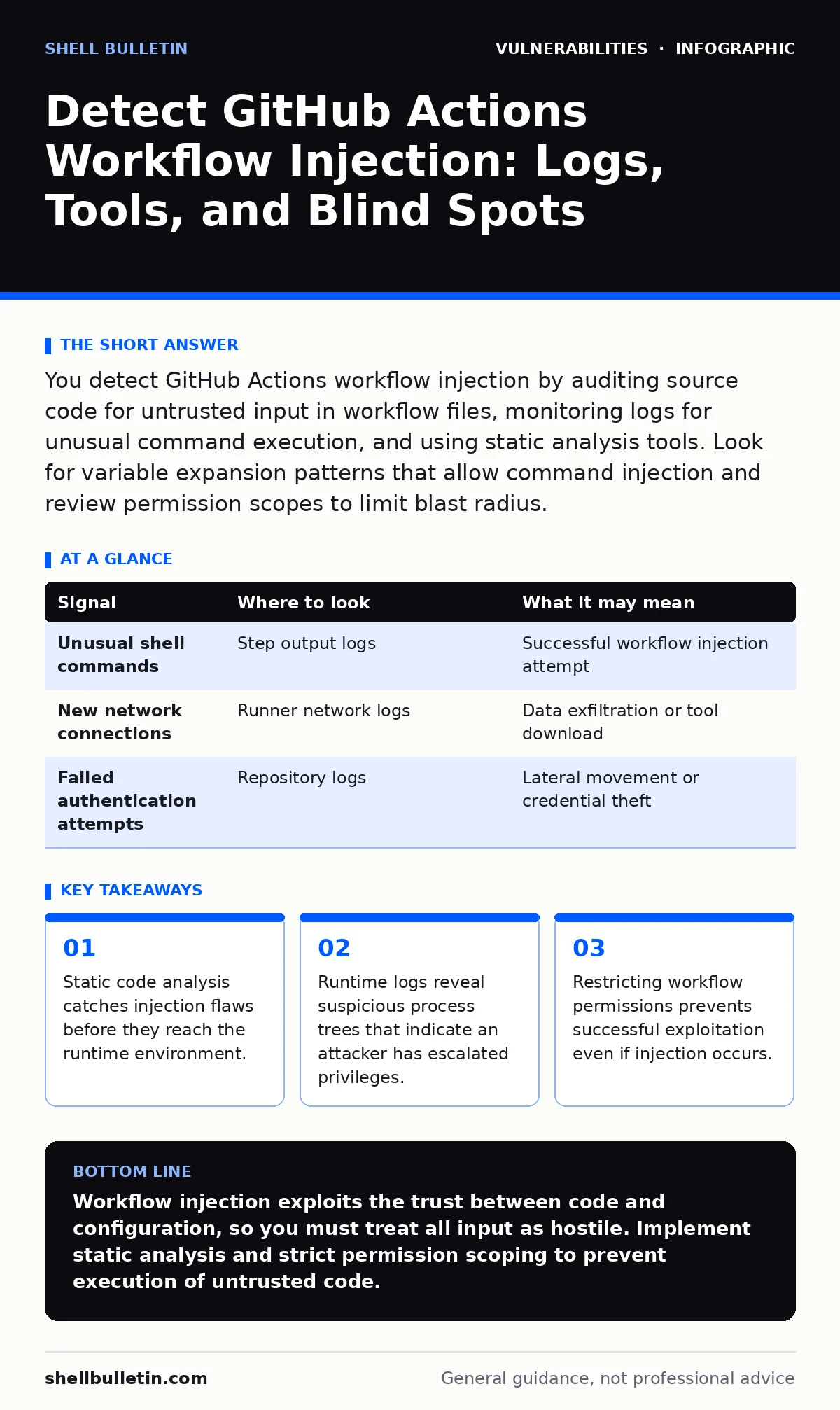
You detect GitHub Actions workflow injection by auditing source code for untrusted input in workflow files, monitoring logs for unusual command execution, and using static analysis tools. Look for variable expansion patterns that allow command injection and review permission scopes to limit blast radius.
Understanding the Injection Mechanism
GitHub Actions workflow injection occurs when an attacker controls data that flows into a workflow file. The workflow engine interprets this data as executable code. Attackers often use pull requests from forked repositories to introduce malicious payloads. The payload executes when a maintainer merges the code or when the workflow runs on the merge event.
The core vulnerability lies in how the runner processes context variables. If you reference an untrusted variable in a step, the runner evaluates it. This evaluation can include operating system commands. You must treat any input from external users as hostile. The mechanism bypasses traditional network security because the code runs inside your trusted infrastructure.
Signal Detection in Runtime Logs
Runtime logs provide the first line of defense against active exploitation. You must examine the output of each step in the workflow execution. Look for commands that do not match the expected behavior of the build or test process. An attacker might execute shell commands that download tools or exfiltrate data.
The log output shows the exact command string the runner executed. If you see a command that includes variable expansion from a pull request title or body, you have a potential injection. The logs also reveal any new processes spawned during the step. Unusual process trees indicate that the workflow is doing more than just building code.
| Signal | Where to look | What it may mean |
|---|---|---|
| Unusual shell commands | Step output logs | Successful workflow injection attempt |
| New network connections | Runner network logs | Data exfiltration or tool download |
| Failed authentication attempts | Repository logs | Lateral movement or credential theft |
Static Analysis of Workflow Files
Static analysis identifies injection risks before code reaches the runner. You must review the YAML files that define your workflows. Look for references to context variables that contain user input. Variables like github.event.pull_request.title are dangerous if used directly in a script step.
Tools that perform static analysis can flag these unsafe patterns. These tools scan the codebase for known vulnerable configurations. They check if the workflow uses the shell option without proper escaping. You should integrate these checks into your pre-merge process. This ensures that no untrusted code ever enters the main branch.
Monitoring System Behavior and Artifacts
The runner environment behaves differently when an injection occurs. You can monitor the system behavior to detect anomalies. Look for changes in file permissions or the creation of new users. An attacker might try to persist access by modifying system files.
Artifact storage is another area to watch. Attackers may upload malicious binaries or scripts as workflow artifacts. These artifacts can be downloaded by other systems. You should verify the integrity of all uploaded files. Check for unexpected file types or sizes in the artifact store. This helps you catch exfiltration attempts that bypass network monitoring.
Common Blind Spots in Detection
Many teams miss workflow injection because they focus only on the code. They ignore the configuration files that define the workflow. Another blind spot is the assumption that private repositories are safe. Attackers can inject code through internal pull requests if developers are not careful.
You must also consider third-party actions. These actions run with the permissions of your workflow. If a third-party action has a vulnerability, it can be exploited. You should review the source code of all actions you use. Do not trust actions solely because they are popular or well-maintained.
Permission Scopes and Least Privilege
Restricting permissions is a critical defense against workflow injection. You should set the permissions key in your workflow file to the minimum required. Do not use the default read-all or write-all permissions. Limit access to only the specific resources needed for the job.
This limits the damage an attacker can do if they inject code. Even if they execute a command, they cannot access secrets or modify other repositories. You should also use OIDC tokens for cloud authentication. This avoids storing long-lived credentials in your repository. Proper permission scoping reduces the attack surface significantly.
Integrating Detection into CI/CD
You must integrate detection mechanisms into your continuous integration pipeline. Automated checks should run on every pull request. These checks should include static analysis of workflow files and dependency scanning. You should block merges if any injection risks are detected.
This approach ensures that vulnerabilities are caught early. It reduces the burden on security teams to manually review every change. You can also use policy enforcement tools to ensure compliance. These tools check that workflows follow best practices for security. This creates a consistent security baseline across all projects.
Related Security Practices
Workflow injection is related to other security concepts. You should review security advisories for known vulnerabilities in actions and runners. Understanding privilege escalation vulnerabilities helps you limit the impact of an injection. Output encoding is also relevant when displaying workflow results in dashboards. Broken object level authorization (BOLA) can occur if workflows expose internal data.
Security advisory reading helps you stay informed about new threats. Firmware vulnerabilities in runner hardware are a rare but possible risk. OWASP Top 10 provides a broader context for application security. Fortinet FortiGate vulnerabilities are unrelated to workflow injection but highlight the need for network security.
Key takeaways
- Static code analysis catches injection flaws before they reach the runtime environment.
- Runtime logs reveal suspicious process trees that indicate an attacker has escalated privileges.
- Restricting workflow permissions prevents successful exploitation even if injection occurs.
Workflow injection exploits the trust between code and configuration, so you must treat all input as hostile. Implement static analysis and strict permission scoping to prevent execution of untrusted code.
Frequently asked questions
How do I know if a workflow injection has occurred?
Check runtime logs for unexpected commands and monitor system behavior for new processes or file changes.
Can private repositories be affected by workflow injection?
Yes, internal pull requests can introduce malicious code if developers do not review workflow files carefully.
What is the best way to prevent workflow injection?
Use static analysis tools and restrict workflow permissions to the minimum required for each job.
Do third-party actions increase the risk of injection?
Yes, third-party actions can execute arbitrary code, so you must review their source code and permissions.
How this guide was produced: written by the Shell Bulletin editorial team with AI assistance, checked against the public references listed below, and reviewed when the facts change. See our editorial policy or report an error.