Stop Privilege Escalation: 5 Actions to Block Local Attacks
Most privilege escalation attacks succeed because default system configurations grant users more access than necessary for their specific tasks.

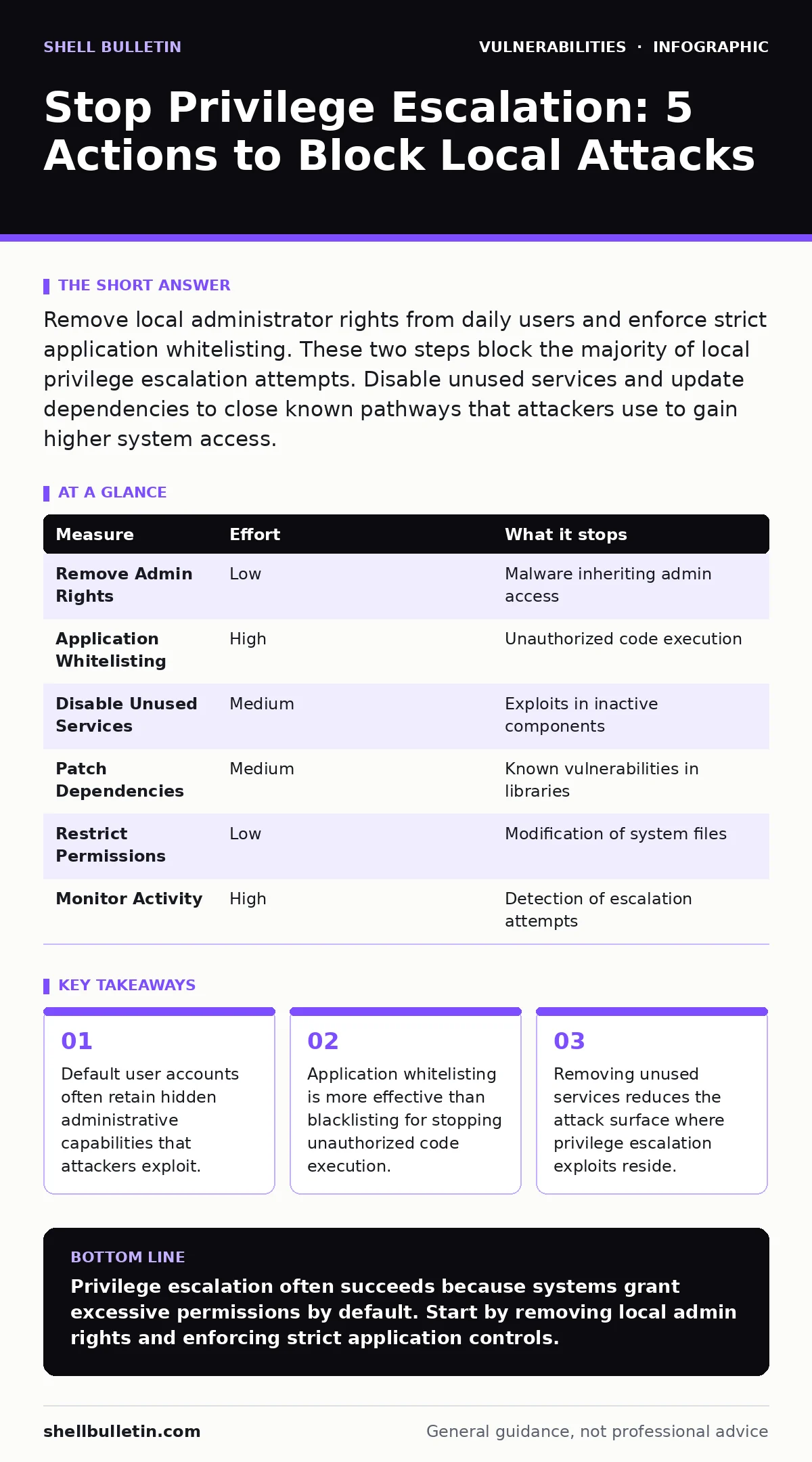
Remove local administrator rights from daily users and enforce strict application whitelisting. These two steps block the majority of local privilege escalation attempts. Disable unused services and update dependencies to close known pathways that attackers use to gain higher system access.
Remove Local Administrator Rights
The most common reason for privilege escalation is that users operate with administrative privileges during daily tasks. When a user clicks a malicious link or opens a compromised file, the malware inherits those high-level permissions. This allows the attacker to modify system files, install persistence mechanisms, and access sensitive data without resistance.
You must separate daily operations from administrative tasks. Create standard user accounts for employees and use a separate, protected administrator account only for system maintenance. This creates a boundary. If a standard user account is compromised, the attacker cannot install rootkits or change security policies.
This change requires discipline. Users will occasionally request admin rights to install software or change settings. You must establish a process where IT staff performs these actions on demand. This friction is a feature, not a bug. It forces a pause that can prevent accidental or malicious system changes.
Enforce Application Whitelisting
Traditional antivirus solutions look for known bad signatures. They often miss new or modified malware that attempts to elevate privileges. Application whitelisting works differently. It allows only approved programs to run. Everything else is blocked by default.
This approach stops privilege escalation tools even if they are unknown to security vendors. When an attacker tries to run a script or executable to gain higher access, the system rejects it because it is not on the approved list. This is particularly effective against local exploits that rely on executing code in a trusted directory.
Implementing whitelisting requires an initial inventory of legitimate software. You must define rules based on file path, digital signature, or hash. As you add new software, you update the rules. The effort is higher at the start, but the protection is continuous. It does not rely on detecting new threats. It relies on knowing what belongs on the system.
Disable Unused Services and Daemons
Every service running on a server or workstation is a potential entry point. Attackers often target services with known vulnerabilities to execute code with high privileges. If a service is not needed, it should not be running. This reduces the number of components an attacker can exploit.
Review your systems for services that are enabled by default but not used. Print spoolers, remote management agents, and legacy file sharing protocols are common targets. Disabling these services removes the code that contains the vulnerability. If the code cannot run, it cannot be exploited.
This step also improves system performance. Fewer running services mean less memory usage and fewer network connections. You should document which services are active and why. This documentation helps during audits and when troubleshooting issues. It ensures that no critical function is accidentally disabled.
Patch Dependencies and Components
Software is rarely built from scratch. It relies on libraries, frameworks, and components from other sources. These dependencies may contain vulnerabilities that allow privilege escalation. If you do not update these components, you inherit the risks.
You must track all third-party components in your applications and systems. When a vulnerability is discovered, you need to know if you are affected. This requires a software bill of materials. It lists every component and its version. Without this list, you cannot patch effectively.
Delaying updates gives attackers time to develop exploits. Many privilege escalation bugs are public knowledge. Attackers scan for systems with known vulnerable versions. Promptly applying patches closes these windows. This is part of a broader risk-based vulnerability management strategy.
Restrict File and Registry Permissions
Attackers often modify system files or registry keys to gain persistence or elevate privileges. If users have write access to critical directories, they can replace legitimate executables with malicious ones. This is a common technique in privilege escalation attacks.
You must enforce strict file system permissions. Only administrators should have write access to system directories. Users should only have read and execute permissions. This prevents them from modifying system files, even if they are compromised.
Registry permissions are equally important. Attackers often add keys to the registry to start malware automatically. Restricting write access to registry hives prevents this. You should audit permissions regularly to ensure they have not been loosened over time. This is a foundational control that supports other security measures.
Monitor for Suspicious Activity
Prevention is not perfect. You must detect attempts at privilege escalation. Look for unusual process creation, especially if a low-privilege process spawns a high-privilege one. Monitor for changes to system files and registry keys.
Set alerts for these events. Investigate them promptly. This helps you identify compromised systems before the attacker achieves their goals. Logging and monitoring provide visibility into system behavior. They allow you to spot anomalies that indicate an attack.
This step requires a baseline of normal activity. You must know what typical system behavior looks like. This makes it easier to spot deviations. Combine logging with automated analysis tools to reduce the workload. This ensures that alerts are actionable and not just noise.
| Measure | Effort | What it stops |
|---|---|---|
| Remove Admin Rights | Low | Malware inheriting admin access |
| Application Whitelisting | High | Unauthorized code execution |
| Disable Unused Services | Medium | Exploits in inactive components |
| Patch Dependencies | Medium | Known vulnerabilities in libraries |
| Restrict Permissions | Low | Modification of system files |
| Monitor Activity | High | Detection of escalation attempts |
Checklist for Today
- Audit user accounts and remove local administrator rights from daily users.
- Identify and disable unused services on critical servers.
- Review and update dependencies in your most critical applications.
Key takeaways
- Default user accounts often retain hidden administrative capabilities that attackers exploit.
- Application whitelisting is more effective than blacklisting for stopping unauthorized code execution.
- Removing unused services reduces the attack surface where privilege escalation exploits reside.
Privilege escalation often succeeds because systems grant excessive permissions by default. Start by removing local admin rights and enforcing strict application controls.
Frequently asked questions
How do I know if my system is vulnerable to privilege escalation?
Review your user permissions and check for unused services. Look for outdated dependencies and weak file permissions.
Is application whitelisting hard to implement?
It requires initial effort to build the
How this guide was produced: written by the Shell Bulletin editorial team with AI assistance, checked against the public references listed below, and reviewed when the facts change. See our editorial policy or report an error.