Dynamic Malware Analysis: 9 FAQs on Behavior and Safety
Static checks miss logic that executes only at runtime, making behavioral observation the only way to detect advanced threats that hide their true intent.

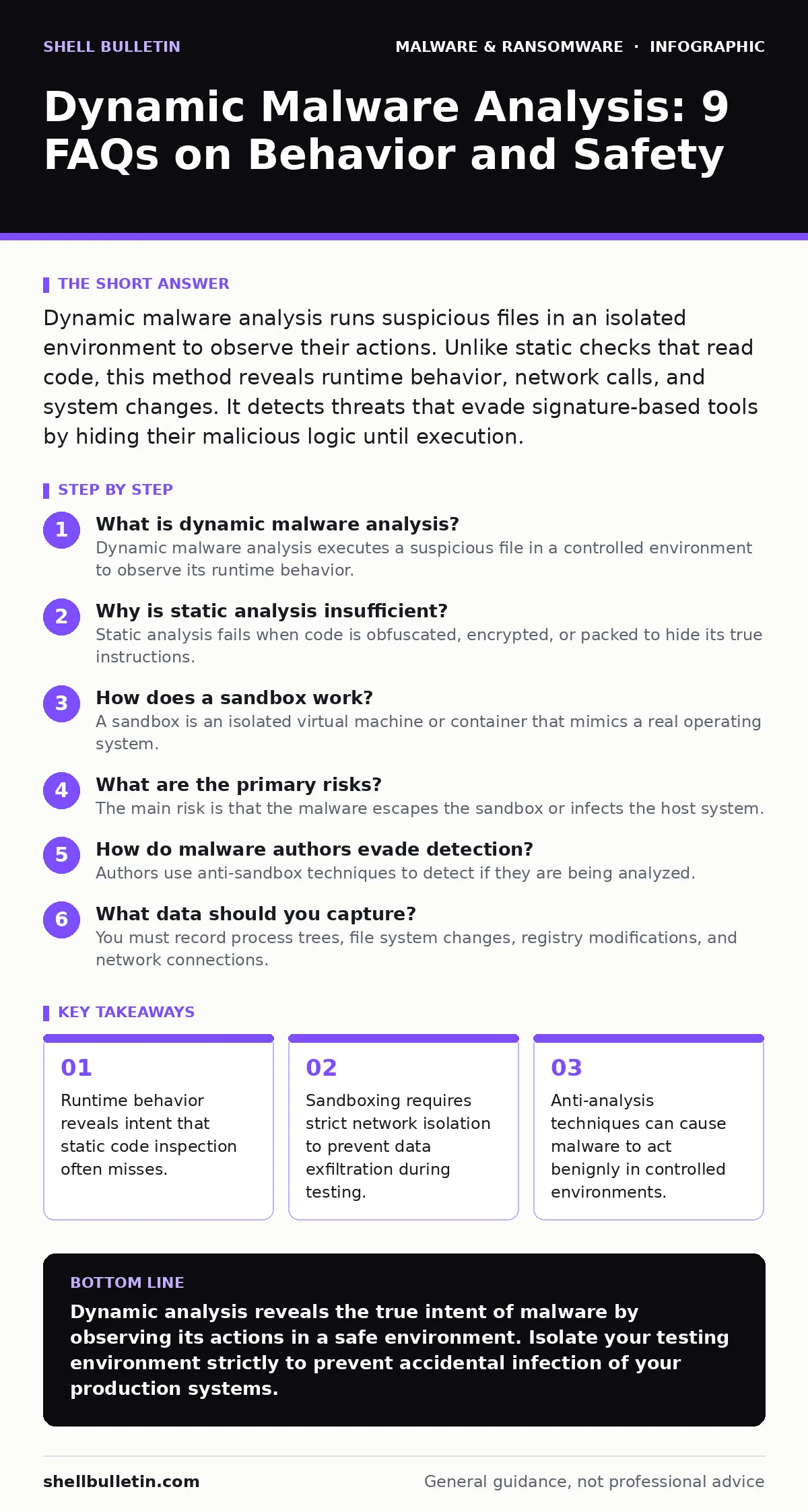
Dynamic malware analysis runs suspicious files in an isolated environment to observe their actions. Unlike static checks that read code, this method reveals runtime behavior, network calls, and system changes. It detects threats that evade signature-based tools by hiding their malicious logic until execution.
What is dynamic malware analysis?
Dynamic malware analysis executes a suspicious file in a controlled environment to observe its runtime behavior. Unlike static analysis, which examines code without running it, this method records system calls, file modifications, and network traffic. You see exactly what the software does when it starts.
Why is static analysis insufficient?
Static analysis fails when code is obfuscated, encrypted, or packed to hide its true instructions. Many modern threats, such as banking trojans, use polymorphic code that changes its appearance every time it runs. Dynamic analysis bypasses these disguises by focusing on the outcome rather than the source code.
How does a sandbox work?
A sandbox is an isolated virtual machine or container that mimics a real operating system. You run the suspect file inside this virtual boundary to capture its actions without risking your host machine. The sandbox records every interaction, from registry edits to process creation, creating a detailed behavioral profile.
What are the primary risks?
The main risk is that the malware escapes the sandbox or infects the host system. If the virtual environment is not properly isolated, a sophisticated exploit can bridge the gap between the guest and the host. This is why network traffic from the sandbox must never reach the production network.
How do malware authors evade detection?
Authors use anti-sandbox techniques to detect if they are being analyzed. They may check for the presence of debuggers, virtual machine drivers, or specific hardware signatures. If the environment looks artificial, the malware remains dormant or performs benign actions to avoid triggering alerts.
See also: How Malware Payloads Operate: A Step-by-Step Breakdown
What data should you capture?
You must record process trees, file system changes, registry modifications, and network connections. Process trees show which programs spawned others, revealing injection techniques. Network logs expose command-and-control communications, while file changes show where data is stolen or encrypted.
How does this relate to file hashes?
File hashes provide a unique fingerprint for a specific file version. However, if an attacker modifies even one bit of the code, the hash changes completely. Dynamic analysis complements file hashes in malware detection by identifying behavior patterns that persist across different file versions.
What is the role of memory analysis?
Memory analysis examines the contents of RAM while the malware is running. Many threats, including computer viruses, reside only in memory to avoid leaving traces on the disk. This technique reveals decrypted code strings and injected payloads that static tools cannot see.
How do you handle advanced evasion?
You must use human-in-the-loop analysis for samples that behave differently in automated sandboxes. Automated tools often miss subtle timing attacks or user-interaction requirements. A human analyst can manipulate the environment to trigger hidden behaviors, ensuring a thorough assessment.
| Analysis Type | Primary Focus | Key Limitation | Best Use Case |
|---|---|---|---|
| Static | Code structure | Misses runtime logic | Initial triage and hashing |
| Dynamic | Runtime behavior | Resource intensive | Deep threat characterization |
| Hybrid | Both | Complex setup | Comprehensive security research |
How does this apply to DLL sideloading?
DLL sideloading occurs when a legitimate program loads a malicious dynamic-link library. Static analysis might miss the malicious DLL if it is not directly executed. Dynamic analysis captures the loading event and the subsequent execution of the malicious code within the legitimate process.
What about screen locker ransomware?
Screen locker ransomware often displays a fake lock screen to demand payment. Dynamic analysis reveals the specific system calls used to disable the task manager and override display settings. This helps you understand how to restore access without paying the ransom.
How do potentially unwanted programs differ?
Potentially unwanted programs often use legitimate techniques to install themselves. They may modify browser settings or install toolbars without explicit consent. Dynamic analysis helps distinguish between malicious intent and annoying but legal behavior by observing the specific changes made.
What is the impact on malware payloads?
Malware payloads are the final destructive actions, such as data deletion or encryption. Dynamic analysis confirms whether the payload actually executes or if it is a decoy. This verification is critical for understanding the true severity of the threat and planning your response.
How does this integrate with broader analysis?
Dynamic analysis is one component of a full malware analysis workflow. It provides the behavioral context that static analysis lacks. Combining both methods gives you a complete picture of the threat, from its structure to its impact.
Key takeaways
- Runtime behavior reveals intent that static code inspection often misses.
- Sandboxing requires strict network isolation to prevent data exfiltration during testing.
- Anti-analysis techniques can cause malware to act benignly in controlled environments.
Dynamic analysis reveals the true intent of malware by observing its actions in a safe environment. Isolate your testing environment strictly to prevent accidental infection of your production systems.
Frequently asked questions
Can I use dynamic analysis on my main workstation?
No, you should never run untrusted code on a primary workstation due to the high risk of infection and data loss.
Does dynamic analysis guarantee detection?
No, sophisticated malware can detect analysis environments and remain dormant, hiding its malicious behavior.
How long does dynamic analysis take?
It varies from minutes to hours depending on the complexity of the sample and the depth of the behavioral logging.
Is dynamic analysis legal?
Yes, analyzing malware in an isolated environment for defensive purposes is generally legal, but check local regulations first.
How this guide was produced: written by the Shell Bulletin editorial team with AI assistance, checked against the public references listed below, and reviewed when the facts change. See our editorial policy or report an error.