Password Cracking Prevention Checklist: Stop Credential Theft
Most cracking attacks succeed not by breaking encryption but by exploiting weak implementation and predictable user behavior patterns.

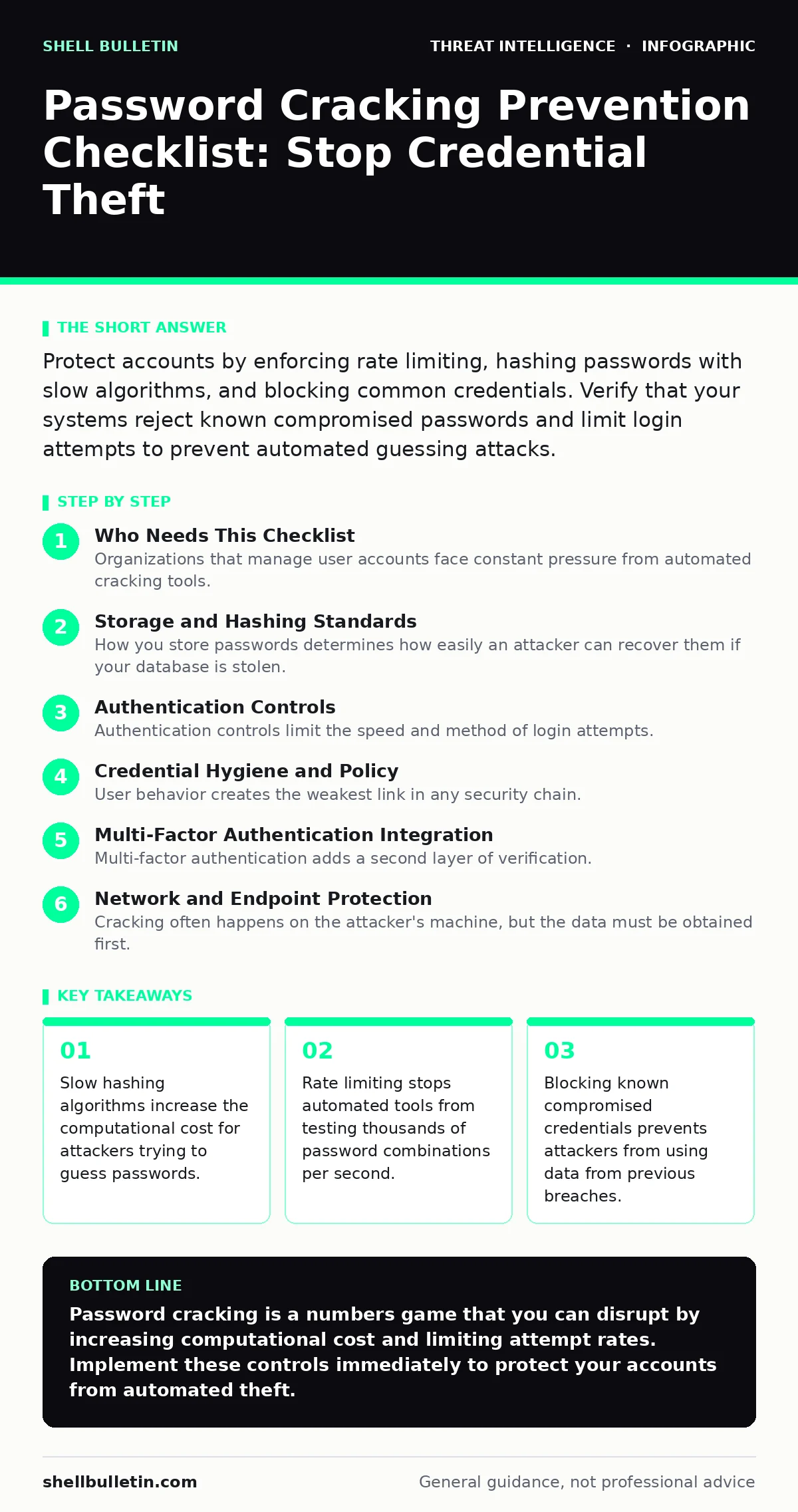
Protect accounts by enforcing rate limiting, hashing passwords with slow algorithms, and blocking common credentials. Verify that your systems reject known compromised passwords and limit login attempts to prevent automated guessing attacks.
Who Needs This Checklist
Organizations that manage user accounts face constant pressure from automated cracking tools. These tools attempt to guess passwords by testing millions of combinations. You need this checklist if you store user credentials or allow remote access to your systems. Use each item as a verification step for your security posture. Check your configuration against these standards regularly.
Storage and Hashing Standards
How you store passwords determines how easily an attacker can recover them if your database is stolen. Plaintext storage allows immediate access. Weak hashing allows rapid guessing. You must use algorithms designed to resist parallel processing on graphics cards.
- Use Argon2 or bcrypt for hashing: These algorithms consume significant memory and time, slowing down guessing attacks.
- Generate unique salts per password: Salts prevent attackers from using precomputed rainbow tables to reverse hashes.
- Avoid MD5 or SHA-1 for passwords: These are too fast for modern hardware, allowing billions of guesses per second.
- Store only the hash and salt: Never store the original password, even in encrypted form, to limit exposure.
Authentication Controls
Authentication controls limit the speed and method of login attempts. Attackers rely on speed to test many passwords quickly. You must introduce friction into the login process. This friction does not stop a determined human attacker but stops automated tools.
- Implement account lockout after failed attempts: Locking accounts after 5 failed tries stops rapid guessing cycles.
- Add CAPTCHA or puzzle challenges: These verify human presence and block simple scripts from submitting forms.
- Enforce rate limiting on login endpoints: Limit the number of requests per IP address to prevent distributed guessing.
- Log and alert on failed login spikes: Sudden increases in failures often indicate an active cracking attempt.
Credential Hygiene and Policy
User behavior creates the weakest link in any security chain. Complex password rules often lead users to write passwords down. You must balance security with usability. Focus on preventing the use of known bad passwords rather than enforcing arbitrary complexity rules.
- Check passwords against breach databases: Reject any password that appears in known leaked credential lists.
- Enforce a minimum length of 12 characters: Length increases entropy more effectively than special character requirements.
- Disable password reuse across systems: Prevent users from reusing passwords from other services to limit blast radius.
- Educate users on phishing risks: Many cracked passwords are stolen via phishing, not by guessing algorithms.
Multi-Factor Authentication Integration
Multi-factor authentication adds a second layer of verification. Even if an attacker cracks the password, they cannot access the account without the second factor. This is the most effective defense against credential theft. You must ensure the second factor is not tied to the same device or channel as the password.
- Require FIDO2 or hardware keys: These provide phishing-resistant authentication that cannot be intercepted.
- Avoid SMS-based second factors: SIM swapping attacks can redirect SMS codes to the attacker.
- Enforce MFA for all privileged accounts: Administrators are high-value targets for credential cracking and theft.
- Monitor for MFA fatigue attacks: Attackers may send repeated push notifications to trick users into approving access.
See also: Password Leaks Myths: What Credential Theft Actually Means for Your Business · Prevent Token Theft: Stop Credential Hijacking Before It Starts
Network and Endpoint Protection
Cracking often happens on the attacker's machine, but the data must be obtained first. You must protect the network channels that transmit credentials. Encrypted connections prevent eavesdropping. Endpoint security prevents keyloggers from capturing passwords before they are sent.
- Enforce TLS 1.2 or higher for all logins: Encryption prevents attackers from intercepting passwords in transit.
- Block cleartext authentication protocols: Protocols like Telnet or FTP send credentials in plain text.
- Deploy endpoint detection and response: EDR tools can detect keylogging malware that captures passwords locally.
- Analyze network traffic for anomalies: Unusual outbound traffic may indicate data exfiltration of credential databases.
Monitoring and Response
You cannot prevent every attack, so you must detect them quickly. Monitoring provides visibility into cracking attempts. You need to correlate events across different systems to identify coordinated attacks. Automated response can stop attacks before they succeed.
- Integrate logs with a SIEM system: Centralized logging allows correlation of failed logins across multiple servers.
- Create detection use cases for brute force: Define rules that trigger alerts on specific patterns of failed attempts.
- Automate response with SOAR: Security orchestration can automatically block IPs that exceed failure thresholds.
- Review security metrics regularly: Track the volume of failed logins to identify trends and adjust controls.
Understanding the cyber kill chain helps you identify where cracking fits in the attacker's workflow. Cracking usually occurs after initial access or data theft. By hardening your defenses at each stage, you increase the effort required for success. This makes your organization a less attractive target.
Final Verification Steps
Review your implementation against this checklist quarterly. Technology changes, and so do attack methods. Regular reviews ensure your controls remain effective. Do not assume that once configured, settings remain secure. Configuration drift can reintroduce vulnerabilities.
- Test password storage with a sample hash: Verify that your system uses the correct algorithm and salt length.
- Simulate a brute force attack: Use internal testing tools to verify rate limiting and lockout policies.
- Audit user password age and complexity: Ensure no users are still using weak or default credentials.
- Update breach password lists: Ensure your system checks against the latest known compromised credentials.
Key takeaways
- Slow hashing algorithms increase the computational cost for attackers trying to guess passwords.
- Rate limiting stops automated tools from testing thousands of password combinations per second.
- Blocking known compromised credentials prevents attackers from using data from previous breaches.
Password cracking is a numbers game that you can disrupt by increasing computational cost and limiting attempt rates. Implement these controls immediately to protect your accounts from automated theft.
Frequently asked questions
How do I know if my password hashing algorithm is secure?
Check if the algorithm is memory-hard and slow, such as Argon2 or bcrypt, rather than fast hashes like SHA-256.
Should I force users to change passwords every 90 days?
No, frequent forced changes often lead to weaker passwords; focus on detecting compromised credentials instead.
Can multi-factor authentication stop all password cracking?
MFA stops account takeover even if the password is cracked, but it does not prevent the cracking process itself.
What is the best way to handle account lockouts?
Combine lockouts with CAPTCHA challenges to balance security against denial-of-service risks for legitimate users.
How this guide was produced: written by the Shell Bulletin editorial team with AI assistance, checked against the public references listed below, and reviewed when the facts change. See our editorial policy or report an error.