SOAR Best Practices for Reliable Incident Response Automation
Automating low-value tasks reduces alert fatigue, but poor logic design creates faster failure modes that bypass human oversight entirely.

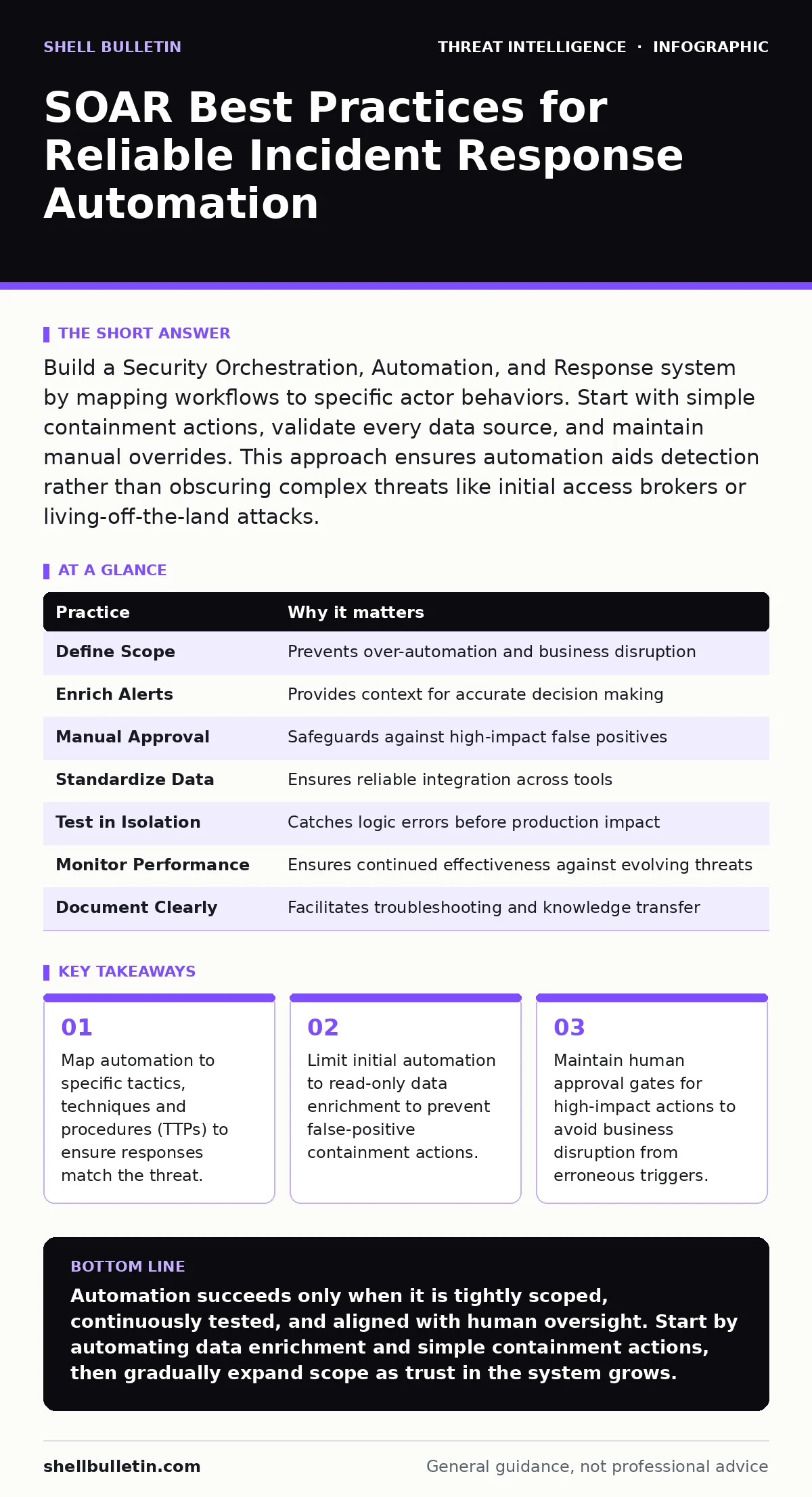
Build a Security Orchestration, Automation, and Response system by mapping workflows to specific actor behaviors. Start with simple containment actions, validate every data source, and maintain manual overrides. This approach ensures automation aids detection rather than obscuring complex threats like initial access brokers or living-off-the-land attacks.
Define Automation Scope Around Specific Threats
Automation fails when it attempts to solve vague problems. You must tie every workflow to a specific threat behavior. This connection ensures the system reacts to actual indicators of compromise rather than noise. If you automate a response to a generic alert, you risk blocking legitimate business activity.
Focus on high-volume, low-risk events first. These are events where the cost of a false positive is minimal. By starting small, you build confidence in the system’s logic. This gradual expansion allows you to refine rules before applying them to critical infrastructure.
Imagine a scenario where a user logs in from a new country. An automated block might stop a compromised account. It might also stop a traveling executive. You need logic that distinguishes between these cases. Reference established SOC playbooks to identify which actions are safe to automate.
Enrich Alerts Before Taking Action
Raw alerts rarely contain enough context for a correct decision. You must gather additional data before triggering a containment action. This process, called enrichment, adds metadata to the alert. It helps determine if the event is malicious or benign.
Connect your system to internal databases and external threat intelligence feeds. This provides a fuller picture of the event. You might find that the IP address flagged as malicious is actually a partner vendor. Without this step, you risk disrupting operations based on incomplete information.
Implement Manual Approval for High-Impact Actions
Not every response should be automatic. Actions that disrupt business operations require human judgment. Blocking a critical server or disabling a key user account can cause significant damage. These actions need a final check by a security analyst.
Set up approval gates for any action that affects availability. This ensures a human reviews the context before execution. The system should queue these actions and notify the on-call team. This balances speed with safety, preventing automated overreach.
Consider the complexity of living-off-the-land attacks. These threats use legitimate system tools, making them hard to distinguish from normal activity. An automated system might flag normal administrative tasks as malicious. Human review helps prevent these false positives.
Standardize Data Formats for Integration
Different security tools speak different languages. If your system cannot parse data from various sources, automation breaks. You must standardize how data is ingested and processed. This ensures consistent behavior across all workflows.
Use common data models to normalize incoming events. This reduces the need for custom parsers for each tool. It also makes it easier to add new data sources in the future. Consistency in data handling improves the reliability of your automation logic.
Port scanning detection relies on seeing patterns across multiple sources. If firewall logs and host-based logs use different formats, correlating them is difficult. Standardization allows your system to detect these patterns automatically.
Test Automation in Isolated Environments
Running untested automation in production is dangerous. A single logic error can cause widespread disruption. You must test all workflows in a safe environment first. This environment should mimic your production setup as closely as possible.
Use synthetic data to simulate various attack scenarios. This allows you to verify that the automation behaves as expected. You can identify edge cases where the logic fails. Fixing these issues before deployment prevents real-world incidents.
See also: What Is Incident Response: The Plan That Stops Digital Chaos · DNS Hijacking Response: Recovery Steps and Containment Plan
Monitor and Tune Workflow Performance
Automation is not a set-and-forget solution. You must continuously monitor how workflows perform. Metrics such as execution time and error rates reveal issues. Regular tuning ensures the system remains effective as threats evolve.
Review logs of automated actions regularly. Look for patterns of failure or unexpected behavior. Adjust thresholds and logic based on these findings. This iterative process improves the accuracy and reliability of your response capabilities.
Command and control traffic often changes its characteristics to evade detection. Your automation must adapt to these changes. Regular tuning ensures your detection rules remain relevant.
Maintain Clear Documentation and Version Control
As workflows grow complex, understanding them becomes difficult. You must document the purpose, logic, and dependencies of each workflow. This documentation helps analysts troubleshoot issues and onboard new team members.
Use version control to track changes to automation scripts. This allows you to revert to previous versions if a change causes problems. It also provides an audit trail for compliance purposes. Clear records ensure accountability and transparency.
| Practice | Why it matters |
|---|---|
| Define Scope | Prevents over-automation and business disruption |
| Enrich Alerts | Provides context for accurate decision making |
| Manual Approval | Safeguards against high-impact false positives |
| Standardize Data | Ensures reliable integration across tools |
| Test in Isolation | Catches logic errors before production impact |
| Monitor Performance | Ensures continued effectiveness against evolving threats |
| Document Clearly | Facilitates troubleshooting and knowledge transfer |
Align Automation with Incident Response Plans
Your automation must support your overall incident response strategy. It should not operate in a vacuum. Aligning workflows with your plan ensures consistency and effectiveness. This alignment helps ensure that automated actions support manual procedures.
Review your incident response plans regularly. Update automation to reflect changes in these plans. This ensures that automated responses remain relevant. It also helps identify gaps where automation could assist.
Initial access brokers often use sophisticated methods to gain entry. Your automation should be designed to detect and respond to these specific behaviors. Aligning with your response plan ensures you have the right tools ready.
Key takeaways
- Map automation to specific tactics, techniques and procedures (TTPs) to ensure responses match the threat.
- Limit initial automation to read-only data enrichment to prevent false-positive containment actions.
- Maintain human approval gates for high-impact actions to avoid business disruption from erroneous triggers.
Automation succeeds only when it is tightly scoped, continuously tested, and aligned with human oversight. Start by automating data enrichment and simple containment actions, then gradually expand scope as trust in the system grows.
Frequently asked questions
Should I automate blocking malicious IP addresses?
Yes, but only after enrichment confirms the IP is not part of legitimate business traffic. Use manual approval for high-value targets to avoid blocking critical partners.
How do I handle false positives in automated responses?
Implement a feedback loop where analysts review automated actions. Use this data to refine detection rules and reduce future false positives.
Can SOAR replace a security operations center?
No. SOAR augments the SOC by handling routine tasks. Human analysts are still needed for complex investigations and strategic decision-making.
What is the first workflow I should automate?
Start with alert enrichment. Gather additional context from various sources to help analysts make faster and more accurate decisions.
How this guide was produced: written by the Shell Bulletin editorial team with AI assistance, checked against the public references listed below, and reviewed when the facts change. See our editorial policy or report an error.