Prevent Token Theft: Stop Credential Hijacking Before It Starts
Session tokens often bypass multi-factor authentication, allowing attackers to enter networks without triggering standard login alerts or password checks.

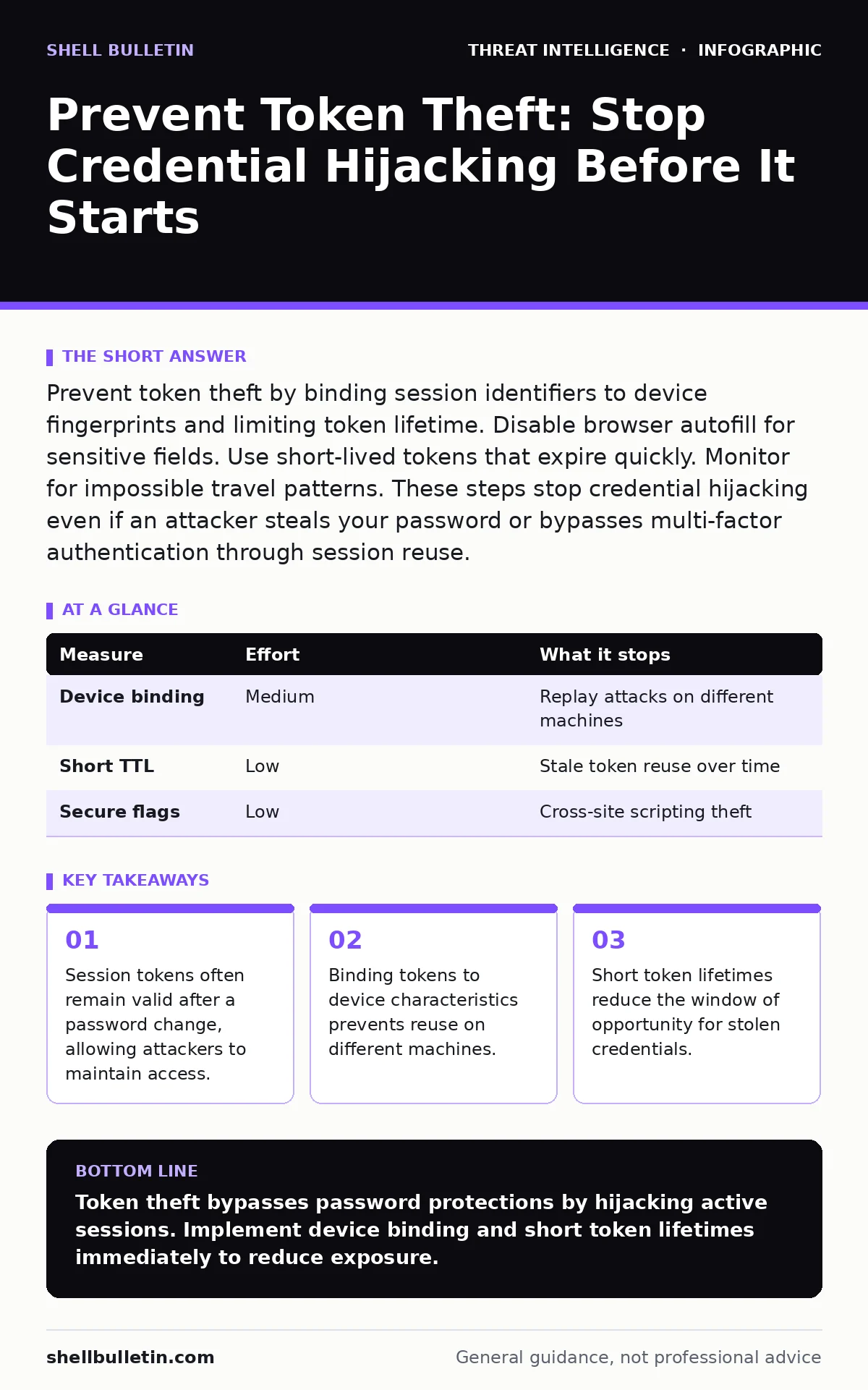
Prevent token theft by binding session identifiers to device fingerprints and limiting token lifetime. Disable browser autofill for sensitive fields. Use short-lived tokens that expire quickly. Monitor for impossible travel patterns. These steps stop credential hijacking even if an attacker steals your password or bypasses multi-factor authentication through session reuse.
Why Passwords Are No Longer Enough
Token theft exploits the convenience of session management. When you log in, the server issues a token. This token proves your identity for subsequent requests. You do not re-enter credentials. Attackers steal these tokens. They use the token to impersonate you. The server sees a valid session. It grants access. This bypasses multi-factor authentication. The second factor was only checked during the initial login. The token itself is the key. Protecting the token is now as critical as protecting the password.
Binding Tokens to Device Context
Imagine an attacker steals your session cookie. They copy it to their browser. They attempt to log in. If the server checks only the token value, they succeed. If the server binds the token to your device, they fail. Device binding adds context. The server records your browser fingerprint. It notes your IP range. It tracks your user agent string. The token is valid only with this specific context. A change in context invalidates the token. This stops simple replay attacks. It adds friction for legitimate users on new devices. You must balance security with usability.
| Measure | Effort | What it stops |
|---|---|---|
| Device binding | Medium | Replay attacks on different machines |
| Short TTL | Low | Stale token reuse over time |
| Secure flags | Low | Cross-site scripting theft |
Shortening Token Lifetime
Long-lived tokens are dangerous. They remain valid for days or weeks. An attacker who steals one has a large window. Shortening the time-to-live reduces this window. Set tokens to expire in minutes or hours. Force re-authentication for sensitive actions. This limits the damage of a theft. It does not prevent the theft itself. It reduces the impact. You must accept increased login prompts. Users may find this annoying. Security often requires inconvenience. Choose a lifetime that matches your risk tolerance. Critical systems need shorter lifetimes.
Securing Cookie Transmission
Tokens often live in browser cookies. Default settings may allow theft via cross-site scripting. Attackers inject scripts into your page. These scripts read your cookies. They send them to the attacker. You must set secure flags. The Secure flag ensures transmission only over HTTPS. The HttpOnly flag prevents JavaScript access. The SameSite attribute restricts cross-site requests. These are standard browser features. They require no special software. They stop many common theft vectors. Configure your web servers correctly. Verify these flags are set. Check your application headers.
Detecting Anomalous Session Behavior
Prevention is not always perfect. Detection is the backup. Monitor session usage patterns. Look for impossible travel. A login from New York and then London in minutes is suspicious. Look for multiple concurrent sessions. One user should not have five active sessions. Look for unusual user agents. A sudden switch from Chrome to a known hacking tool is a red flag. Use threat intelligence platforms to identify known malicious IPs. Correlate this data with your logs. Alert on deviations from the norm. This helps you spot compromised tokens before major damage occurs.
See also: OSINT tools for investigators explained: uncover public clues · Dark Web Search Engines: How to Detect Local Access
Managing Browser Autofill Risks
Browsers remember your inputs. They suggest credentials on forms. This is convenient. It is also risky. Attackers create fake forms. They look like your login page. When you type, the browser autofills. The attacker captures the data. Disable autofill for sensitive fields. Use the autocomplete="off" attribute. Educate users to recognize fake forms. Check the URL carefully. Look for subtle misspellings. This stops credential stuffing. It also reduces token exposure. If the token is in a form field, it can be harvested. Keep tokens in cookies or secure memory. Never put them in form inputs.
Revoking Tokens Immediately
When you suspect theft, act fast. Password changes do not revoke tokens. The old token remains valid. You must explicitly revoke it. Log out of all sessions. This forces the server to invalidate the token. The attacker loses access. This is a critical step. Include a "Log out everywhere" button. Make it easy to find. Test this feature regularly. Ensure it works across all devices. Delay in revocation allows continued access. Speed matters in incident response. Have clear procedures for token revocation. Train your staff on this process.
Building Defense in Depth
No single measure stops all token theft. Combine these strategies. Bind tokens to devices. Shorten their lifetime. Secure their transmission. Monitor for anomalies. Disable risky browser features. Revoke sessions immediately. This layered approach removes risk. Each layer addresses a different weakness. One layer fails, another catches it. This is security by design. It requires planning. It requires testing. It requires maintenance. But it significantly reduces your exposure. You protect your most valuable asset: access.
Checklist for Today
Start with these three steps. They are quick and effective. They reduce immediate risk.
- Enable HttpOnly and Secure flags on all session cookies.
- Set a maximum lifetime of one hour for interactive sessions.
- Add a "Log out of all devices" option to your login portal.
Key takeaways
- Session tokens often remain valid after a password change, allowing attackers to maintain access.
- Binding tokens to device characteristics prevents reuse on different machines.
- Short token lifetimes reduce the window of opportunity for stolen credentials.
Token theft bypasses password protections by hijacking active sessions. Implement device binding and short token lifetimes immediately to reduce exposure.
Frequently asked questions
Does multi-factor authentication prevent token theft?
No. Multi-factor authentication secures the initial login. Once a session token is issued, it grants access without re-verifying the second factor. Attackers can reuse the token.
How long should a session token last?
For high-security applications, tokens should expire within minutes to hours. For standard applications, a few hours is acceptable. Longer lifetimes increase the risk window for stolen tokens.
Can I detect token theft automatically?
Yes. By monitoring for impossible travel, multiple concurrent sessions, and unusual user agents, you can detect anomalies. Integrating with security metrics helps identify these patterns in real time.
What is the difference between token theft and credential stuffing?
Credential stuffing uses stolen passwords to log in. Token theft steals the session cookie after login. Token theft bypasses the login process entirely, making it harder to detect with standard login alerts.
How this guide was produced: written by the Shell Bulletin editorial team with AI assistance, checked against the public references listed below, and reviewed when the facts change. See our editorial policy or report an error.