How to Mitigate Cross Site Scripting: A Risk-Based Approach
Output encoding stops most cross-site scripting attacks, while input validation alone leaves your application exposed to sophisticated injection techniques.

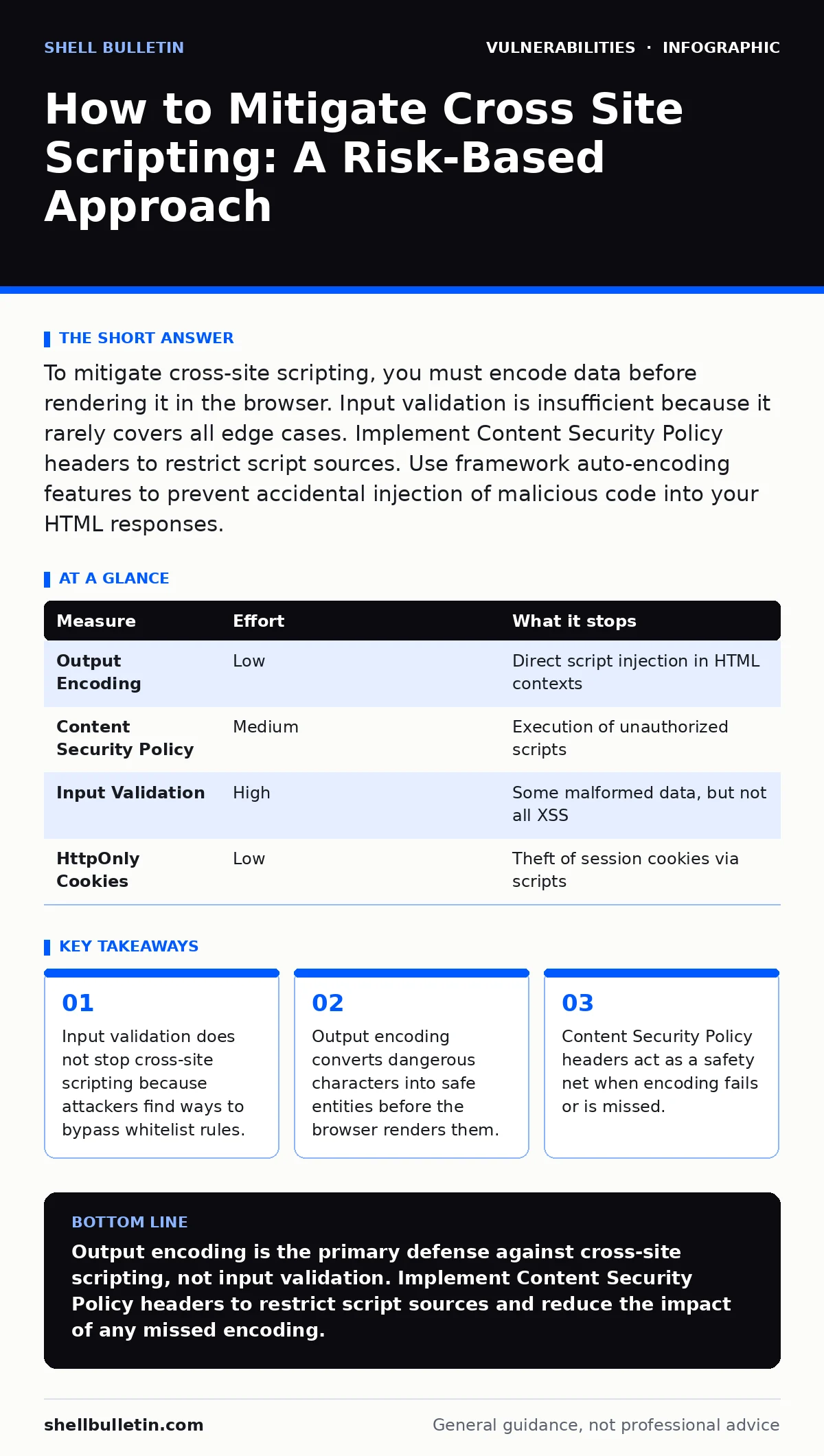
To mitigate cross-site scripting, you must encode data before rendering it in the browser. Input validation is insufficient because it rarely covers all edge cases. Implement Content Security Policy headers to restrict script sources. Use framework auto-encoding features to prevent accidental injection of malicious code into your HTML responses.
How to Mitigate Cross Site Scripting
You want to know how to mitigate cross site scripting without rewriting your entire application. The short answer is that you must encode output, not just validate input. Many developers believe that checking user input at the server side is enough. This belief is dangerous. Attackers can often bypass input filters using encoding tricks or unexpected input fields. The only reliable defense is to treat all data as untrusted when it leaves your server and enters the browser.
Cross-site scripting occurs when an attacker injects malicious scripts into web pages viewed by other users. These scripts run in the victim’s browser, stealing session cookies, hijacking user sessions, or redirecting users to fake login pages. The damage depends on what the script can access. If the script runs with the user’s privileges, it can perform any action the user can perform. This includes changing passwords, transferring funds, or submitting forms on behalf of the user.
Why Input Validation Fails as a Defense
Input validation checks data against a set of allowed characters or patterns. It is a useful first line of defense, but it is not a complete solution. Imagine a form that only accepts letters and numbers. An attacker might submit a value that looks safe but contains hidden control characters or uses a different character encoding. The validation passes, but the browser interprets the data as executable code.
This failure mode is common in complex applications. You might validate the email field but forget to validate the hidden form fields or the URL parameters. Attackers scan for these overlooked entry points. They look for places where data is reflected back to the user without proper encoding. Even if your input validation is strict, a single missed output point creates a vulnerability. This is why relying solely on input validation is a critical error in security architecture.
The Priority of Output Encoding
Output encoding is the process of converting special characters into their safe HTML equivalents. For example, the less-than symbol becomes < and the greater-than symbol becomes >. This prevents the browser from interpreting the data as HTML tags or JavaScript code. You must encode data at the point of rendering, not at the point of storage.
Most modern web frameworks provide automatic output encoding. If you use a framework like React, Angular, or Vue, the default behavior is to escape data. This is a significant advantage over older technologies that required manual escaping. However, you must understand when the framework disables this safety feature. Using innerHTML or equivalent functions in your code turns off automatic encoding. You must manually encode data in these cases.
| Measure | Effort | What it stops |
|---|---|---|
| Output Encoding | Low | Direct script injection in HTML contexts |
| Content Security Policy | Medium | Execution of unauthorized scripts |
| Input Validation | High | Some malformed data, but not all XSS |
| HttpOnly Cookies | Low | Theft of session cookies via scripts |
Content Security Policy as a Safety Net
Content Security Policy is a browser security mechanism that restricts the sources from which content can be loaded. You define a list of allowed domains for scripts, styles, and images. If a script tries to load from a domain not on your list, the browser blocks it. This stops many cross-site scripting attacks even if the attacker manages to inject code.
Implementing Content Security Policy requires careful configuration. You must identify all legitimate script sources. This includes your own servers and any third-party services you use. A strict policy blocks everything except what you explicitly allow. This reduces the attack surface significantly. If an attacker injects a script, it cannot load from external malicious domains. It also prevents inline scripts, which are a common vector for reflected cross-site scripting.
Handling DOM-Based Cross-Site Scripting
DOM-based cross-site scripting occurs entirely within the browser. The server sends a safe page, but JavaScript in the page reads data from the URL or other sources and writes it back to the DOM without encoding. This type of attack is harder to detect because the malicious code never reaches the server. You cannot protect against it with server-side input validation or output encoding alone.
You must audit your client-side code for unsafe DOM manipulation. Look for functions that write data directly to the DOM, such as document.write or innerHTML. Ensure that any data coming from the URL fragment or other client-side sources is encoded before being inserted into the page. Use safe DOM APIs that automatically handle encoding. This requires a shift in mindset from server-side security to client-side security.
The Role of Security Headers and Cookies
Setting the HttpOnly flag on session cookies prevents JavaScript from accessing them. If an attacker injects a script, the script cannot steal the session cookie. This limits the damage of a cross-site scripting attack. The attacker cannot hijack the user’s session. They might still be able to perform other actions, but they cannot impersonate the user directly.
This measure is easy to implement and provides significant protection. You should set the HttpOnly flag on all session cookies. You should also set the Secure flag to ensure cookies are only sent over HTTPS. These settings are standard practice and should be part of your baseline security configuration. They do not prevent cross-site scripting, but they reduce the impact of a successful attack.
Integrating Security into Your Development Process
Security is not a one-time fix. It is a continuous process. You need to integrate security checks into your development workflow. This includes code reviews that focus on security patterns. You should use static analysis tools to detect potential vulnerabilities. These tools can find unsafe coding patterns that might lead to cross-site scripting.
You should also consider vulnerability scanning and risk-based vulnerability management to identify weaknesses in your infrastructure. Regularly reviewing your dependencies helps prevent issues related to dependency updates. While this guide focuses on application code, remember that firmware vulnerabilities and other system-level issues can also expose your users. A holistic approach to security is necessary.
What Does Not Work on Its Own
Many popular measures are insufficient if used in isolation. Input validation, as discussed, fails against sophisticated attacks. Sanitization libraries can be misconfigured or bypassed. Relying on browser protections is risky because not all users have the same browser or settings. You must assume that the browser will not save you.
Another common mistake is using blacklists to filter input. Blacklists try to block known bad patterns. Attackers can easily find patterns that are not on the list. Whitelists are better, but they are still not a substitute for output encoding. You must combine multiple layers of defense. This is known as defense in depth. No single measure is perfect. You need a combination of output encoding, Content Security Policy, and secure coding practices.
Closing Checklist of Three Things to Do Today
You can start mitigating cross-site scripting immediately. Here are three actions you can take today.
- Audit your application for places where user data is rendered in HTML. Ensure that output encoding is applied.
- Enable Content Security Policy headers on your server. Start with a report-only mode to see what is blocked.
- Set the
HttpOnlyandSecureflags on all session cookies. This prevents script-based session theft.
These steps address the most common and dangerous vectors. They require minimal effort but provide significant protection. You should integrate these practices into your standard development workflow. This ensures that new features are secure by default.
Key takeaways
- Input validation does not stop cross-site scripting because attackers find ways to bypass whitelist rules.
- Output encoding converts dangerous characters into safe entities before the browser renders them.
- Content Security Policy headers act as a safety net when encoding fails or is missed.
Output encoding is the primary defense against cross-site scripting, not input validation. Implement Content Security Policy headers to restrict script sources and reduce the impact of any missed encoding.
Frequently asked questions
Does using a framework prevent cross-site scripting entirely?
No, frameworks provide automatic encoding, but you can disable it or use unsafe functions. You must understand your framework’s security model.
Can I use a blacklist to stop cross-site scripting?
Blacklists are ineffective because attackers can find bypasses. Use whitelists for input validation and always encode output.
How do I test for cross-site scripting vulnerabilities?
Use automated scanning tools and manual code reviews. Look for places where user input is reflected in the response without encoding.
Is DOM-based cross-site scripting harder to fix?
Yes, because it occurs in the browser. You must audit client-side code for unsafe DOM manipulation and ensure proper encoding.
How this guide was produced: written by the Shell Bulletin editorial team with AI assistance, checked against the public references listed below, and reviewed when the facts change. See our editorial policy or report an error.