Firmware Vulnerabilities Prevention Checklist for Devices
Firmware flaws bypass operating system security controls and allow attackers to maintain persistent access even after a complete system reinstallation or hardware replacement.

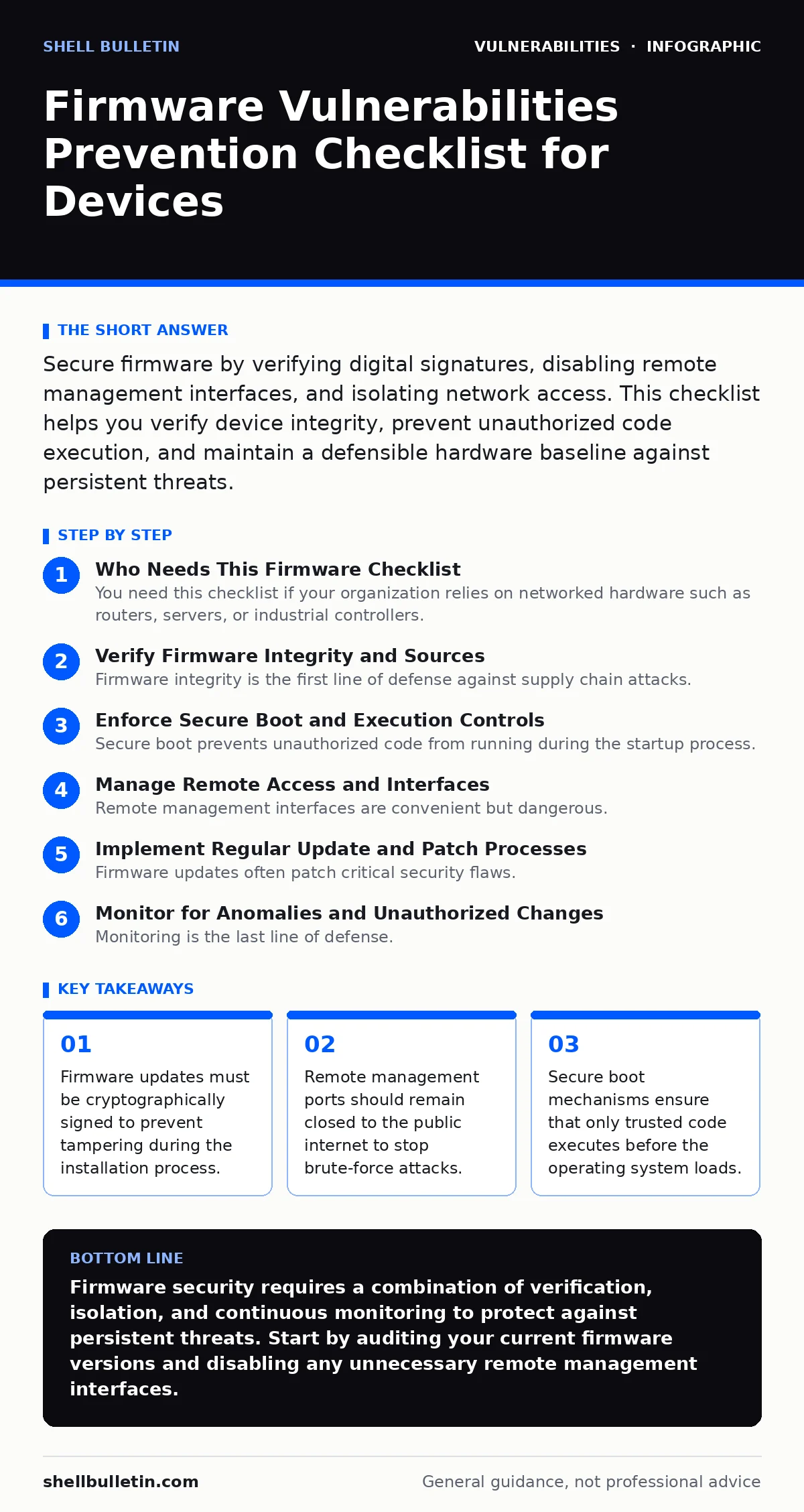
Secure firmware by verifying digital signatures, disabling remote management interfaces, and isolating network access. This checklist helps you verify device integrity, prevent unauthorized code execution, and maintain a defensible hardware baseline against persistent threats.
Who Needs This Firmware Checklist
You need this checklist if your organization relies on networked hardware such as routers, servers, or industrial controllers. These devices run firmware, which is software embedded directly into hardware components. Unlike application software, firmware operates at a low level and controls basic hardware functions. When firmware contains vulnerabilities, attackers can bypass standard operating system defenses.
This guide provides a structured approach to securing these foundational layers. It helps you identify gaps in your hardware security posture and implement controls that persist through reboots and resets. Use this list during procurement and periodic audits to ensure your devices remain resistant to low-level attacks.
Verify Firmware Integrity and Sources
- Require cryptographic signatures for all firmware images: This ensures the code has not been altered by a third party during transit or storage.
- Download updates only from official vendor channels: Third-party mirrors may host modified files that contain hidden backdoors or malware.
- Validate checksums against published hashes: Matching hashes confirm the file you received is identical to the one the vendor released.
- Maintain a record of installed firmware versions: Tracking versions helps you identify which devices are affected when new vulnerabilities are disclosed.
Firmware integrity is the first line of defense against supply chain attacks. If an attacker modifies the firmware image before it reaches your device, the damage occurs before the system even starts. By verifying signatures and checksums, you ensure that the code executing on your hardware is exactly what the manufacturer intended. This process requires access to the original public keys or hash values provided by the vendor. Without these references, you cannot trust the source of the update.
Enforce Secure Boot and Execution Controls
- Enable secure boot on all supported devices: Secure boot checks the cryptographic signature of each boot component before loading it.
- Disable legacy boot options and BIOS setup access: Legacy interfaces often lack modern security controls and can be bypassed by physical attackers.
- Lock down the boot order to prevent USB booting: Preventing boot from external media stops attackers from loading unauthorized operating systems.
- Configure hardware-based root of trust: A root of trust anchors the verification chain in hardware, making it harder to tamper with.
Secure boot prevents unauthorized code from running during the startup process. It creates a chain of trust that starts with the hardware and extends to the operating system. If any component in this chain fails verification, the device will not boot. This protects against bootkits and other low-level malware that attempts to hijack the system before security software loads. You must ensure that your devices support this feature and that it is enabled by default. Disabling secure boot to install older software introduces significant risk.
Manage Remote Access and Interfaces
- Disable remote management protocols on public networks: Exposing management interfaces to the internet invites automated scanning and brute-force attacks.
- Require strong authentication for all administrative access: Weak credentials allow attackers to take full control of the device firmware.
- Segment management traffic from user data traffic: Isolating management traffic limits the blast radius of a compromised device.
- Use jump servers for administrative access: A jump server provides a single, monitored entry point for all administrative connections.
Remote management interfaces are convenient but dangerous. They provide direct access to the firmware configuration layer. If an attacker gains access to these interfaces, they can change settings, install malicious code, or disable security features. Disabling these interfaces when not in use reduces the attack surface significantly. When remote access is necessary, segmenting the traffic ensures that a breach in the user network does not automatically grant access to device management. This separation is critical for maintaining control over your infrastructure.
Implement Regular Update and Patch Processes
- Subscribe to vendor security advisories: Timely information about vulnerabilities allows you to prioritize critical updates.
- Test firmware updates in a staging environment: Testing ensures that updates do not break existing functionality or introduce new vulnerabilities.
- Document the update procedure for each device type: Clear procedures reduce the risk of human error during critical maintenance windows.
- Verify that updates are applied within a defined timeframe: Delaying updates leaves devices exposed to known exploits for extended periods.
Firmware updates often patch critical security flaws. However, the process of applying these updates carries its own risks. A failed update can brick a device, rendering it unusable. This is why testing in a staging environment is non-negotiable. You must balance the need for security with the risk of operational disruption. The related guide on dependency updates provides further context on managing software components that interact with firmware. Understanding how these components interact helps you predict potential failure points during an update cycle.
Monitor for Anomalies and Unauthorized Changes
- Enable logging for all firmware configuration changes: Logs provide evidence of who made changes and when they occurred.
- Monitor for unexpected network connections from devices: Unusual outbound traffic may indicate that a device has been compromised.
- Perform periodic integrity checks of firmware images: Comparing current images against known good baselines detects tampering.
- Alert on failed authentication attempts to management interfaces: Multiple failed attempts often indicate an active attack against the device.
Monitoring is the last line of defense. Even with strict controls, some breaches will occur. Monitoring allows you to detect these breaches quickly and respond before they cause significant damage. Firmware changes are often subtle and difficult to detect without dedicated monitoring tools. You must establish a baseline of normal behavior for each device. Deviations from this baseline, such as unexpected network connections or configuration changes, should trigger immediate investigation. The principles of security regression testing can help you validate that your monitoring controls remain effective after changes.
Address Legacy and Unsupported Devices
- Identify devices that no longer receive security updates: These devices are permanent risks and must be isolated or replaced.
- Implement network segmentation for legacy hardware: Segmentation limits the ability of attackers to move laterally from compromised legacy devices.
- Disable unnecessary features on legacy devices: Reducing functionality reduces the attack surface available to attackers.
- Plan for replacement of unsupported hardware: There is no software fix for hardware that no longer receives vendor support.
Legacy devices are a common source of firmware vulnerabilities. When a vendor stops supporting a device, it will never receive patches for new vulnerabilities. These devices become easy targets for attackers. You cannot patch these vulnerabilities with software updates. The only effective controls are isolation and replacement. Network segmentation is critical here. By placing legacy devices on a separate network segment, you prevent them from being used as a foothold for attacking more critical systems. This approach aligns with the concepts found in the secure software development lifecycle, where lifecycle management includes decommissioning.
Key takeaways
- Firmware updates must be cryptographically signed to prevent tampering during the installation process.
- Remote management ports should remain closed to the public internet to stop brute-force attacks.
- Secure boot mechanisms ensure that only trusted code executes before the operating system loads.
Firmware security requires a combination of verification, isolation, and continuous monitoring to protect against persistent threats. Start by auditing your current firmware versions and disabling any unnecessary remote management interfaces.
Frequently asked questions
How do I know if my device firmware is vulnerable?
Check the vendor's security advisories and compare your installed version against the latest recommended version.
Can I patch firmware vulnerabilities without updating?
No, firmware vulnerabilities require a new firmware image to fix the underlying code flaws.
What is the risk of disabling secure boot?
Disabling secure boot allows unsigned code to run, making the device susceptible to bootkits and low-level malware.
How often should I update firmware?
Update firmware as soon as critical security patches are available, after testing in a staging environment.
How this guide was produced: written by the Shell Bulletin editorial team with AI assistance, checked against the public references listed below, and reviewed when the facts change. See our editorial policy or report an error.