Implement Vulnerability Scanning: A Step-by-Step Operational Guide
Most scanning failures stem from misconfigured network boundaries, not from the scanner’s inability to detect known flaws in the software.
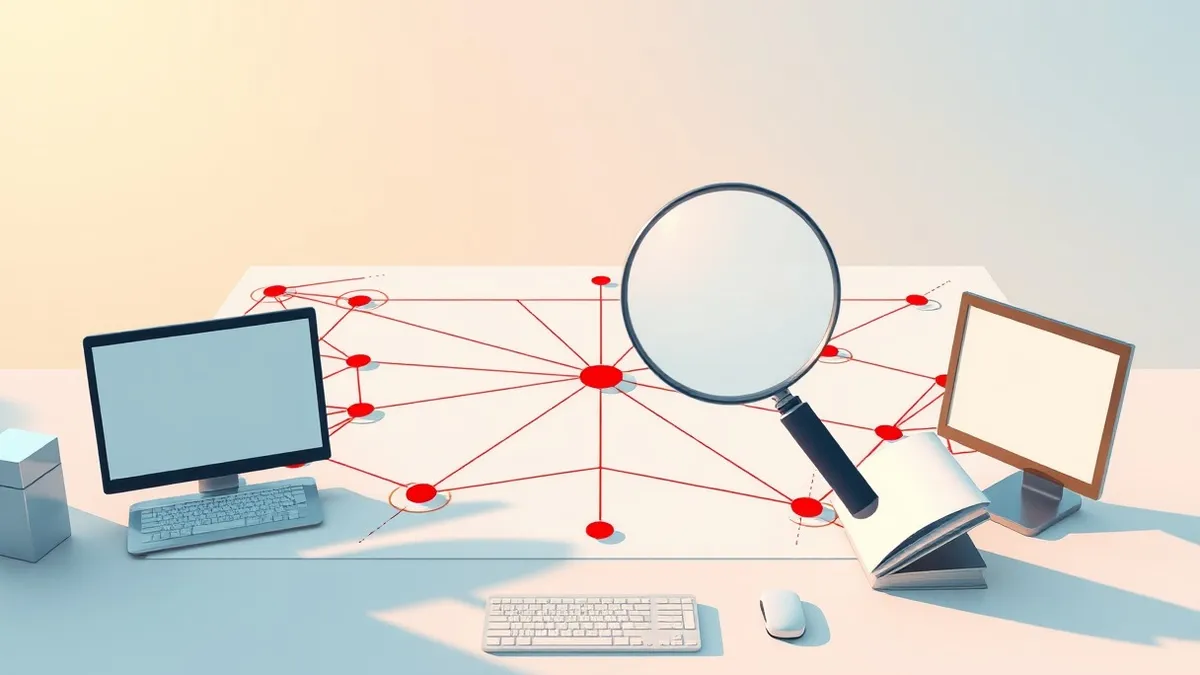
Begin by mapping your attack surface and defining scan windows. Deploy agents or network scanners, then validate findings with manual verification. Establish a routine for re-scanning after changes and prioritize fixes based on actual exploitability rather than raw severity scores.
Define the Attack Surface Boundary
You cannot protect what you cannot see. Before installing any tool, you must define exactly which systems, subnets, and services belong to your organization. This includes public-facing web servers, internal databases, and even forgotten development environments.
If you scan the entire internet range assigned to your ISP, you will generate noise from neighbors’ devices. This noise obscures real risks and consumes processing power.
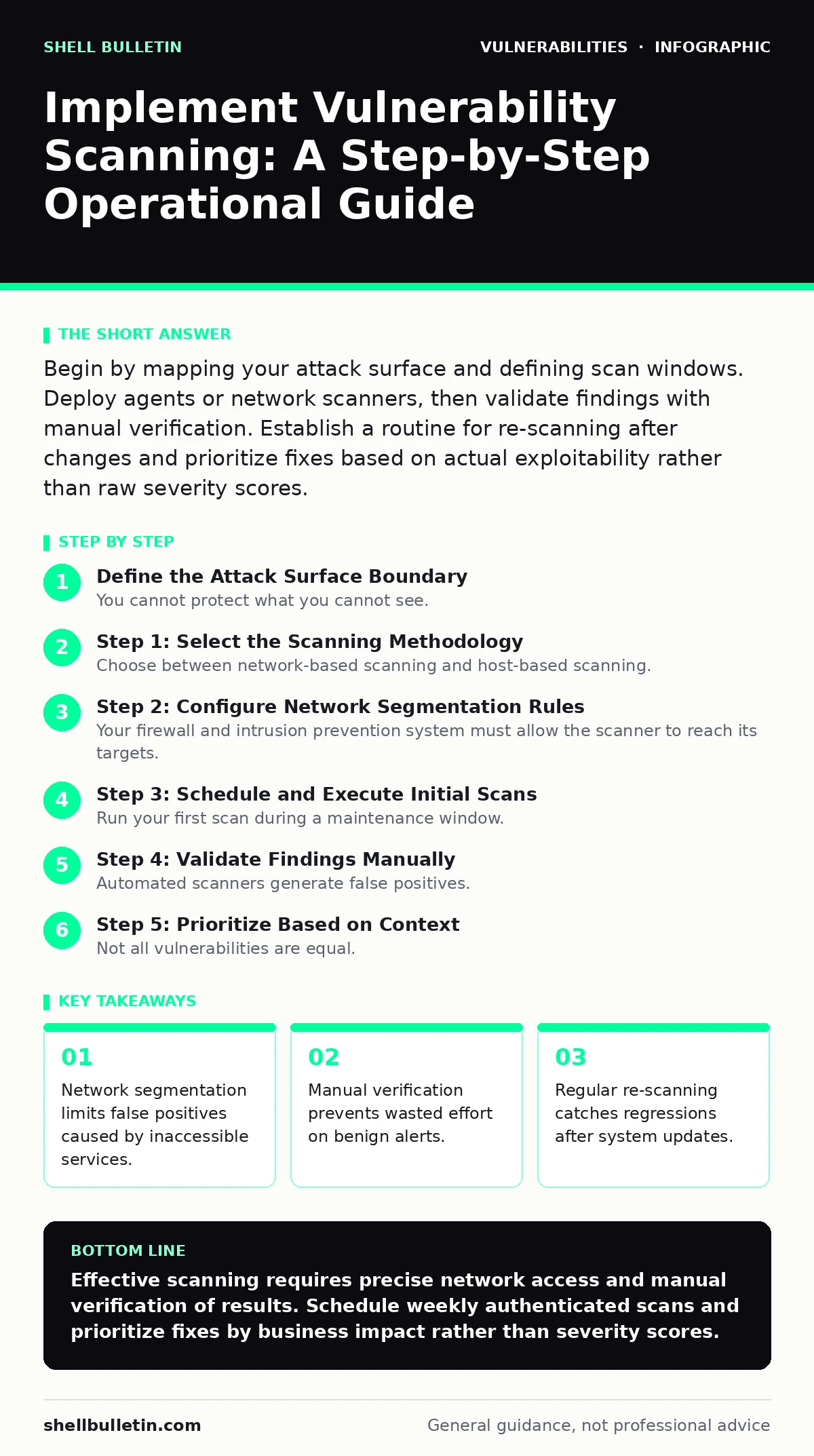
Step 1: Select the Scanning Methodology
Choose between network-based scanning and host-based scanning. Network scanners sit outside the operating system and probe ports for open services. They are easy to deploy but often miss configuration errors inside the OS.
Host-based scanners, or agents, run inside the operating system. They see installed patches, file permissions, and registry settings. They provide deeper visibility but require installation on every machine.
Many organizations use both. The network scanner catches exposed services, while the agent catches internal misconfigurations. This dual approach reduces blind spots.
Step 2: Configure Network Segmentation Rules
Your firewall and intrusion prevention system must allow the scanner to reach its targets. If the scanner cannot reach a port, it cannot test it. However, you must also ensure the scanner does not bypass security controls meant to protect sensitive data.
Create specific firewall rules that allow traffic from the scanner’s IP address to the target subnets. Restrict this access to only the necessary ports and protocols.
Do not allow the scanner to traverse all network segments indiscriminately. This could expose internal databases to external probing if the scanner is compromised.
Step 3: Schedule and Execute Initial Scans
Run your first scan during a maintenance window. Scanning consumes network bandwidth and CPU resources. A full external scan can slow down web applications, especially if they are not optimized for concurrent connections.
Start with a low-intensity scan. Check for open ports and service versions without sending exploit payloads. This verifies connectivity without risking service disruption.
Once connectivity is confirmed, run a full authenticated scan. Authentication allows the scanner to log in and check for missing patches and misconfigurations that unauthenticated scans miss.
Step 4: Validate Findings Manually
Automated scanners generate false positives. They may flag a service as vulnerable when it is actually patched or misconfigured in a way that mitigates the risk. You must verify critical findings before reporting them.
Take a finding for a buffer overflow vulnerabilities class. The scanner might detect an old library version. Check if the library is actually loaded and used by a running process. If it is not, the risk is theoretical.
See also: Lateral Movement Meaning: How Attackers Spread Inside Your Network
Step 5: Prioritize Based on Context
Not all vulnerabilities are equal. A flaw in a public-facing login page is more dangerous than one in an internal printer. Use context to prioritize your remediation efforts.
Consider the asset’s value, the exploit’s complexity, and the presence of compensating controls. This aligns with principles of risk-based vulnerability management, where effort matches actual exposure.
Ignore generic severity scores alone. A high score on an isolated, air-gapped system is less urgent than a medium score on a customer-facing API.
Verify the Scanner Works Correctly
You must confirm your scanner is detecting known issues. Deploy a test environment with intentionally vulnerable software. Run the scanner against this environment.
If the scanner misses the known flaws, your configuration is wrong. Adjust the scan policy, authentication credentials, or firewall rules.
Maintain and Update the Process
Vulnerability scanning is not a one-time task. New flaws are discovered daily. Your software changes constantly. You must re-scan regularly to catch new exposures.
Integrate scanning into your secure software development lifecycle. Scan new code before deployment and re-scan production after major updates.
Review your scanner’s signature database regularly. Outdated signatures mean you are looking for old bugs while missing new ones. Ensure your scanner vendor provides timely updates.
Key takeaways
- Network segmentation limits false positives caused by inaccessible services.
- Manual verification prevents wasted effort on benign alerts.
- Regular re-scanning catches regressions after system updates.
Effective scanning requires precise network access and manual verification of results. Schedule weekly authenticated scans and prioritize fixes by business impact rather than severity scores.
Frequently asked questions
How often should I run vulnerability scans?
Run authenticated scans weekly for critical assets and monthly for less critical systems. Perform immediate scans after any significant configuration change or software update.
Can vulnerability scanners detect zero-day exploits?
No. Scanners rely on known signatures and patterns. They cannot detect unknown vulnerabilities that have not been publicly disclosed or analyzed by security researchers.
What is the difference between authenticated and unauthenticated scanning?
Unauthenticated scanning probes from the outside, checking for open ports and service versions. Authenticated scanning logs in to check for missing patches, misconfigurations, and weak permissions inside the system.
How do I handle false positives?
Verify critical findings manually. Check if the vulnerable component is actually in use and if compensating controls mitigate the risk. Document your verification to avoid repeating the check next time.
How this guide was produced: written by the Shell Bulletin editorial team with AI assistance, checked against the public references listed below, and reviewed when the facts change. See our editorial policy or report an error.