Detect Buffer Overflow Vulnerabilities: Early Signs and Hidden Indicators
Buffer overflows often manifest as intermittent application crashes before they become exploitable, allowing you to identify memory corruption bugs before an attacker does.

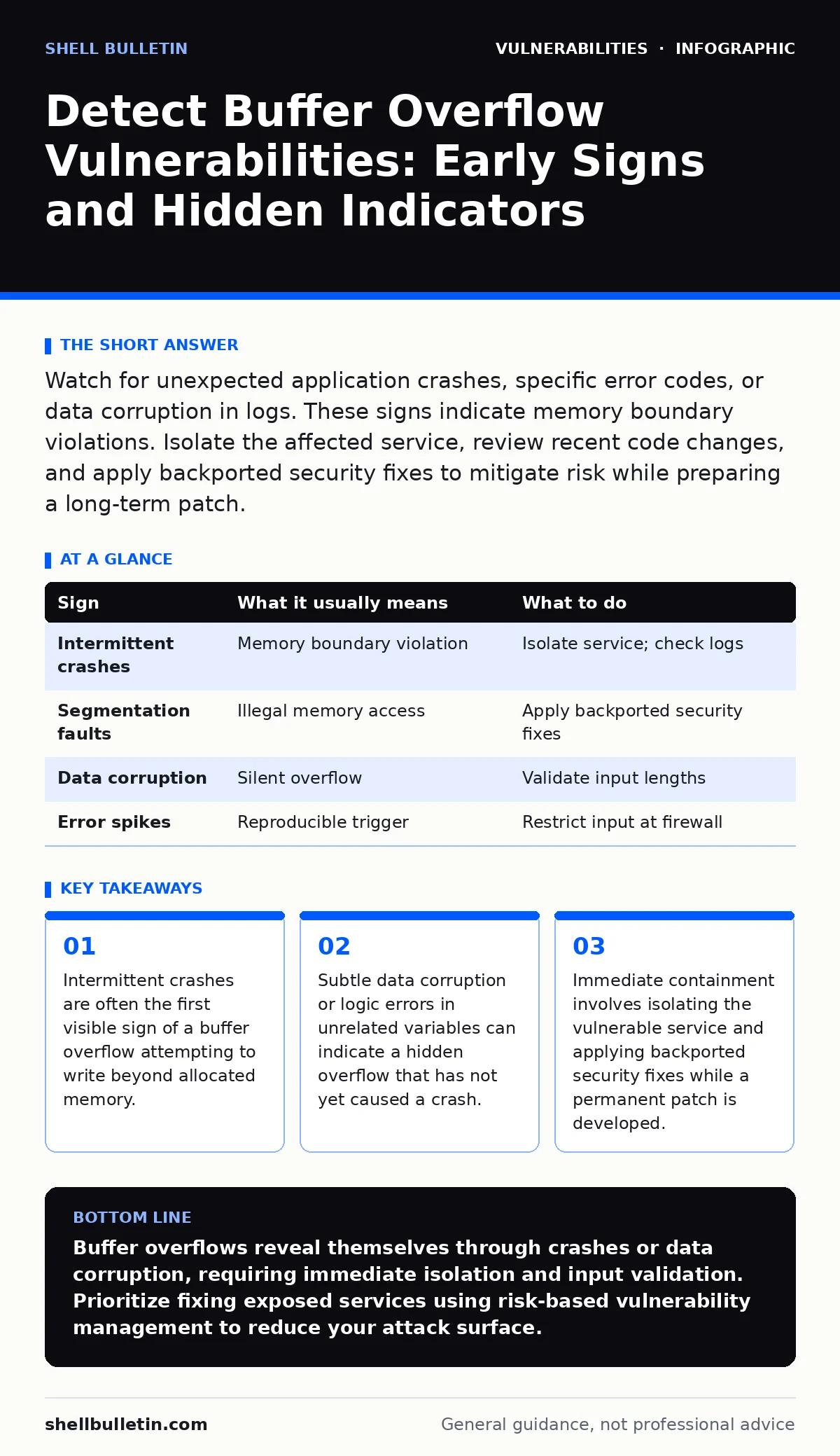
Watch for unexpected application crashes, specific error codes, or data corruption in logs. These signs indicate memory boundary violations. Isolate the affected service, review recent code changes, and apply backported security fixes to mitigate risk while preparing a long-term patch.
The Crash Loop Signal
When an application writes more data into a buffer than it can hold, it overwrites adjacent memory. This is a buffer overflow vulnerability. The most immediate sign you will notice is an application crash. These crashes often appear random or intermittent. They may occur only when specific input lengths are used.
You might see the application restart automatically. This is not a glitch. It is a symptom of memory corruption bugs destabilizing the process. If the crash happens every time a user submits a long text string, the connection is likely direct. The application fails to validate input length before writing to memory.
Silent Data Corruption
Not all overflows cause immediate crashes. Sometimes the overwritten memory contains data that the application tolerates. This creates a silent failure. You might notice incorrect calculations or misplaced characters in output. The application continues running, but the data is wrong.
This is harder to detect than a crash. The system appears stable. However, the integrity of your data is compromised. An attacker can exploit this stability to inject malicious code. The absence of a crash does not mean the absence of risk. It means the overflow is writing to a location that does not immediately terminate the process.
Log Anomalies and Error Codes
System logs provide concrete evidence of memory issues. Look for segmentation faults or access violations. These errors indicate the application tried to read or write to protected memory. They are definitive signs of a buffer overflow or similar memory corruption bug.
Check for repeated error codes in short timeframes. A single error might be a fluke. A pattern indicates a reproducible vulnerability. Review the timestamps of these errors. Correlate them with user actions or incoming traffic spikes. This helps you isolate the trigger.
Input Boundary Testing
You can proactively check for these vulnerabilities by testing input boundaries. Send data that exceeds the expected maximum length. If the application crashes or behaves strangely, it likely lacks proper bounds checking. This is a manual form of vulnerability scanning.
Automated tools can also help. They send malformed packets to find weaknesses. However, they may miss logic-based overflows. Combine automated vulnerability scanning with manual review of high-risk functions. Focus on areas that handle external input directly.
Immediate Containment Steps
When you identify a potential buffer overflow, act quickly. Isolate the affected service from the network. This prevents an attacker from exploiting the vulnerability while you investigate. Do not restart the service immediately if you can avoid it. Preserving the state helps with debugging.
Apply backported security fixes if available. These are patches for older software versions that address specific vulnerabilities. They provide immediate protection without requiring a full upgrade. If no fix exists, restrict input length at the firewall or web application firewall level. This is a temporary mitigation.
Long-Term Remediation
Fixing a buffer overflow requires code changes. Developers must validate all input lengths. They must use safe memory allocation functions. This prevents data from writing beyond buffer boundaries. It is a fundamental change to how the application handles data.
Integrate output encoding practices into your development workflow. This ensures that data is handled safely throughout the application. Regularly review security advisories for known vulnerabilities in your software stack. This keeps you ahead of emerging threats.
| Sign | What it usually means | What to do |
|---|---|---|
| Intermittent crashes | Memory boundary violation | Isolate service; check logs |
| Segmentation faults | Illegal memory access | Apply backported security fixes |
| Data corruption | Silent overflow | Validate input lengths |
| Error spikes | Reproducible trigger | Restrict input at firewall |
Dependency Management
Many buffer overflows originate in third-party libraries. These libraries may have known vulnerabilities. Keeping your dependencies updated is critical. Outdated libraries often contain unpatched memory corruption bugs.
Review your dependency list regularly. Look for updates that address security issues. This is part of effective dependency updates management. It reduces your attack surface significantly. Do not ignore minor version updates. They often contain critical security patches.
Risk Assessment
Not all vulnerabilities pose the same risk. Some buffer overflows are difficult to exploit. Others are trivial. You need to prioritize based on exposure and impact. This is the core of risk-based vulnerability management.
Assess which services are exposed to the internet. Prioritize fixing vulnerabilities in those services first. Internal services may have lower priority. This approach ensures you address the most dangerous threats first. It maximizes your security efforts.
Key takeaways
- Intermittent crashes are often the first visible sign of a buffer overflow attempting to write beyond allocated memory.
- Subtle data corruption or logic errors in unrelated variables can indicate a hidden overflow that has not yet caused a crash.
- Immediate containment involves isolating the vulnerable service and applying backported security fixes while a permanent patch is developed.
Buffer overflows reveal themselves through crashes or data corruption, requiring immediate isolation and input validation. Prioritize fixing exposed services using risk-based vulnerability management to reduce your attack surface.
Frequently asked questions
How do I know if a crash is a buffer overflow?
Look for segmentation faults or access violations in logs. Correlate crashes with specific input lengths or patterns.
Can firewalls prevent buffer overflows?
Firewalls can limit input length, providing temporary mitigation. They do not fix the underlying code vulnerability.
Are backported security fixes safe to use?
Yes, they are tested patches for older versions. They address specific vulnerabilities without requiring a full software upgrade.
How often should I check for vulnerabilities?
Regularly review security advisories and scan your systems. Integrate dependency updates into your regular maintenance cycle.
How this guide was produced: written by the Shell Bulletin editorial team with AI assistance, checked against the public references listed below, and reviewed when the facts change. See our editorial policy or report an error.