Cisco IOS XE Warning Signs: Detect Hidden Network Threats Early
Unusual process behavior and subtle packet anomalies often reveal Cisco IOS XE compromises long before standard intrusion detection systems trigger an alert.

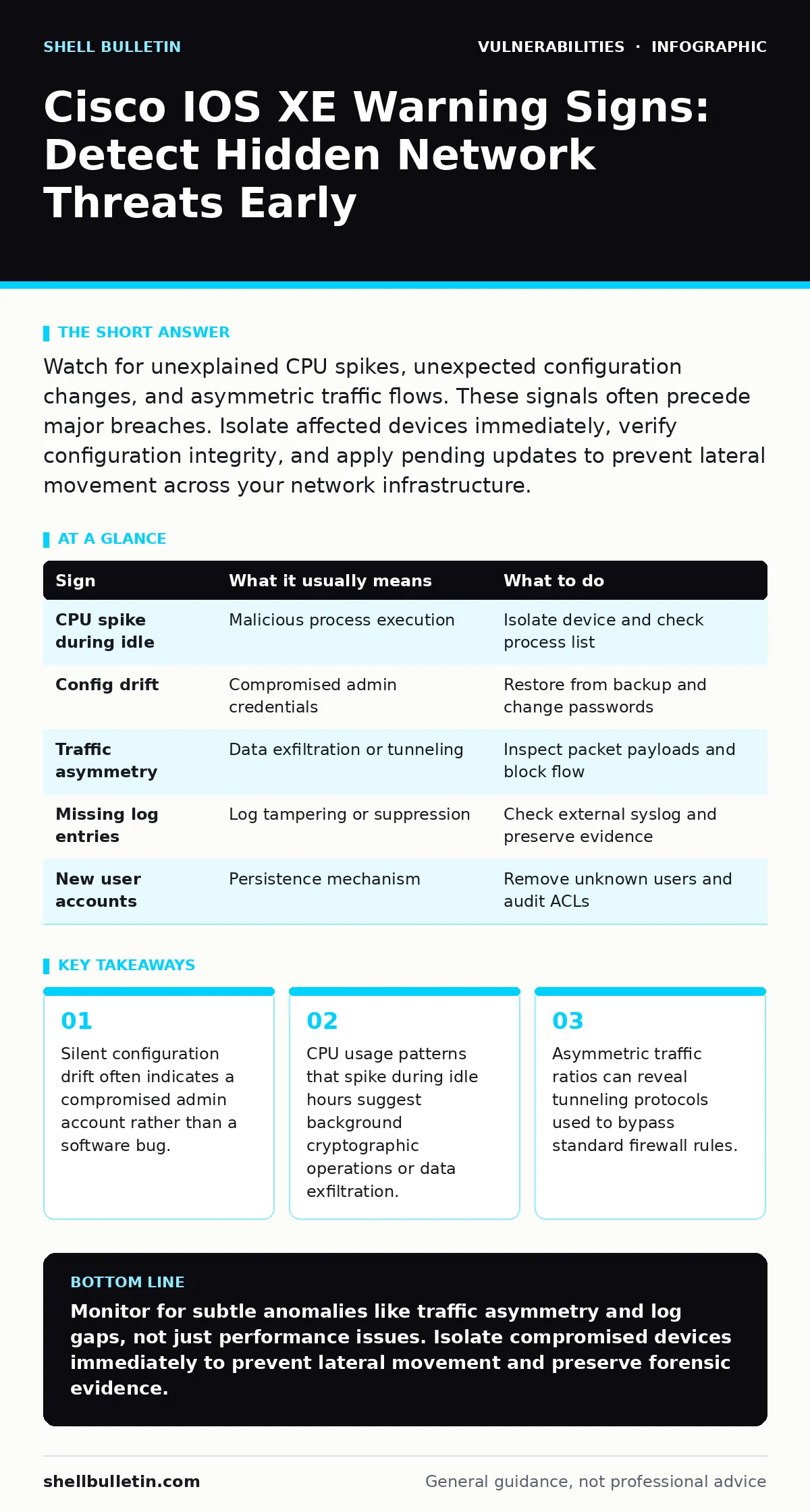
Watch for unexplained CPU spikes, unexpected configuration changes, and asymmetric traffic flows. These signals often precede major breaches. Isolate affected devices immediately, verify configuration integrity, and apply pending updates to prevent lateral movement across your network infrastructure.
Visible Indicators of IOS XE Compromise
You will likely notice performance degradation first. A device that suddenly consumes excessive CPU cycles during low-traffic periods signals abnormal processing loads. Cisco IOS XE runs on a Linux-based subsystem, so resource exhaustion often points to malicious scripts or unauthorized processes rather than simple network congestion. Check the process list for unknown executables. If the system cannot identify a process name, assume it is malicious. This behavior differs from standard routing table updates, which are brief and predictable.
Look for unexpected configuration changes in the running configuration. If you see new access control lists, modified routing protocols, or altered logging destinations, someone has gained write access. These changes often occur during maintenance windows to avoid immediate detection. Verify the timestamp of these changes against your maintenance schedule. Any deviation suggests an attacker has established persistence. This is a primary sign of privilege escalation vulnerabilities where an attacker gains higher-level access.
Subtle Signals That Remain Hidden
Traffic asymmetry is a harder signal to spot. You may notice more data leaving a router than entering it, or vice versa, without a corresponding business reason. This imbalance often indicates tunneling protocols or encrypted command-and-control channels. Standard firewalls may allow this traffic if it uses permitted ports. You must compare ingress and egress volumes over time. A consistent discrepancy suggests data exfiltration or a hidden backdoor. This requires deep packet inspection to identify the payload structure.
Log gaps provide another silent warning. If syslog entries disappear for specific time ranges, an attacker may have disabled logging or cleared the buffer. Cisco IOS XE stores logs in volatile memory by default. A reboot or a manual clear command erases this history. Compare local logs with external syslog servers. If the external server has entries that the local device lacks, the local logs have been tampered with. This tactic hides the initial entry vector and complicates forensic analysis.
Immediate Response Procedures
Isolate the affected device immediately. Do not shut it down, as this destroys volatile memory evidence. Instead, disconnect it from the production network while keeping it powered on. This prevents lateral movement to other segments. If you shut down the device, you lose the ability to analyze active processes and memory dumps. Use a console cable to maintain access for forensic data collection. This step is critical for understanding the scope of the breach.
Verify the integrity of the running configuration. Compare the current configuration with the last known good backup. Look for added users, modified passwords, or new network addresses. If you find discrepancies, restore the previous configuration from a secure backup. Do not trust the current configuration file on the device. Attackers often modify configuration files to maintain access after a reboot. This verification step ensures you remove all backdoors.
| Sign | What it usually means | What to do |
|---|---|---|
| CPU spike during idle | Malicious process execution | Isolate device and check process list |
| Config drift | Compromised admin credentials | Restore from backup and change passwords |
| Traffic asymmetry | Data exfiltration or tunneling | Inspect packet payloads and block flow |
| Missing log entries | Log tampering or suppression | Check external syslog and preserve evidence |
| New user accounts | Persistence mechanism | Remove unknown users and audit ACLs |
Long-Term Mitigation Strategies
Implement strict access controls for management interfaces. Restrict SSH and Telnet access to specific IP ranges using access control lists. Disable unused services and ports on the device. This reduces the attack surface and limits opportunities for exploitation. Regularly review user accounts and remove unnecessary privileges. Principle of least privilege ensures that even if an account is compromised, the damage is limited. This approach complements patch prioritization efforts by reducing risk exposure.
Monitor for known vulnerability patterns. Keep your device software up to date to address memory corruption bugs and other critical flaws. Vendors release patches for discovered issues, but applying them takes time. Use dependency updates to ensure all libraries and components are current. This proactive measure reduces the likelihood of exploitation. Combine this with continuous monitoring to detect attempts to exploit known weaknesses. This layered defense strategy improves overall security posture.
Common Misconceptions About IOS XE Security
Many administrators assume that firewalls protect internal routing devices. This is incorrect. Internal threats or compromised endpoints can directly attack routers. You must segment your management network and enforce strict access policies. Assume that the internal network is hostile. This mindset shift improves detection and response times. It also aligns with best practices for addressing host header injection and other web-based threats.
Another misconception is that stable performance indicates security. Attackers often operate silently to avoid detection. They may use low-and-slow techniques to exfiltrate data or maintain access. You must assume compromise and verify integrity regularly. This approach mirrors the diligence required when evaluating Fortinet FortiGate vulnerabilities or other complex network devices. Continuous verification is the only way to ensure ongoing security.
See also: Is DDoS Protection Worth It? The Real Cost of Silence
Integrating Security Frameworks
Use established frameworks to guide your security efforts. The OWASP Top 10 provides a baseline for web application security, but network devices require additional focus. Map your controls to specific threat models. This ensures you address the most likely attack vectors. Regular testing and validation confirm that your controls are effective. This structured approach helps prioritize resources and effort. It also provides a clear audit trail for compliance requirements.
Key takeaways
- Silent configuration drift often indicates a compromised admin account rather than a software bug.
- CPU usage patterns that spike during idle hours suggest background cryptographic operations or data exfiltration.
- Asymmetric traffic ratios can reveal tunneling protocols used to bypass standard firewall rules.
Monitor for subtle anomalies like traffic asymmetry and log gaps, not just performance issues. Isolate compromised devices immediately to prevent lateral movement and preserve forensic evidence.
Frequently asked questions
How do I know if my Cisco router is hacked?
Look for unexplained configuration changes, unexpected CPU spikes, and asymmetric traffic flows. These signs often indicate unauthorized access or malicious activity on the device.
What is the first step when detecting a vulnerability?
Isolate the affected device from the network immediately. Do not shut it down, as this destroys evidence. Use a console connection to investigate and preserve logs for forensic analysis.
Can a firewall stop IOS XE attacks?
Firewalls protect perimeter traffic but cannot stop internal attacks or compromised credentials. You must implement internal segmentation, strict access controls, and continuous monitoring for deep protection.
How often should I update Cisco IOS XE?
Apply security patches as soon as they are validated in your environment. Delaying updates leaves known vulnerabilities open to exploitation. Regular updates are critical for maintaining network integrity.
How this guide was produced: written by the Shell Bulletin editorial team with AI assistance, checked against the public references listed below, and reviewed when the facts change. See our editorial policy or report an error.