Cyber Hygiene Misunderstandings: 6 Errors That Leave Systems Exposed
Treating security as a static checklist creates blind spots where attackers exploit the gap between policy and actual system behavior.

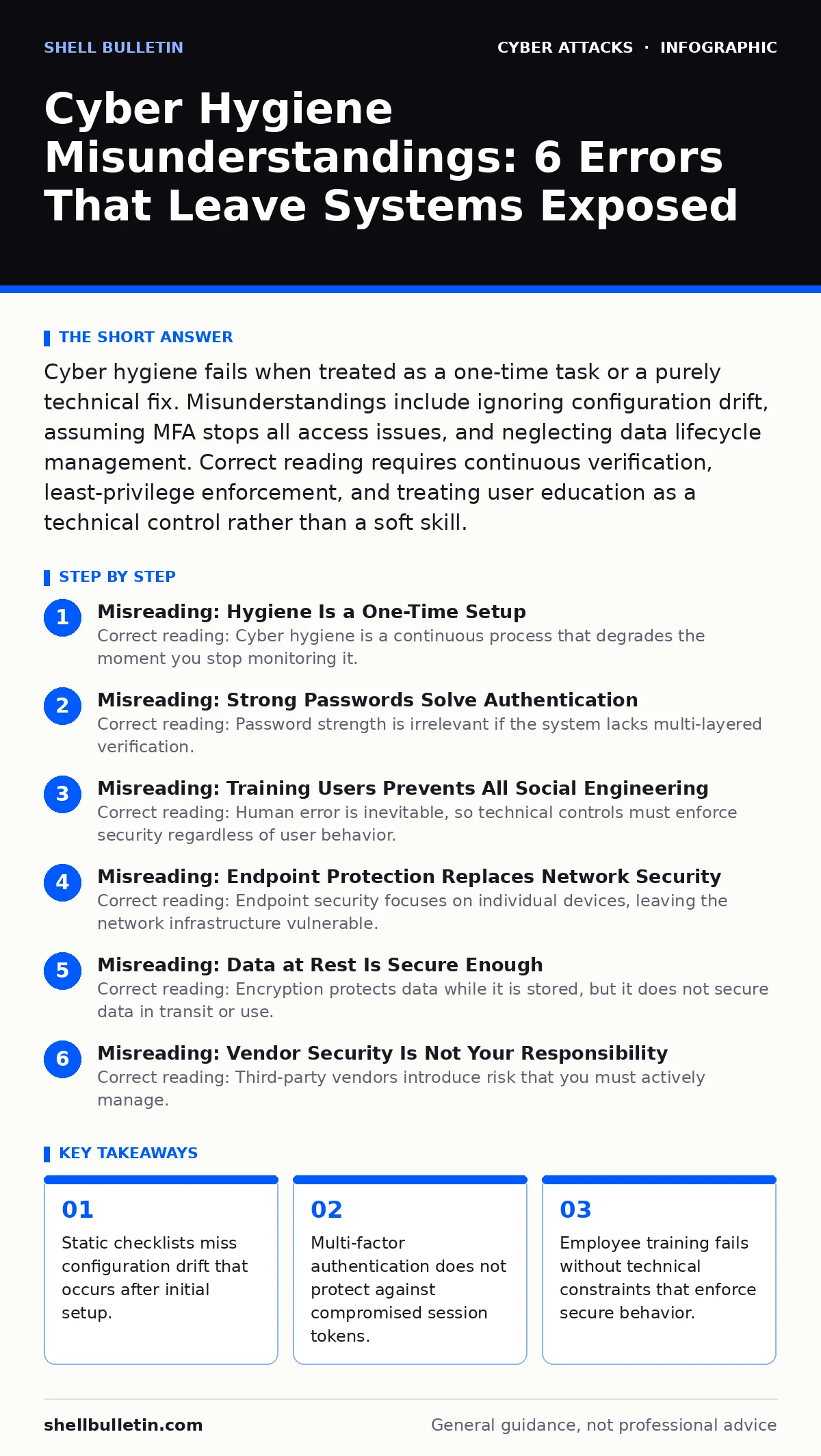
Cyber hygiene fails when treated as a one-time task or a purely technical fix. Misunderstandings include ignoring configuration drift, assuming MFA stops all access issues, and neglecting data lifecycle management. Correct reading requires continuous verification, least-privilege enforcement, and treating user education as a technical control rather than a soft skill.
Misreading: Hygiene Is a One-Time Setup
Correct reading: Cyber hygiene is a continuous process that degrades the moment you stop monitoring it. Many organizations configure security tools correctly at deployment and then assume those settings remain effective. Systems change constantly through updates, new user additions, and feature expansions. Each change introduces potential misconfigurations. You must treat your initial setup as a baseline, not a finish line. Regular audits catch the drift that occurs between major security reviews.
Imagine a firewall rule that allows traffic for a specific application. Six months later, that application is retired, but the rule remains active. An attacker can exploit that open channel because the hygiene process stopped at the initial configuration. Continuous monitoring detects these orphaned rules before they become entry points.
Misreading: Strong Passwords Solve Authentication
Correct reading: Password strength is irrelevant if the system lacks multi-layered verification. Relying solely on complex passwords ignores the reality of credential theft. Attackers use automated tools for password spraying, testing common passwords against many accounts simultaneously. Even a complex password falls if the attacker obtains it from a separate breach elsewhere. You need multi-factor authentication to add a second layer of verification.
Refer to the guide on multi-factor authentication for implementation details. The second factor must be something the user has, like a hardware token, rather than something they know. This ensures that stolen passwords are useless without the physical device. Password managers help generate unique credentials, but they do not replace the need for independent verification steps.
Misreading: Training Users Prevents All Social Engineering
Correct reading: Human error is inevitable, so technical controls must enforce security regardless of user behavior. Training improves awareness, but it does not eliminate mistakes. Fatigue, urgency, and sophisticated deception bypass even well-trained employees. You must assume that a user will eventually click a malicious link or grant unauthorized consent. Technical barriers must stop the attack even when the human fails.
Consider OAuth consent phishing, where a user authorizes a malicious app to access their data. Training teaches users to check the domain, but the interface often mimics legitimate services perfectly. Implementing application allow-listing restricts which third-party apps can access organizational data. This technical constraint protects the organization even if the user grants permission to a deceptive application.
Misreading: Endpoint Protection Replaces Network Security
Correct reading: Endpoint security focuses on individual devices, leaving the network infrastructure vulnerable. Installing antivirus software on every computer does not prevent lateral movement within the network. Once an attacker compromises one device, they can scan for other connected systems. Network segmentation isolates critical assets from general user devices. This limits the blast radius of a single compromised endpoint.
See the guide on network segmentation for design principles. By dividing the network into smaller zones, you force attackers to break through multiple barriers to reach sensitive data. Without segmentation, a single infected laptop can provide access to the entire server room. Endpoint protection catches malware, but network controls stop the spread.
Misreading: Data at Rest Is Secure Enough
Correct reading: Encryption protects data while it is stored, but it does not secure data in transit or use. Many organizations encrypt their databases and assume that solves data leakage. Attackers often target data as it moves between systems or as it is processed in memory. You must apply encryption standards to all states of data. This includes securing API communications and enforcing strict access controls during processing.
Imagine a database that is encrypted on disk. If an administrator accesses the data through an unencrypted remote session, an attacker on the network can intercept it. Implementing transport layer security ensures that data remains protected during transmission. Additionally, regular key rotation prevents long-term decryption if a key is ever compromised.
See also: Multi-Factor Authentication Setup for Small Teams · Cloud Least Privilege: Stop Over-Granting Access Rights Now
Misreading: Vendor Security Is Not Your Responsibility
Correct reading: Third-party vendors introduce risk that you must actively manage. Assuming a vendor’s security is sufficient creates a false sense of safety. You share responsibility for the data and access privileges you grant to external partners. Vendor compromises can lead to direct account takeover or data exposure. You must verify vendor security practices and limit their access to only what is necessary.
Review the guide on email authentication to understand how vendors interact with your domain. Misconfigured DNS records can allow attackers to hijack your domain reputation. Regularly audit vendor access rights and remove permissions for services that are no longer used. Treat vendor connections as external threats that require the same scrutiny as internal systems.
Misreading: Backups Guarantee Recovery
Correct reading: Backups must be tested and isolated to be effective. Having backup files does not ensure you can restore operations after an attack. If backups are connected to the live network, ransomware can encrypt them too. You need offline or immutable backups that cannot be altered by attackers. Regular restoration tests verify that the data is usable and complete.
Suppose a ransomware attack encrypts your primary servers. If your backups are also encrypted, you have no recovery path. Isolating backups on separate media or using cloud storage with versioning prevents this total loss. Testing the restoration process ensures that you can actually recover business operations within your required timeframe.
Key takeaways
- Static checklists miss configuration drift that occurs after initial setup.
- Multi-factor authentication does not protect against compromised session tokens.
- Employee training fails without technical constraints that enforce secure behavior.
Frequently asked questions
How often should I review my cyber hygiene practices?
Review core controls quarterly and perform full audits annually. Continuous monitoring tools should alert you to changes in real-time, allowing for immediate correction of misconfigurations.
Does multi-factor authentication protect against all phishing attacks?
Multi-factor authentication significantly reduces risk but does not stop all attacks. Phishing can still steal session tokens or trick users into authorizing access. Combine MFA with technical controls like application allow-listing for better protection.
What is the first step in fixing poor cyber hygiene?
Start with an inventory of all assets and access privileges. You cannot secure what you do not know you have. Identify unused accounts, outdated software, and unnecessary open ports before implementing new controls.
How do I know if my backups are secure?
Verify that backups are stored offline or in an immutable format. Test the restoration process regularly to ensure data integrity. Ensure backup credentials are stored separately from the primary system to prevent simultaneous compromise.
How this guide was produced: written by the Shell Bulletin editorial team with AI assistance, checked against the public references listed below, and reviewed when the facts change. See our editorial policy or report an error.