Cyber Hygiene Meaning: Daily Habits That Prevent Breaches
Cyber hygiene is not a one-time fix but a set of repeatable actions that reduce the surface area available to attackers who exploit routine human errors.

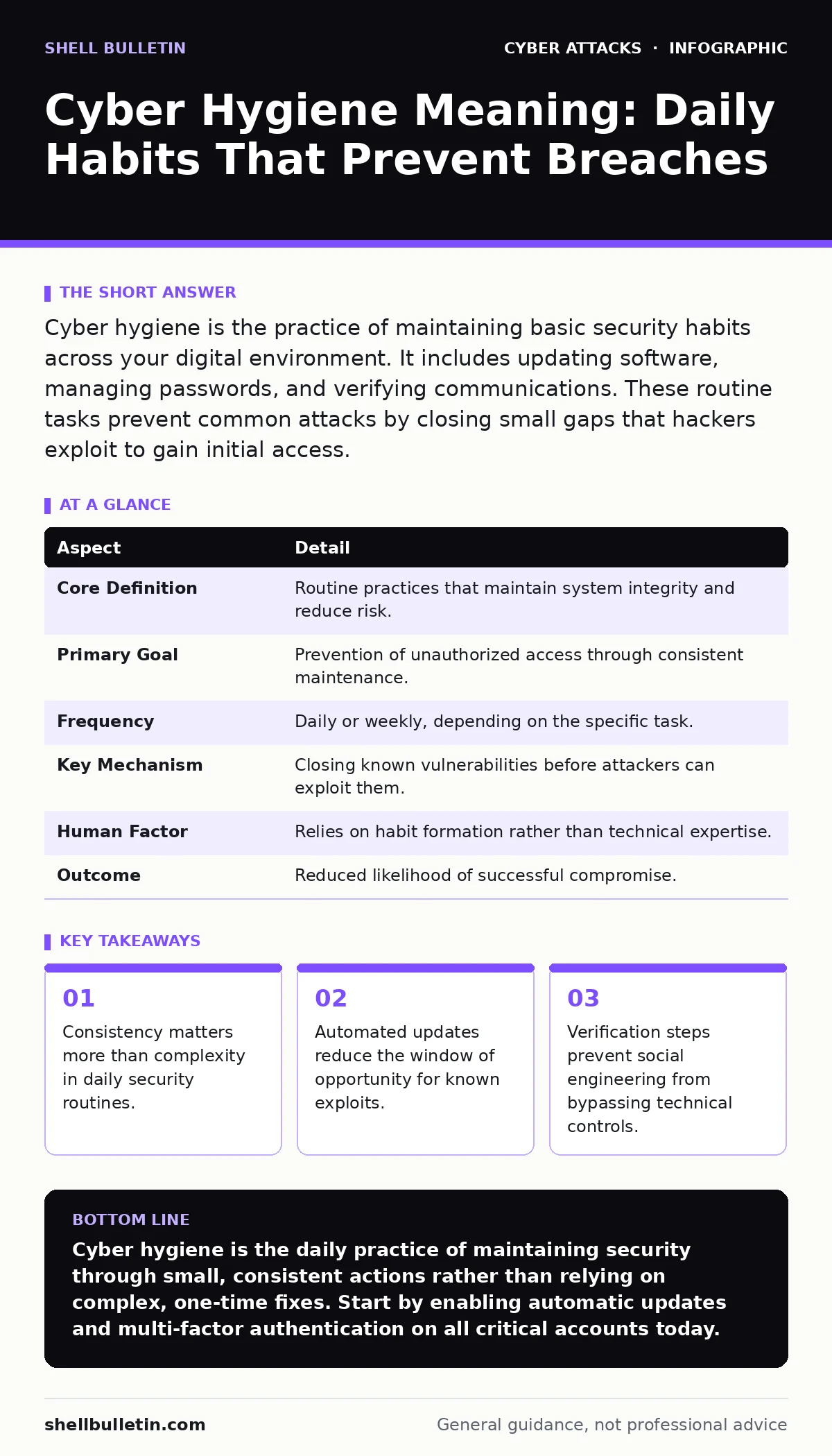
Cyber hygiene is the practice of maintaining basic security habits across your digital environment. It includes updating software, managing passwords, and verifying communications. These routine tasks prevent common attacks by closing small gaps that hackers exploit to gain initial access.
The Soap and Water of Digital Security
Think of cyber hygiene like brushing your teeth. You do not wait for a cavity to form before cleaning your mouth. You perform the action daily, regardless of whether you feel pain or notice a problem. The goal is prevention, not reaction. In the digital world, this means performing small, repetitive tasks that keep your systems clean of vulnerabilities.
Most people view security as a fortress with high walls. This is a misunderstanding. Attackers rarely batter down the main gate. They look for an unlocked window or a door left ajar. Cyber hygiene is the act of checking those windows and locking those doors every single day. It is mundane, but it is the primary defense against the majority of intrusions.
| Aspect | Detail |
|---|---|
| Core Definition | Routine practices that maintain system integrity and reduce risk. |
| Primary Goal | Prevention of unauthorized access through consistent maintenance. |
| Frequency | Daily or weekly, depending on the specific task. |
| Key Mechanism | Closing known vulnerabilities before attackers can exploit them. |
| Human Factor | Relies on habit formation rather than technical expertise. |
| Outcome | Reduced likelihood of successful compromise. |
Where the Term Comes From
The phrase borrows from public health. In medicine, hygiene refers to conditions and practices for maintaining health and preventing disease. Washing hands, for example, removes pathogens before they enter the body. This concept transferred to computing in the early days of the internet. As networks grew, experts realized that most infections spread because users ignored basic maintenance.
The term stuck because it shifts the focus from complex technology to simple behavior. It suggests that security is not just for experts. It is a daily responsibility for anyone who uses a computer or smartphone. Just as poor physical hygiene leads to illness, poor digital hygiene leads to data loss and system failure. The analogy helps non-technical users understand why they must perform tasks that seem boring or unnecessary.
Daily Practices That Matter
You perform cyber hygiene through a combination of automated tools and manual checks. Automation handles the heavy lifting, such as applying software patches. When a vendor releases an update, it often fixes a security hole. If you delay installation, you leave that hole open. Automatic updates close this gap without requiring your direct intervention.
Manual checks are equally important. You must verify who you are talking to. This is where practices like email authentication come into play. These protocols help your email provider determine if a message actually came from the sender it claims to represent. Without these checks, you might trust a forged message that looks identical to a legitimate one.
Another daily task is reviewing active applications. Many services use OAuth consent phishing techniques to trick you into granting access to your accounts. Regularly checking which apps have permission to view your data ensures that compromised or unnecessary applications cannot steal your information. This is a form of digital decluttering that reduces risk.
The Hidden Cost of Convenience
Many security features are designed to be invisible. This is a double-edged sword. When security works well, you do not notice it. This leads to complacency. You assume that because nothing bad has happened, everything is safe. This assumption is dangerous. The absence of evidence is not evidence of absence.
Convenience often undermines hygiene. Single sign-on allows you to log in once and access multiple services. This is convenient, but if that single account is compromised, the attacker gains access to everything connected to it. This is why understanding account takeover risks is necessary. You must secure the primary account with high friction, such as a hardware key or strong multi-factor authentication, to protect the downstream services.
Another hidden cost is the accumulation of old accounts. You create accounts for services you use once, then forget about them. These dormant accounts become targets. Attackers know that old accounts often have weaker passwords or lack multi-factor authentication. They are low-hanging fruit. Regularly auditing and deleting unused accounts is a critical hygiene practice that most people ignore.
What People Usually Get Wrong
The most common mistake is treating cyber hygiene as a one-time setup. You install antivirus software, set a strong password, and then ignore security for months. This is like brushing your teeth once and then never again. Threats evolve constantly. New vulnerabilities are discovered every day. Your defenses must evolve with them.
Another error is relying solely on technology. Firewalls and intrusion detection systems are useful, but they cannot stop a user from willingly giving away credentials. Social engineering attacks, such as smishing via text messages, bypass technical controls entirely. They exploit human trust and urgency. No amount of software can fix a lack of skepticism. You must cultivate a mindset of verification.
People also misunderstand the scope of their digital footprint. They secure their work computer but ignore their personal smartphone. Attackers often target the weaker link. If your personal phone is compromised, an attacker may harvest your contacts, find your work email, and then target your professional account. This cross-contamination means that hygiene must be holistic. It applies to every device you own.
The Role of Network Structure
Your internal network structure affects how well hygiene works. If all your devices are on the same flat network, a compromise on one device can spread to all others. This is why network segmentation is a key hygiene practice. It involves dividing your network into smaller, isolated sections. If an attacker breaches one section, they are contained. They cannot move laterally to access sensitive data.
Segmentation is not just for large corporations. Small businesses can segment their guest Wi-Fi from their internal operations. This simple step prevents visitors from accessing your file servers or internal tools. It is a low-cost measure that significantly reduces the blast radius of a potential breach. Without segmentation, a single infected laptop can expose your entire organization.
Eavesdropping and Data Protection
Hygiene also involves protecting data in transit. When you send information over a network, it can be intercepted. This is known as eavesdropping attacks. To prevent this, you must ensure that connections are encrypted. Look for HTTPS in your browser address bar. This indicates that the data between your device and the website is scrambled.
However, encryption is not always automatic. Some older devices or legacy systems may not support modern encryption standards. Identifying and upgrading these systems is part of hygiene. You must also be cautious about public Wi-Fi. These networks are often unsecured, making eavesdropping easy. Using a virtual private network adds a layer of encryption, protecting your data even on insecure networks.
Maintaining the Habit
Building cyber hygiene into your routine requires discipline. Start by automating what you can. Enable automatic updates for your operating system, browsers, and critical applications. Turn on multi-factor authentication for all accounts that support it. Use a password manager to generate and store complex passwords. This removes the cognitive load from your daily tasks.
Then, schedule regular reviews. Once a month, check your account permissions, review connected devices, and delete unused accounts. Make this a standing appointment in your calendar. Consistency is the key to effectiveness. The goal is to make these actions so routine that they require little thought. Like brushing your teeth, you should not have to decide to do it. It just becomes part of your day.
Key takeaways
- Consistency matters more than complexity in daily security routines.
- Automated updates reduce the window of opportunity for known exploits.
- Verification steps prevent social engineering from bypassing technical controls.
Cyber hygiene is the daily practice of maintaining security through small, consistent actions rather than relying on complex, one-time fixes. Start by enabling automatic updates and multi-factor authentication on all critical accounts today.
Frequently asked questions
How often should I review my cyber hygiene practices?
Perform daily checks for obvious anomalies and conduct a deeper review of accounts and permissions once a month.
Is cyber hygiene different from cybersecurity?
Cybersecurity is the broad field of protecting systems, while cyber hygiene refers to the specific, routine habits that maintain that protection.
Can automation replace human vigilance?
Automation handles technical updates, but humans must verify communications and identify social engineering attempts that software cannot detect.
What is the first step to improving my cyber hygiene?
Enable multi-factor authentication on all accounts that support it, as this adds a critical layer of protection against stolen passwords.
How this guide was produced: written by the Shell Bulletin editorial team with AI assistance, checked against the public references listed below, and reviewed when the facts change. See our editorial policy or report an error.