Full Disk Encryption Myths: What You Get and What You Miss
Full disk encryption protects data at rest but leaves information exposed while the system runs or during transmission.

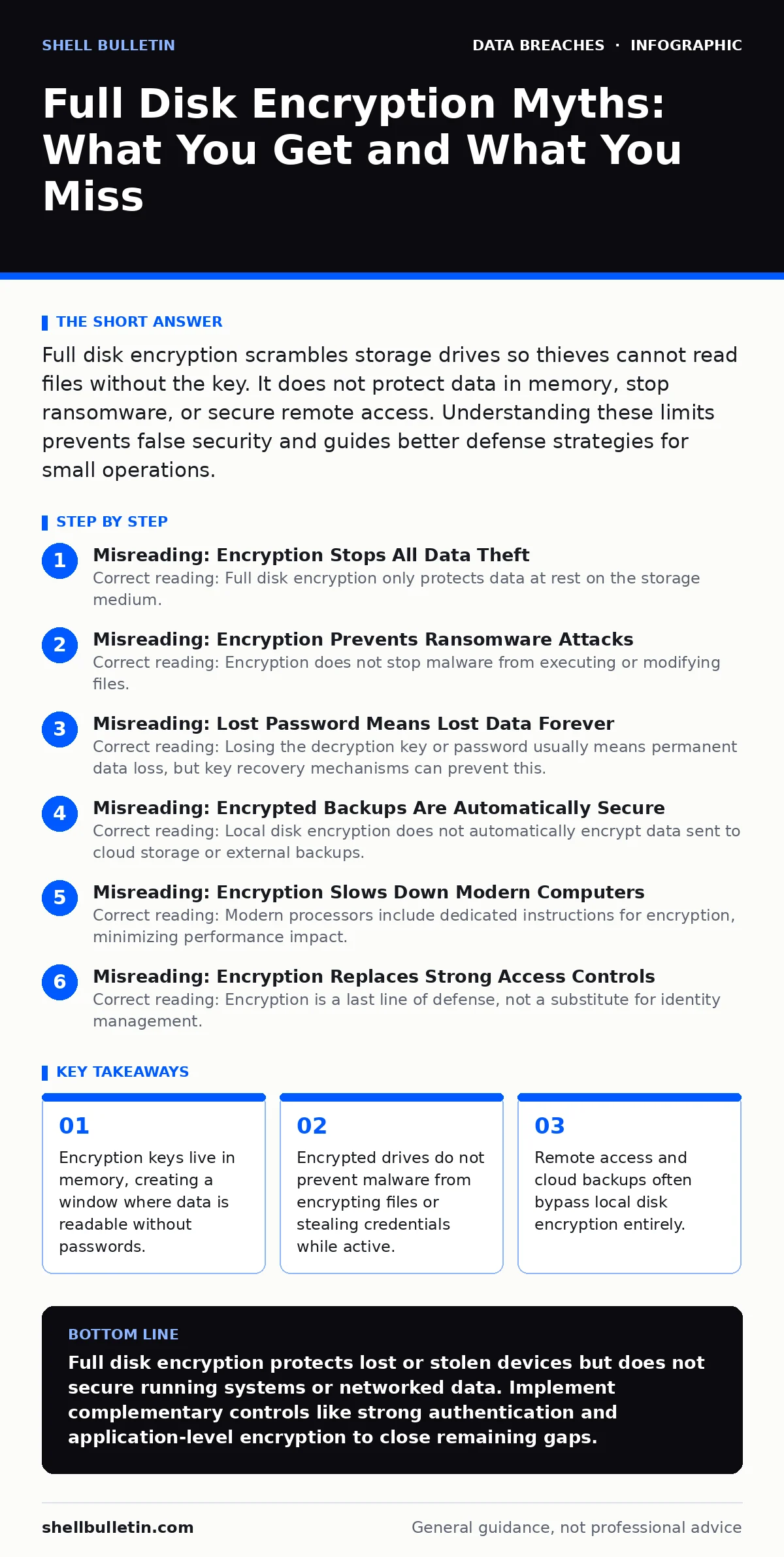
Full disk encryption scrambles storage drives so thieves cannot read files without the key. It does not protect data in memory, stop ransomware, or secure remote access. Understanding these limits prevents false security and guides better defense strategies for small operations.
Misreading: Encryption Stops All Data Theft
Correct reading: Full disk encryption only protects data at rest on the storage medium. It does not shield information while the computer is running, connected to a network, or being transmitted. Imagine a locked safe. The lock protects the contents while the safe sits closed. It offers zero protection once you open the door and take the valuables out. Attackers who gain access to a running system can read, copy, or exfiltrate data just as easily as from an unencrypted drive. This limitation means you must also implement network security and application controls. See our guide on data loss prevention for methods to control outbound traffic.
Misreading: Encryption Prevents Ransomware Attacks
Correct reading: Encryption does not stop malware from executing or modifying files. Ransomware operates at the application level, often after the operating system has decrypted the drive for normal use. The malware encrypts your files using its own keys, rendering them unreadable. Your full disk encryption remains active and irrelevant to this process. It does not detect malicious behavior or block unauthorized writes. You need endpoint detection and response tools to identify and stop ransomware behavior. Relying solely on disk encryption against ransomware is a critical gap in defense.
Misreading: Lost Password Means Lost Data Forever
Correct reading: Losing the decryption key or password usually means permanent data loss, but key recovery mechanisms can prevent this. Many systems store backup keys in cloud accounts or hardware security modules. If you do not configure these backups, you cannot recover the data. Suppose you forget the password to an encrypted laptop. Without a pre-configured recovery key, the data remains mathematically inaccessible. This is a design feature, not a bug. Encryption is one-way without the key. You must establish a key escrow or recovery plan before encryption becomes mandatory.
Misreading: Encrypted Backups Are Automatically Secure
Correct reading: Local disk encryption does not automatically encrypt data sent to cloud storage or external backups. Many backup applications transmit data over unencrypted channels or store it in plain text on remote servers. If your backup solution does not support end-to-end encryption, your data is vulnerable during transit and at rest on the provider's infrastructure. You must verify that your backup tool encrypts data before it leaves the device. This requires separate configuration from the operating system's disk encryption. Check your backup settings to ensure encryption is enabled at the application layer.
Misreading: Encryption Slows Down Modern Computers
Correct reading: Modern processors include dedicated instructions for encryption, minimizing performance impact. Hardware acceleration handles the computational load of encrypting and decrypting data transparently. For most general business tasks, the speed difference is imperceptible. However, heavy I/O operations or older hardware may experience noticeable latency. This trade-off is rarely significant for standard office workloads. Do not skip encryption due to unfounded performance fears. The security benefit far outweighs the negligible speed cost on contemporary equipment. Test your specific workload if you handle large databases or video editing.
See also: Should You Pay for Identity Theft Protection? A Cost-Benefit Analysis · PCI DSS Compliance Checklist for Secure Payment Data
Misreading: Encryption Replaces Strong Access Controls
Correct reading: Encryption is a last line of defense, not a substitute for identity management. Strong passwords, multi-factor authentication, and least-privilege access controls prevent unauthorized users from reaching the data in the first place. Encryption only activates if physical theft or unauthorized local access occurs. Suppose an attacker guesses a weak password. They bypass the need to break encryption entirely. You must enforce strong authentication policies alongside encryption. See our guide on password leaks to understand credential risks. See also HIPAA Security Rule or PCI DSS requirements for mandated access controls.
Misreading: Encryption Protects Against Insider Threats
Correct reading: Encryption does not stop authorized users from accessing or stealing data. If an employee has the password and legitimate access, they can read, copy, or exfiltrate files. Encryption assumes the threat is external or physical theft. Insider threats require monitoring, audit logs, and data usage policies. You must track who accesses sensitive files and when. See our guide on log retention to maintain records of user activity. See also dark web monitoring to detect compromised credentials. Encryption is one layer in a broader security strategy.
Key takeaways
- Encryption keys live in memory, creating a window where data is readable without passwords.
- Encrypted drives do not prevent malware from encrypting files or stealing credentials while active.
- Remote access and cloud backups often bypass local disk encryption entirely.
- Key management failures can permanently lock out legitimate users from their own data.
Full disk encryption protects lost or stolen devices but does not secure running systems or networked data. Implement complementary controls like strong authentication and application-level encryption to close remaining gaps.
Frequently asked questions
Does full disk encryption protect my files if I send them via email?
No, email transmission is separate from local storage. Encrypt files individually before attaching them to emails to protect them in transit.
Can I recover data if my hard drive fails?
Encryption does not protect against hardware failure. Regular backups to separate, secure locations are necessary to recover data from drive failures.
Is full disk encryption required for compliance?
Many frameworks like PCI DSS and HIPAA Security Rule recommend or require encryption for data at rest. Check your specific regulatory obligations.
Does encryption work on external USB drives?
Yes, but you must manually enable it. External drives are not encrypted by default. Use operating system tools or dedicated software to encrypt portable storage.
How this guide was produced: written by the Shell Bulletin editorial team with AI assistance, checked against the public references listed below, and reviewed when the facts change. See our editorial policy or report an error.