DevSecOps vs DevOps: How to Integrate Security Without Slowing Delivery
DevSecOps adds automated security checks to the development pipeline, preventing costly fixes after code reaches production environments.

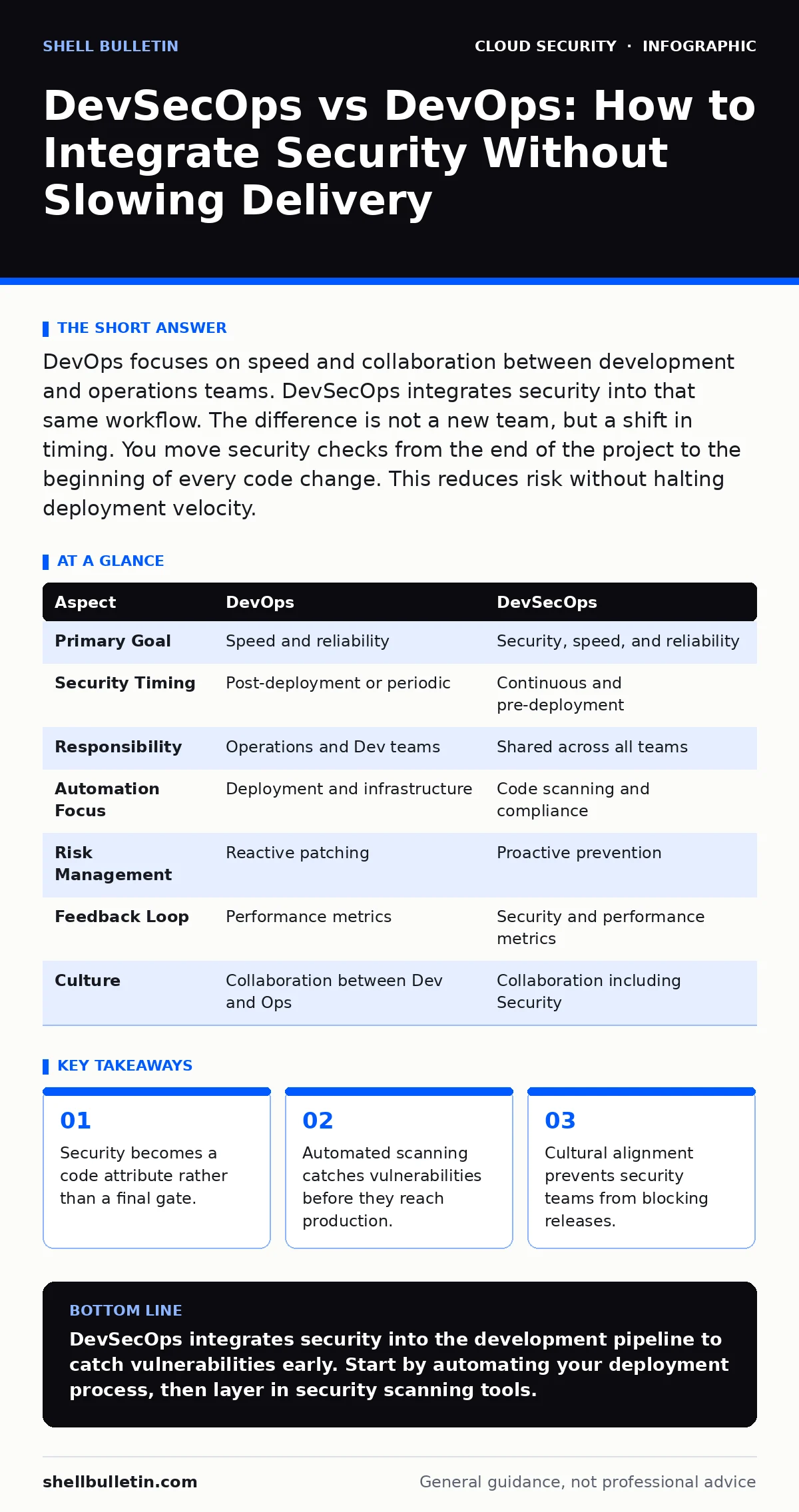
DevOps focuses on speed and collaboration between development and operations teams. DevSecOps integrates security into that same workflow. The difference is not a new team, but a shift in timing. You move security checks from the end of the project to the beginning of every code change. This reduces risk without halting deployment velocity.
The Core Difference Between DevSecOps and DevOps
The primary distinction lies in the timing of security validation. DevOps prioritizes rapid delivery and operational stability, often treating security as a separate phase. DevSecOps embeds security controls directly into the continuous integration and continuous delivery pipeline. This means every code commit triggers automated security checks. You do not add a new department. You add new steps to your existing workflow. The goal is to find flaws while they are cheap to fix.
Understanding the DevOps Methodology
DevOps is a cultural and professional movement that breaks down silos between software developers and IT operations. It relies on automation to handle infrastructure provisioning and application deployment. The focus is on reducing the time between writing code and making it available to users. This approach improves release frequency and system reliability. However, speed can introduce risk. If security is an afterthought, vulnerabilities slip into production. This creates a backlog of technical debt that slows future development.
Understanding the DevSecOps Methodology
DevSecOps extends the DevOps model by integrating security practices at every stage of the software development lifecycle. It treats security as a shared responsibility rather than a final audit. Developers write secure code, and operations secure the infrastructure. Automated tools scan for known vulnerabilities and configuration errors in real time. This shifts security left, meaning you detect issues early. Early detection prevents breaches and reduces the cost of remediation. It turns security from a blocker into an enabler.
Comparing DevSecOps vs DevOps Strategies
| Aspect | DevOps | DevSecOps |
|---|---|---|
| Primary Goal | Speed and reliability | Security, speed, and reliability |
| Security Timing | Post-deployment or periodic | Continuous and pre-deployment |
| Responsibility | Operations and Dev teams | Shared across all teams |
| Automation Focus | Deployment and infrastructure | Code scanning and compliance |
| Risk Management | Reactive patching | Proactive prevention |
| Feedback Loop | Performance metrics | Security and performance metrics |
| Culture | Collaboration between Dev and Ops | Collaboration including Security |
This table highlights the structural shift. DevOps optimizes for flow. DevSecOps optimizes for flow with constraints. The constraints are automated checks that ensure code meets security standards. You gain visibility into risk before it impacts users.
Why Integration Matters for Business Continuity
Ignoring security until the end of a project creates a bottleneck. When a security audit finds critical flaws, you must halt deployment. This delays revenue and frustrates teams. DevSecOps avoids this by catching issues during development. Suppose a developer introduces a dependency with a known flaw. An automated scanner flags it immediately. The developer fixes it before merging. This prevents the flaw from reaching production. It also reduces the likelihood of cloud misconfigurations that expose data. Proper integration ensures that security does not become a roadblock.
See also: What Is Immutable Infrastructure: A Static Security Model · Cloud Incident Response: 8 Critical Questions Answered
Choosing the Right Approach for Your Organization
You must assess your current maturity before deciding. DevOps is the foundation. You cannot have DevSecOps without first establishing DevOps practices. If your deployment process is manual, start there. Automate infrastructure and deployment first. Once you have a stable pipeline, introduce security tools.
Choose DevOps when:
- You are new to automation.
- Your primary challenge is release frequency.
- Your applications have low sensitivity.
- You lack dedicated security staff.
Choose DevSecOps when:
- You handle sensitive customer data.
- You face strict compliance requirements.
- You want to reduce incident response costs.
- You have established CI/CD pipelines.
Where they overlap:
- Both require strong collaboration.
- Both rely on automation.
- Both aim to improve system reliability.
Implementing DevSecOps requires more than tools. It requires a cultural shift. Developers must understand security basics. Operations must support security automation. This alignment prevents friction. It also complements broader strategies like least privilege in the cloud. You grant only necessary permissions, reducing the blast radius of any breach.
Common Pitfalls in Implementation
Many organizations fail because they treat security as a separate gate. They add a final scan that blocks releases. This creates resentment and encourages workarounds. Instead, integrate scans into the build process. Fail the build if critical vulnerabilities are found. This makes security a quality metric. It also supports data center resilience planning by ensuring only secure code runs in production. You avoid the hidden cost of rework. Fixing a bug in production costs significantly more than fixing it in development.
Maintaining Long-Term Security Posture
Security is not a one-time project. It is a continuous process. You must update your tools and rules regularly. New vulnerabilities emerge daily. Your automated scans must reflect these changes. This aligns with principles found in CIS Benchmarks, which provide standardized security configurations. Regular reviews ensure your pipeline remains effective. You also need to monitor runtime behavior. Static checks are not enough. You must detect anomalies in production. This holistic approach ensures that your application remains secure against evolving threats.
Key takeaways
- Security becomes a code attribute rather than a final gate.
- Automated scanning catches vulnerabilities before they reach production.
- Cultural alignment prevents security teams from blocking releases.
DevSecOps integrates security into the development pipeline to catch vulnerabilities early. Start by automating your deployment process, then layer in security scanning tools.
Frequently asked questions
Does DevSecOps slow down development?
Initially, it may add slight overhead. Over time, it speeds up delivery by preventing late-stage fixes and security blockers.
Do I need a security team for DevSecOps?
You need security expertise, but it does not require a large dedicated team. Developers and ops staff share the responsibility.
What tools are needed for DevSecOps?
You need static code analyzers, dynamic scanners, and dependency checkers. These tools integrate into your existing CI/CD pipeline.
How does DevSecOps help with compliance?
It provides automated evidence of security checks. This makes audits easier and ensures continuous adherence to standards.
How this guide was produced: written by the Shell Bulletin editorial team with AI assistance, checked against the public references listed below, and reviewed when the facts change. See our editorial policy or report an error.