Fix Service Account Security: 6 Common Misunderstandings
Service accounts often hold more power than human employees because they lack behavioral baselines that trigger automated anomaly detection systems.

Treating service accounts like human users creates blind spots in your security posture. You must remove interactive capabilities, rotate credentials automatically, and treat these identities as code. Misunderstanding their non-human nature leads to privilege creep and undetected lateral movement during a breach.
Misreading: Service accounts need interactive login capabilities
Correct reading: Service accounts should never support interactive login sessions. These identities exist to run automated processes, backups, or application logic. They do not require a graphical interface, a command shell, or the ability to authenticate via a web portal. Allowing interactive login expands the attack surface unnecessarily. If an attacker compromises the credentials, they gain a foothold that mimics a legitimate user.
This makes detection harder because the activity looks like normal administrative work. Disable all interactive login methods for these identities. Use programmatic access only. This restriction ensures that the account can only perform its specific technical function. It prevents attackers from using the account to browse sensitive data or escalate privileges manually.
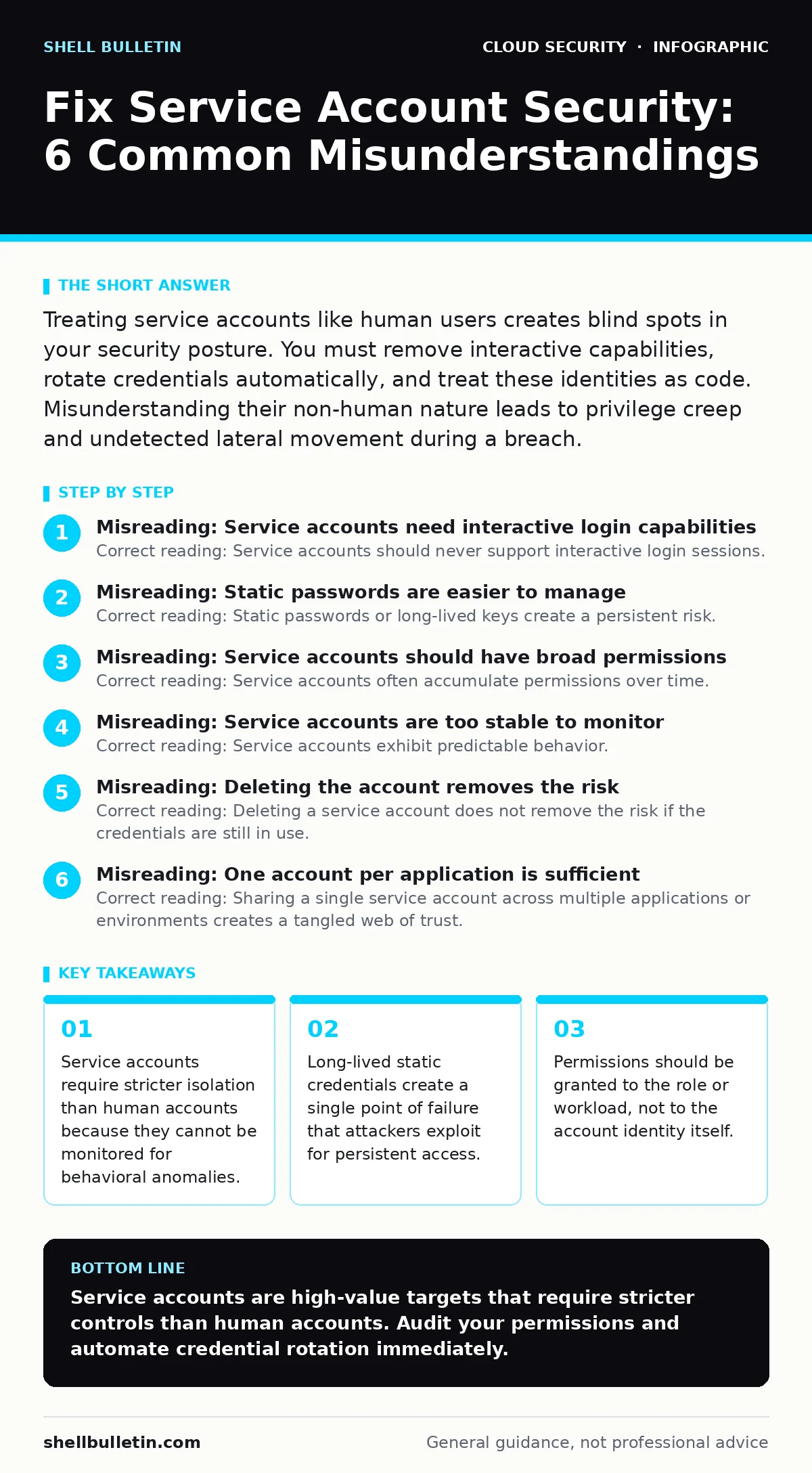
Misreading: Static passwords are easier to manage
Correct reading: Static passwords or long-lived keys create a persistent risk. When a key is written into a configuration file or hardcoded in an application, it remains valid until someone manually changes it. This often never happens. Attackers who find one static key can use it indefinitely. Modern cloud platforms support automatic credential rotation.
The application requests a temporary token, and the platform issues one with a short expiration time. This eliminates the need to store secrets. You manage the policy, not the password. This approach aligns with the principles found in our guide on workload identity. The system validates the request based on the workload's identity, not a shared secret. This reduces the blast radius of a leak. A stolen token expires in minutes, not years.
Misreading: Service accounts should have broad permissions
Correct reading: Service accounts often accumulate permissions over time. Administrators grant access to fix immediate issues without removing old privileges. This leads to privilege creep. The account ends up with rights far beyond its original purpose. Attackers exploit this excess access to move laterally. You must apply strict boundaries. Grant only the specific permissions required for the current task.
Review these permissions regularly. Remove any access that is no longer needed. This practice is central to least privilege in the cloud. It ensures that even if the account is compromised, the attacker can do very little. Define the scope of action clearly. Use policy files that specify exactly which resources can be accessed. Avoid wildcard permissions that grant access to all resources of a type.
Misreading: Service accounts are too stable to monitor
Correct reading: Service accounts exhibit predictable behavior. They run at specific times, access specific resources, and perform specific actions. Deviations from this pattern are immediate red flags. Human users have varying schedules and usage patterns, which makes anomaly detection noisy. Service accounts do not. You can set tight baselines for their activity.
Alert on any access outside of expected windows. Alert on any access to unexpected resources. Alert on any change in the volume of data accessed. This allows for rapid detection of compromise. You can correlate activity with deployment events. If a service account accesses a database during a routine backup, that is normal. If it accesses the same database at 3 AM from a new region, that is suspicious.
Misreading: Deleting the account removes the risk
Correct reading: Deleting a service account does not remove the risk if the credentials are still in use. Applications, scripts, or configuration management tools may still hold the old keys. These orphaned credentials become a hidden backdoor. Attackers scan for these lingering permissions. You must audit all dependencies before deletion. Check configuration files, environment variables, and secret management stores.
Ensure that all references are updated to the new identity or removed entirely. This process is part of a solid cloud incident response plan. It prevents accidental outages and security gaps. Treat identity lifecycle management with the same rigor as data lifecycle management. Verify that the account is truly unused before removing it. Monitor for authentication failures from the old credentials after deletion.
See also: What Is Immutable Infrastructure: A Static Security Model · Cloud Incident Response: 8 Critical Questions Answered
Misreading: One account per application is sufficient
Correct reading: Sharing a single service account across multiple applications or environments creates a tangled web of trust. If one application is compromised, the attacker gains access to all other applications using that account. This violates the principle of isolation. Create separate identities for each distinct workload. Separate production from development. Separate different microservices.
This limits the impact of a breach. It also simplifies auditing. You can trace actions back to a specific component. This granularity is difficult to achieve with shared accounts. It supports the goals of immutable infrastructure by ensuring that each component has its own secure identity. You can rotate or revoke permissions for one service without affecting others. This reduces operational risk.
How to check your understanding
Correct reading: You can verify your security posture by asking specific questions. Can any service account log in interactively? If yes, fix it. Do any accounts have static passwords? If yes, automate rotation. Are permissions reviewed regularly? If no, schedule it. Do you have separate accounts for different environments? If no, create them. Are you monitoring for anomalous activity?
If not, enable logging. This checklist helps you identify gaps. It ensures that your service account strategy is robust and secure. It aligns your practices with industry standards. It reduces the risk of unauthorized access. It improves your overall security posture. Regular audits are necessary. Security is not a one-time task. It requires continuous effort and attention.
Key takeaways
- Service accounts require stricter isolation than human accounts because they cannot be monitored for behavioral anomalies.
- Long-lived static credentials create a single point of failure that attackers exploit for persistent access.
- Permissions should be granted to the role or workload, not to the account identity itself.
Service accounts are high-value targets that require stricter controls than human accounts. Audit your permissions and automate credential rotation immediately.
Frequently asked questions
Should I use the same service account for development and production?
No. Separate identities prevent a compromised development environment from accessing production data. This isolation limits the blast radius of a breach.
How often should I rotate service account keys?
If you must use static keys, rotate them frequently. Ideally, use automatic rotation with short-lived tokens. This eliminates the risk of long-term exposure.
Can service accounts be part of a multi-cloud strategy?
Yes. Each cloud provider has its own identity management system. You must manage identities separately for each provider. This adds complexity but is necessary for security.
What happens if I lose access to a service account?
You should have a backup method to regain access. Store emergency credentials in a secure vault. Test your recovery process regularly. This ensures business continuity.
How this guide was produced: written by the Shell Bulletin editorial team with AI assistance, checked against the public references listed below, and reviewed when the facts change. See our editorial policy or report an error.